Tables
R2026btable is a data type suitable for column-oriented or
tabular data that is often stored as columns in a text file or in a
spreadsheet. Tables consist of rows and column-oriented variables. Each
variable in a table can have a different data type and a different size with
the one restriction that each variable must have the same number of rows.
For more information, see Create Tables and Assign Data to Them or watch Tables and Categorical Arrays.
Functions
Apps
Live Editor Tasks
Topics
- Create Tables and Assign Data to Them
There are several ways to create tables and assign data to them. You can create tables from input arrays, preallocate tables and fill them in later, or import tables from text files or spreadsheets.
- Control How MATLAB Imports Your Data
If you want to control the import process beyond the options provided by the
readtablefunction, such as defining how to handle missing data or errors, then create an import options object before importing the data. - Access Data in Tables
Indexing into tables with parentheses, dot notation, and curly braces accesses table data in different ways. You can use indexing to create a table that is a subset of a larger table or to create an array from data in a table.
- Direct Calculations on Tables and Timetables
You can perform calculations directly on tables and timetables without indexing to extract their data. All the variables in your tables and timetables must have data types that support calculations. (Since R2023a)
- Plots That Support Tables
Create plots by passing tables directly to plotting functions.
- Tables of Mixed Data
Use tables to store mixed-type data conveniently, access data with numeric or named indexing, and to store metadata.
Featured Examples
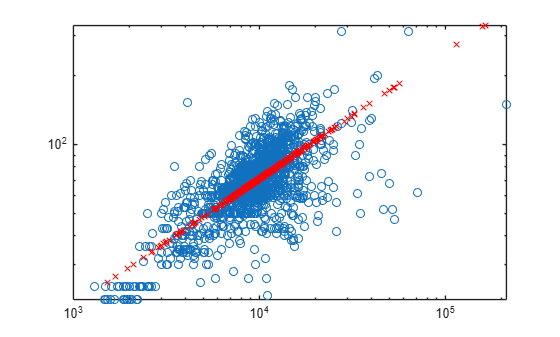
Data Cleaning and Calculations in Tables
Clean data stored in a table or timetable. Perform computations by using the numeric
and categorical data that the table contains.
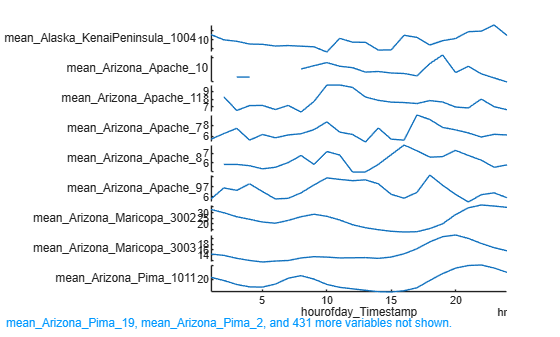
Grouped Calculations in Tables and Timetables
Perform in-place calculations on groups of data in tables and timetables.

