このページの内容は最新ではありません。最新版の英語を参照するには、ここをクリックします。
cavity
R2026a正方形または矩形のキャビティ型バッキング構造付きアンテナを作成する
説明
既定の cavity オブジェクトは、約 850 MHz で共振する正方形のキャビティ型バッキング構造付きアンテナを作成します。既定では、このアンテナの励振器としてダイポール素子が使用されます。給電点は、この励振器上に配置されます。
作成
説明
c = cavity
c = cavity(PropertyName=Value)PropertyName はプロパティ名、Value は対応する値です。PropertyName1=Value1,...,PropertyNameN=ValueN のように、複数の名前と値の引数を任意の順番で指定できます。指定されなければ、プロパティは既定値を保持します。
たとえば、c = cavity(Height=0.1) は、キャビティ高さが 0.1 m の正方形キャビティ型バッキング構造付きアンテナを作成し、他のプロパティには既定値を設定します。
プロパティ
オブジェクト関数
axialRatio | アンテナまたはアレイの軸比を計算してプロットする |
bandwidth | Calculate and plot absolute bandwidth of antenna or array |
beamwidth | Beamwidth of antenna |
charge | Charge distribution on antenna or array surface |
current | Current distribution on antenna or array surface |
design | Create antenna, array, or AI-based antenna resonating at specified frequency |
efficiency | Calculate and plot radiation efficiency of antenna or array |
EHfields | Electric and magnetic fields of antennas or embedded electric and magnetic fields of antenna element in arrays |
feedCurrent | Calculate current at feed for antenna or array |
impedance | アンテナの入力インピーダンスまたはアレイの走査インピーダンスを計算してプロットする |
info | Display information about antenna, array, or platform |
memoryEstimate | Estimate memory required to solve antenna or array mesh |
mesh | Generate and view mesh for antennas, arrays, and custom shapes |
meshconfig | Change meshing mode of antenna, array, custom antenna, custom array, or custom geometry |
msiwrite | Write antenna or array analysis data to MSI planet file |
optimize | Optimize antenna and array catalog elements using SADEA or TR-SADEA algorithm |
pattern | アンテナ、アレイ、またはアレイの組み込み素子の放射パターンをプロットする |
patternAzimuth | アンテナまたはアレイの方位面放射パターン |
patternElevation | アンテナまたはアレイの仰角面放射パターン |
peakRadiation | Calculate and mark maximum radiation points of antenna or array on radiation pattern |
rcs | Calculate and plot monostatic and bistatic radar cross section (RCS) of platform, antenna, or array |
resonantFrequency | Calculate and plot resonant frequency of antenna |
returnLoss | Calculate and plot return loss of antenna or scan return loss of array |
show | アンテナ、アレイ、AI ベースのアンテナ、プラットフォーム、または形状の表示 |
sparameters | S-parameters for antenna or array |
stlwrite | メッシュ情報を STL ファイルに書き込む |
vswr | Calculate and plot voltage standing wave ratio (VSWR) of antenna or array element |
例
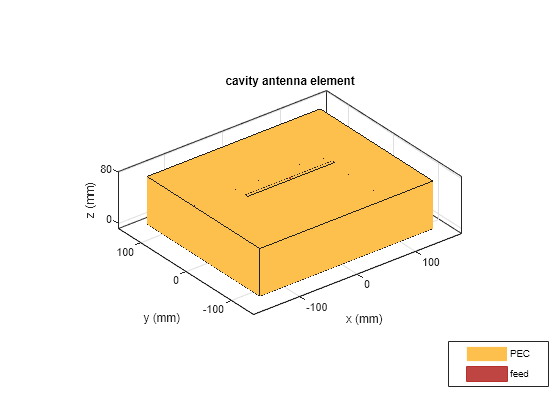
長さ 30 cm、幅 25 cm、高さ 7.5 cm で、ボウタイから 7.5 cm 離して配置した、1 GHz で動作するキャビティ型バッキング構造付きダイポール アンテナを作成して表示します。
c = cavity(Length=30e-2,Width=25e-2,Height=7.5e-2,Spacing=7.5e-2);
show(c)
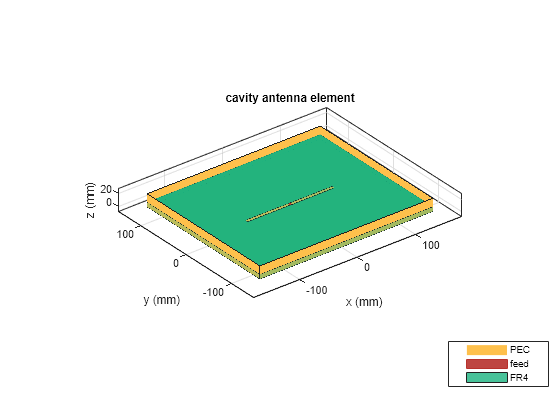
誘電体基板 'FR4' を使用してキャビティ型バッキング構造付きアンテナを作成します。
d = dielectric('FR4');
c = cavity(Length=30e-2,Width=25e-2,Height=20.5e-3,Spacing=7.5e-3,...
    Substrate=d)
c =
  cavity with properties:

            Exciter: [1×1 dipole]
          Substrate: [1×1 dielectric]
             Length: 0.3000
              Width: 0.2500
             Height: 0.0205
            Spacing: 0.0075
    EnableProbeFeed: 0
          Conductor: [1×1 metal]
               Tilt: 0
           TiltAxis: [1 0 0]
               Load: [1×1 lumpedElement]
show(c)
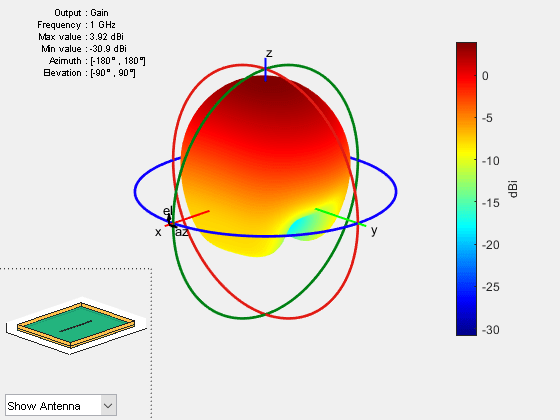
1 GHz の周波数におけるアンテナの放射パターンをプロットします。
figure
pattern(c,1e9)
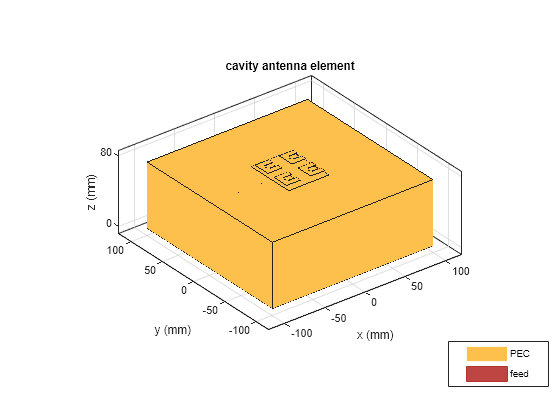
E 形パッチ アンテナの矩形アレイを作成します。
rectArr = rectangularArray(Element=patchMicrostripEnotch,RowSpacing=0.03,ColumnSpacing=0.03);
矩形アレイを励振器とするキャビティ型バッキング構造付きアンテナを作成します。
ant = cavity(Exciter=rectArr)
ant =
  cavity with properties:

            Exciter: [1×1 rectangularArray]
          Substrate: [1×1 dielectric]
             Length: 0.2000
              Width: 0.2000
             Height: 0.0750
            Spacing: 0.0750
    EnableProbeFeed: 0
          Conductor: [1×1 metal]
               Tilt: 0
           TiltAxis: [1 0 0]
               Load: [1×1 lumpedElement]
show(ant)
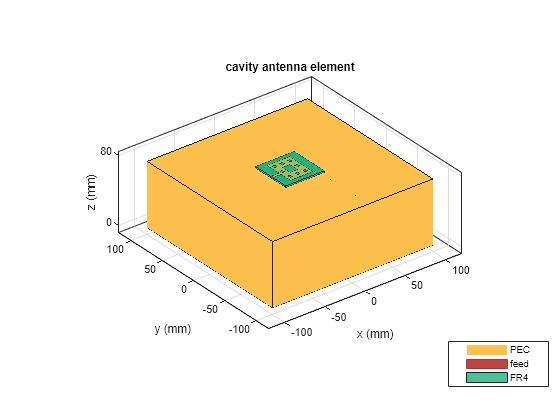
キャビティ型バッキング構造をもつフラクタル カーペット アンテナを作成して可視化します。
e = fractalCarpet(Substrate=dielectric('FR4'));
ant = cavity(Exciter=e)
ant =
cavity with properties:
Exciter: [1×1 fractalCarpet]
Substrate: [1×1 dielectric]
Length: 0.2000
Width: 0.2000
Height: 0.0750
Spacing: 0.0750
EnableProbeFeed: 0
Conductor: [1×1 metal]
Tilt: 0
TiltAxis: [1 0 0]
Load: [1×1 lumpedElement]
show(ant)
この例では、planeWaveExcitationを使用し、励振素子をもたないキャビティ形状のバッキング構造を作成して解析する方法を示します。
キャビティ アンテナの作成
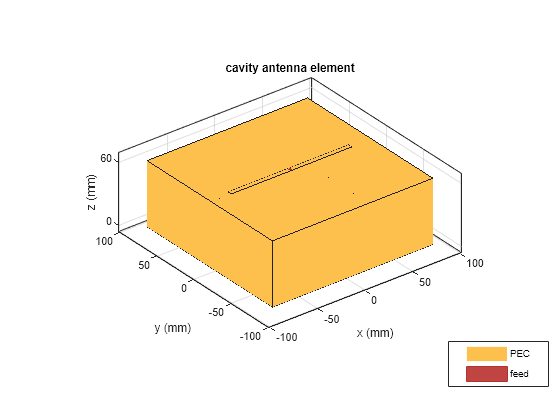
design 関数とアンテナ カタログの cavity 要素を使用して、1 GHz で動作するキャビティ アンテナを作成します。アンテナを表示します。
f = 1e9;
ant = design(cavity,f);
figure
show(ant)
バッキング構造の派生
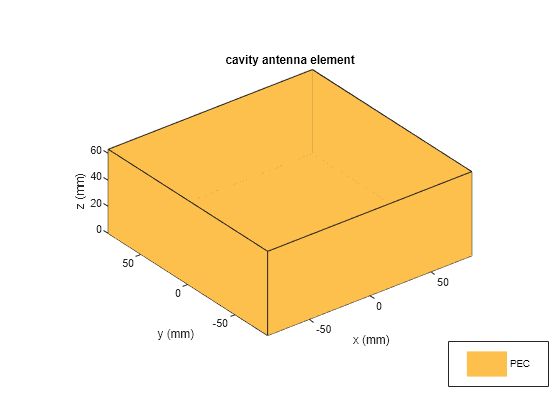
'Exciter' プロパティを空の配列として指定し、キャビティ アンテナからバッキング構造を派生させます。
ant.Exciter = []
ant =
  cavity with properties:

            Exciter: []
          Substrate: [1×1 dielectric]
             Length: 0.1690
              Width: 0.1690
             Height: 0.0634
            Spacing: 0.0634
    EnableProbeFeed: 0
          Conductor: [1×1 metal]
               Tilt: 0
           TiltAxis: [1 0 0]
               Load: [1×1 lumpedElement]
バッキング構造を表示します。
figure
show(ant)
バッキング構造のメッシュ化
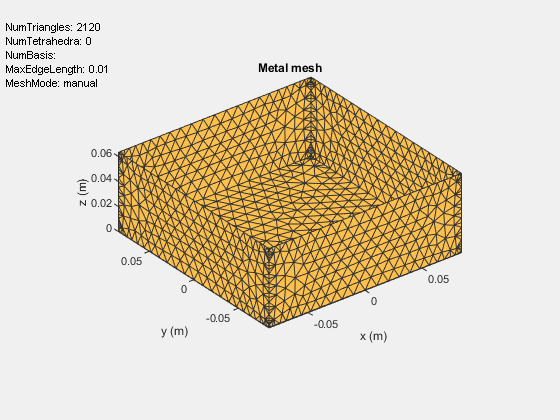
最大エッジ長 10 mm でキャビティ構造をメッシュ化します。
figure
mesh(ant,MaxEdgeLength=10e-3)
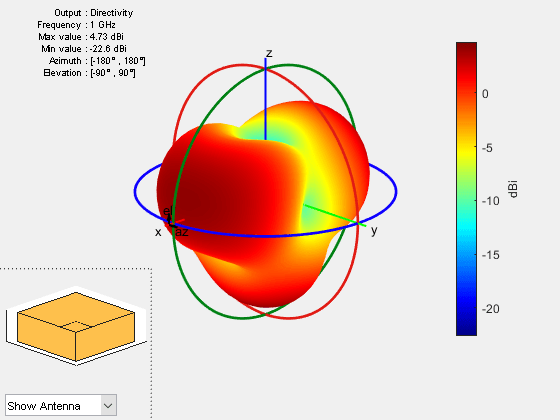
指向性パターンのプロット
平面波励振環境における受信素子としてキャビティ型バッキング構造を使用し、1 GHz における指向性をプロットします。
pw = planeWaveExcitation(Element=ant);
figure
pattern(pw,f)
参照
[1] Balanis, Constantine A. Antenna Theory: Analysis and Design. Fourth edition. Hoboken, New Jersey: Wiley, 2016.
バージョン履歴
R2015a で導入

