DICOM Browser
Explore collection of DICOM files
Description
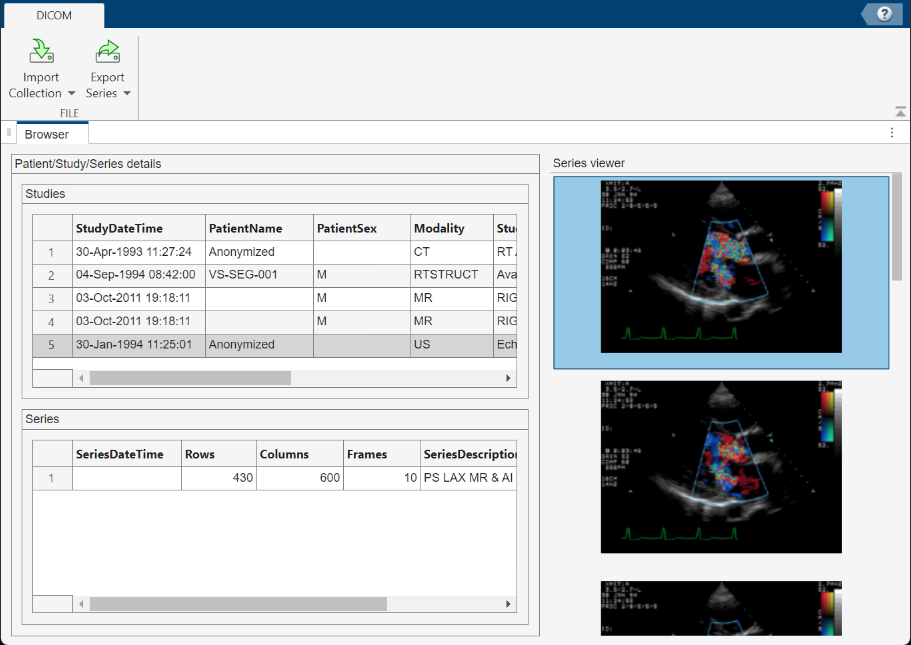
The DICOM Browser app lets you explore the contents of collections of DICOM files. The app sorts images by study and series. You can select a series and save it to the MATLAB workspace. The DICOM Browser stores the data as a volume, with separate variables for a colormap and for spatial details. You can also select a series and open it in another app, including the Medical Volume Viewer (Medical Imaging Toolbox), Medical Image Labeler (Medical Imaging Toolbox), Volume Viewer, or Video Viewer apps.
Open the DICOM Browser App
MATLAB® Toolstrip: On the Apps tab, under Image Processing and Computer Vision, click the DICOM Browser app icon.
MATLAB command prompt: Enter
dicomBrowser.
Programmatic Use
Version History
Introduced in R2017bSee Also
Apps
- Medical Volume Viewer (Medical Imaging Toolbox) | Medical Image Labeler (Medical Imaging Toolbox) | Volume Viewer | Video Viewer
Functions
dicomCollection|dicomanon|dicomdict|dicomdisp|dicominfo|dicomlookup|dicomwrite|dicomuid

