このページの内容は最新ではありません。最新版の英語を参照するには、ここをクリックします。
3 次元ボリューム イメージの表示
R2026aボリューム イメージの 3 次元レンダリングまたは 2 次元断面を表示し、レンダリングを調整してボリューム内の特徴の可視性を向上させる
3 次元空間でボリュームをレンダリングすることで、3 次元ボリューム イメージを表示できます。ボリューム内の特徴の可視性を向上させるために、シーン内でカメラの位置を移動したり、データの透明度を調整したり、レンダリング スタイルを変更したりできます。ボリュームの 2 次元断面を表示することで、内部の特徴を可視化することもできます。詳細については、2 次元および 3 次元のイメージを表示する方法の選択を参照してください。
ボリューム ビューアー アプリを使用して、強度ボリューム データとラベル付きボリューム データの表示や調査を行います。ボリューム ビューアーには、体積データを対話形式で調査するために使用できるツールが含まれています。
アプリ
| ボリューム ビューアー | ボリューム データとラベル付きボリューム データの表示 |
関数
プロパティ
| Viewer Properties | Viewer for 2-D and 3-D image display (R2022b 以降) |
| Volume Properties | Display volume in 3-D viewer (R2022b 以降) |
| BlockedVolume Properties | Display blocked volume in 3-D viewer (R2023a 以降) |
トピック
ボリューム データの対話的な探索
- ボリューム ビューアー アプリを使用した 3 次元ボリューム データの調査
3 次元ボリューム データの直交断面を表示し、レンダリングを調整してボリュームの構造を明らかにします。 - ボリューム ビューアーを使用した 3 次元ラベル付きボリューム データの調査
ボリューム ビューアー アプリを使用して、3-D ラベル付きボリューム データを表示して、不透明度やカラーマップなどの可視化を調整します。
ボリュームの表示とレンダリングの調整
- Display Volume Using Cinematic Rendering
View volumes with photorealistic lighting and shadows using cinematic rendering. - Display Large 3-D Images Using Blocked Volume Visualization
This example shows how to display large 3-D image volumes using ablockedImageobject and thevolshowfunction. - Remove Objects from Volume Display Using 3-D Scissors
This example shows how to interactively remove unwanted regions in a 3-D display, such as a patient bed in a CT scan, by using 3-D scissors. - Display Interior Labels by Clipping Volume Planes
Interactively clip a quadrant of a volumetric image to expose a surface within the volume.
ボリュームの 2 次元断面の表示
- 異方性があるボクセル間隔の 3 次元イメージ ボリュームのスライスの調査
空間次元ごとにボクセル間隔が異なる 3 次元イメージ ボリュームのスライスを表示する。
注目の例

Display Translucent Volume with Advanced Light Scattering
Display translucent volumes using realistic light scattering.
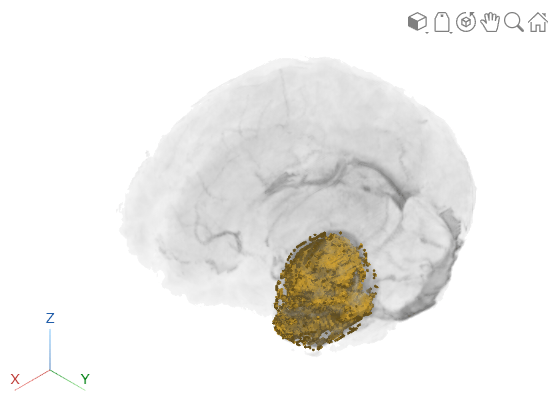
Display Interior Labels by Adjusting Volume Overlay Properties
Adjust the transparency of labeled volumetric data and the rendering style to reveal labels on the interior of the volume.
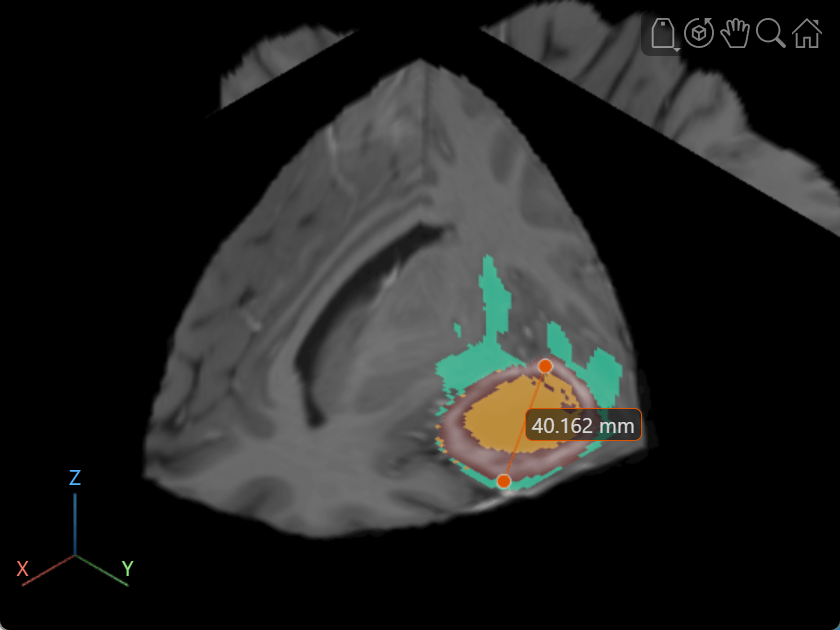
Label Volume Display Using Point and Line Annotations
Add and edit point and line annotations in a Viewer object displaying a 3-D Brain MRI scan.

