メインコンテンツ

translate

形状を新しい位置に移動する

説明

translate(shape,locationpoints) は、平行移動ベクトルを使用して形状を指定された新しい位置に移動し、結果として得られる形状をプロットします。

c = translate(shape,locationpoints) は、平行移動ベクトルを使用して形状を指定された新しい位置に移動し、shape オブジェクトを返します。

すべて折りたたむ

antenna.Polygon を使用して、頂点が [-1 0 0; -0.5 0.2 0; 0 0 0] にある多角形を作成し、表示します。

p = antenna.Polygon(Vertices=[-1 0 0; -0.5 0.2 0; 0 0 0])
p = 
  Polygon with properties:

        Name: 'mypolygon'
    Vertices: [3×3 double]

show(p)
axis equal
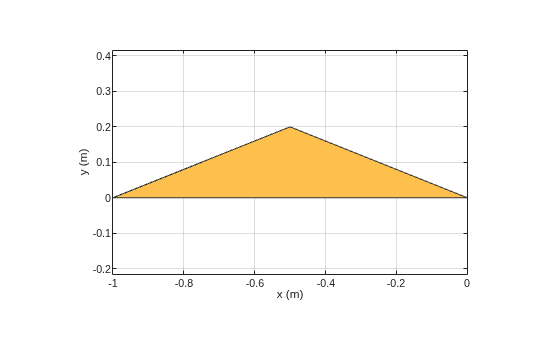
Figure contains an axes object. The axes object with xlabel x (m), ylabel y (m) contains 2 objects of type patch. These objects represent PEC, mypolygon.

多角形をメッシュ化し、メッシュ化された形状を表示します。

mesh(p,0.2)
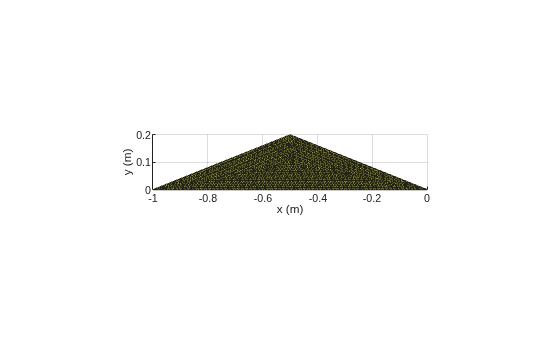
Figure contains an axes object. The axes object with xlabel x (m), ylabel y (m) contains an object of type patch.

多角形を X-Y 平面上の新しい位置に移動します。

translate(p,[2,1,0])
axis equal
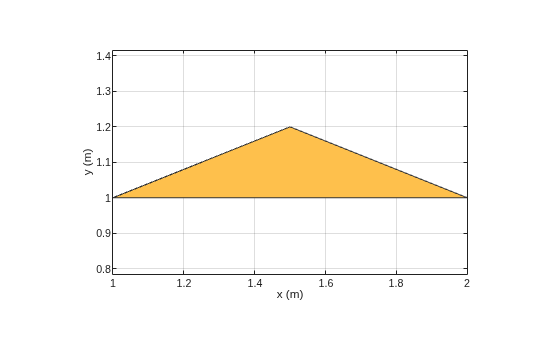
Figure contains an axes object. The axes object with xlabel x (m), ylabel y (m) contains 2 objects of type patch. These objects represent PEC, mypolygon.

入力引数

すべて折りたたむ

移動する形状。次のいずれかのオブジェクトとして指定します。

例: antenna.Rectangle

例: shape.Polygon

例: shape.Box

平行移動ベクトル。3 要素ベクトルとして指定します。

例: [0 1 1]

データ型: double

出力引数

すべて折りたたむ

入力形状に対して平行移動操作を行った後に結果として得られる形状。shape オブジェクトとして返されます。

例: antenna.Rectangle

例: shape.Polygon

例: shape.Box

バージョン履歴

R2017a で導入