このページの内容は最新ではありません。最新版の英語を参照するには、ここをクリックします。
antenna.Circle
R2026axy 平面上の原点を中心とする円の作成
説明
antenna.Circle オブジェクトを使用して、xy 平面上に原点を中心とする円を作成します。antenna.Circle を使用すると、pcbStack を使用して単層または多層のアンテナを作成できます。
作成
説明
cir = antenna.Circle
cir = antenna.Circle(PropertyName=Value)PropertyName はプロパティ名、Value は対応する値です。PropertyName1=Value1,...,PropertyNameN=ValueN のように、複数の名前と値の引数を任意の順番で指定できます。指定されなければ、プロパティは既定値を保持します。
たとえば、cir = antenna.Circle(Radius=2) は半径 2 m の円を作成します。
プロパティ
オブジェクト関数
add | Perform Boolean unite operation on two shapes |
subtract | Perform Boolean subtraction operation on two shapes |
intersect | Generate and plot intersection of two shapes |
plus | Join two shapes |
minus | Carve a shape from other shape |
and | Perform Boolean intersection operation on two shapes |
area | Calculate area of 2-D shapes in square meters |
show | アンテナ、アレイ、AI ベースのアンテナ、プラットフォーム、または形状の表示 |
plot | Plot boundary of 2-D shape |
mesh | Generate and view mesh for antennas, arrays, and custom shapes |
rotate | Rotate shape about axis by angle |
rotateX | Rotate shape about x-axis by angle |
rotateY | Rotate shape about y-axis by angle |
rotateZ | Rotate shape about z-axis by angle |
translate | 形状を新しい位置に移動する |
scale | Change size of shape by fixed factor |
mirrorX | Mirror shape along x-axis |
mirrorY | Mirror shape along y-axis |
removeHoles | Remove holes from shape |
removeSlivers | Remove sliver outliers from shape boundary |
例
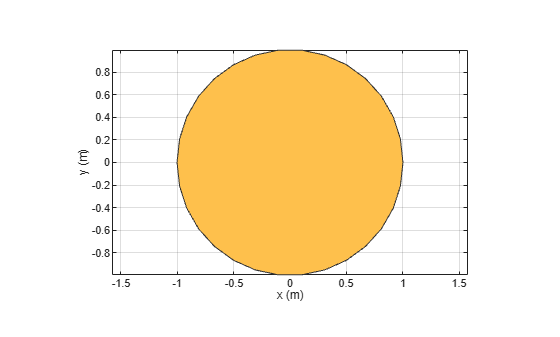
antenna.Circle を使用して円を作成し、表示します。
c1 = antenna.Circle
c1 =
  Circle with properties:

         Name: 'mycircle'
       Center: [0 0]
       Radius: 1
    NumPoints: 30
show(c1)
原点を中心とする半径 4 m の円を作成します。
c2 = antenna.Circle(Radius=4)
c2 =
  Circle with properties:

         Name: 'mycircle'
       Center: [0 0]
       Radius: 4
    NumPoints: 30
半径 1 m の円を作成します。円の中心は [1 0] にあります。
circle1 = antenna.Circle(Center=[1 0],Radius=1);
原点を中心とする、長さ 2 m、幅 4 m の長方形を作成します。
rect1 = antenna.Rectangle(Length=2,Width=2);
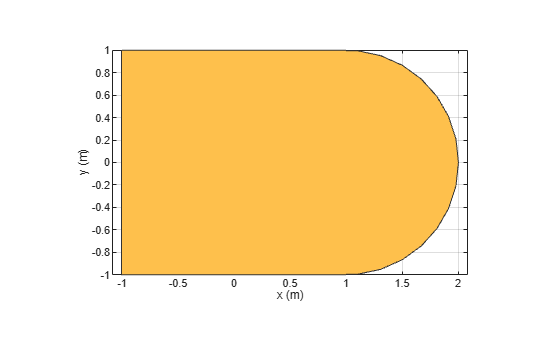
+ 関数を使用して、2 つの形状を結合します。
polygon1 = circle1+rect1
polygon1 =
  Polygon with properties:

        Name: 'mypolygon'
    Vertices: [21×3 double]
show(polygon1)
バージョン履歴
R2017a で導入

