ocrMoondream
R2026bSyntax
Description
Add-On Required: This feature requires the Computer Vision Toolbox Model for Moondream Vision Language Model add-on.
text = ocrMoondream(mdModel,I)I using the Moondream™ vision-language
model mdModel. The function returns the optical character recognition
(OCR) information text, which include English text present in the input
image without character-level metadata such as bounding boxes or confidence scores. When the
input image does not contain text, the output might be a descriptive string of the image
content rather than an empty result.
text = ocrMoondream(___,Name=Value)PromptStyle="Transcribe the
text" specifies to include all visible text in the input image without any
strict, spatial, reading order.
Examples
Load a pretrained Moondream vision-language model with approximately 1.6 billion parameters into the workspace.
mdModel = moondream("moondream-1.6B");Load an image into the workspace, and display the image.
I = imread("handicapSign.jpg");
imshow(I)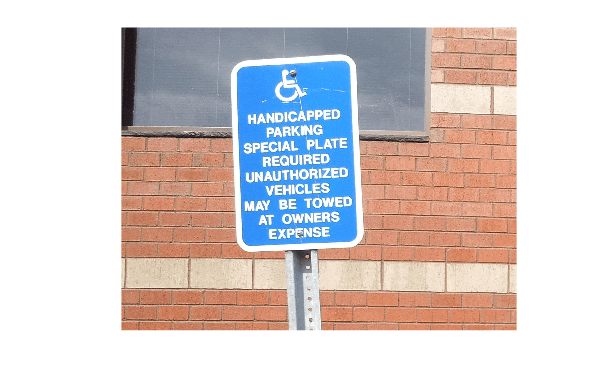
Define a rectangular region of interest in which to recognize text within the input image.
roi = [370 246 363 423];
Recognize text within the ROI using the ocrMoondream object function.
text = ocrMoondream(mdModel,I,roi);
display(text)
text =
"HANDICAPPED PARKING SPECIAL PLATE REQUIRED UNAUTHORIZED VEHICLES MAY BE TOWED AT OWNERS EXPENSE"
Input Arguments
Name-Value Arguments
Output Arguments
Tips
The quality of Moondream outputs can vary across different data domains. Validate its predictions using a data set from a domain similar to your intended application.
Extended Capabilities
Version History
Introduced in R2026b

