isVisible
R2026bDetermine visibility of scope
Description
returns the visibility of the scope as logical, with 1 (true) for visible.visibility = isVisible(scope)
Examples
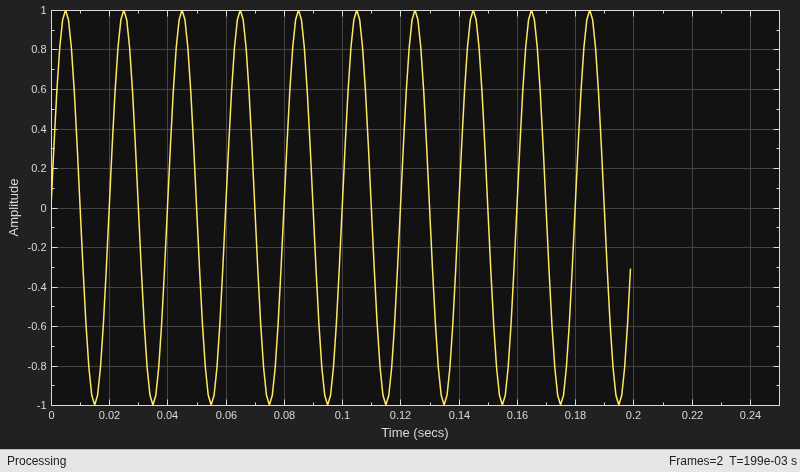
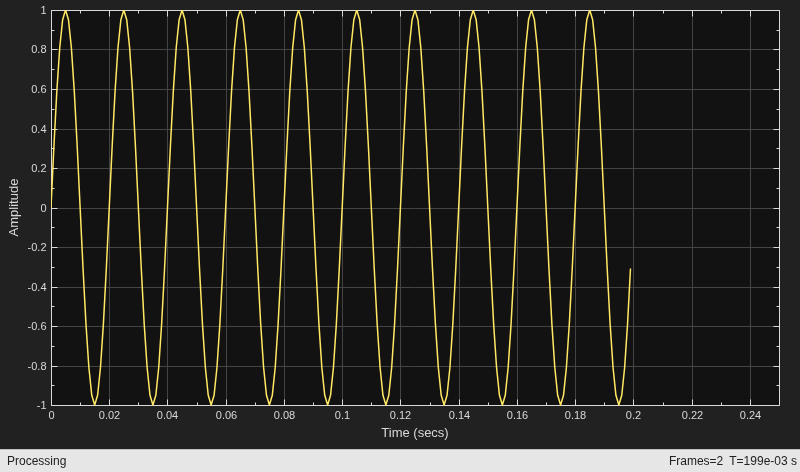
Create a sine wave signal and view it in the scope.
Fs = 1000; % Sample rate signal = dsp.SineWave(Frequency=50,SampleRate=Fs,... SamplesPerFrame=100); scope = timescope(SampleRate=Fs,TimeSpanSource="property",... TimeSpan=0.25,YLimits=[-1 1]); for ii = 1:2 xsine = signal(); scope(xsine) end
Hide the scope window.
if(isVisible(scope)) hide(scope) end
Show the scope window.
if(~isVisible(scope)) show(scope) end
Clean up workspace variables.
clear scope Fs sine ii xsine
Input Arguments
Scope object, specified as one of the following:
spectrumAnalyzerobjectdsp.ArrayPlotobjectdsp.LogicAnalyzerSystem object™timescopeobjectdsp.DynamicFilterVisualizerobject
Example: myScope = spectrumAnalyzer; visibility =
isVisible(myScope)
Example: myTS = timescope; visibility =
isVisible(myTS)
Output Arguments
Scope visibility, returned as a logical 1 or a logical
0. If the scope display is showing, the
isVisible function returns 1
(true). Otherwise, the function returns 0 (false).
Version History
Introduced in R2016bThe spectrum analyzer toolstrip has been reorganized into these three tabs to give you an easy and streamlined access to the scope settings.
Home tab contains all the general settings for the spectrum and spectrogram display.
Estimation tab contains settings that control the frequency resolution and spectral averaging.
Measurements tab contains settings to control the various measurements supported by the scope.
The dsp.SpectrumAnalyzer
System object warns in R2024a. Use the spectrumAnalyzer object instead.
Update Code
No updates to your code are required except replacing instances of
dsp.SpectrumAnalyzer with
spectrumAnalyzer.
This table shows how the isVisible function typically uses
the dsp.SpectrumAnalyzer
System object and explains how to update existing code to use the
spectrumAnalyzer object.
| Discouraged Usage | Recommended Replacement |
|---|---|
scope = dsp.SpectrumAnalyzer; scope(randn(100000,1)) if(isVisible(scope)) hide(scope) end |
scope = spectrumAnalyzer; scope(randn(100000,1)) if(isVisible(scope)) hide(scope) end |
Starting in R2022b, the isVisible function supports the
dsp.DynamicFilterVisualizer object.
The isVisible function will stop supporting the
dsp.SpectrumAnalyzer object in a future release. Use the
spectrumAnalyzer object instead.
See Also
Functions
Objects
MATLAB Command
You clicked a link that corresponds to this MATLAB command:
Run the command by entering it in the MATLAB Command Window. Web browsers do not support MATLAB commands.
Web サイトの選択
Web サイトを選択すると、翻訳されたコンテンツにアクセスし、地域のイベントやサービスを確認できます。現在の位置情報に基づき、次のサイトの選択を推奨します:
また、以下のリストから Web サイトを選択することもできます。
最適なサイトパフォーマンスの取得方法
中国のサイト (中国語または英語) を選択することで、最適なサイトパフォーマンスが得られます。その他の国の MathWorks のサイトは、お客様の地域からのアクセスが最適化されていません。
南北アメリカ
- América Latina (Español)
- Canada (English)
- United States (English)
ヨーロッパ
- Belgium (English)
- Denmark (English)
- Deutschland (Deutsch)
- España (Español)
- Finland (English)
- France (Français)
- Ireland (English)
- Italia (Italiano)
- Luxembourg (English)
- Netherlands (English)
- Norway (English)
- Österreich (Deutsch)
- Portugal (English)
- Sweden (English)
- Switzerland
- United Kingdom (English)