現在この提出コンテンツをフォロー中です。
- フォローしているコンテンツ フィードに更新が表示されます。
- コミュニケーション基本設定に応じて電子メールを受け取ることができます
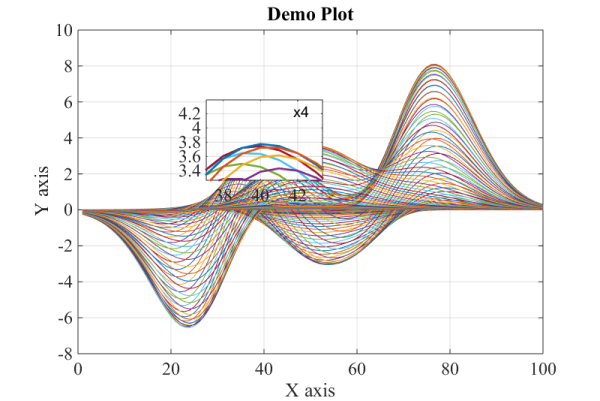
The present code is a Matlab function that allows the user to enable interactive zooming on a 2D plot. Clicking the left mouse button and dragging over the axes draws a rectangular magnifier with zoom factor of 2, centred beneath the mouse cursor. Simultaneously, one may turn the mouse scroll wheel to zoom in or out additionally. When the left mouse button is released the magnifier disappears, unless the “Ctrl” button is pressed.
Instructions for use:
- Click and hold the left mouse button to turn the magnifier on;
- Simultaneously, turn the mouse scroll wheel to increase or decrease the magnification factor;
- Release the left mouse button to remove the magnifier;
- Press and hold the "Ctrl" key while operate with the magnifier in order to preserve the zoomed area when the left mouse button is released.
An example is given in order to clarify the usage of the function. For convenience, the input and output arguments are given in the beginning of the function.
引用
Hristo Zhivomirov (2026). Interactive 2D Plot Magnifier with Matlab (https://jp.mathworks.com/matlabcentral/fileexchange/65561-interactive-2d-plot-magnifier-with-matlab), MATLAB Central File Exchange. に取得済み.
謝辞
ヒントを得たファイル: magnify
