magnify

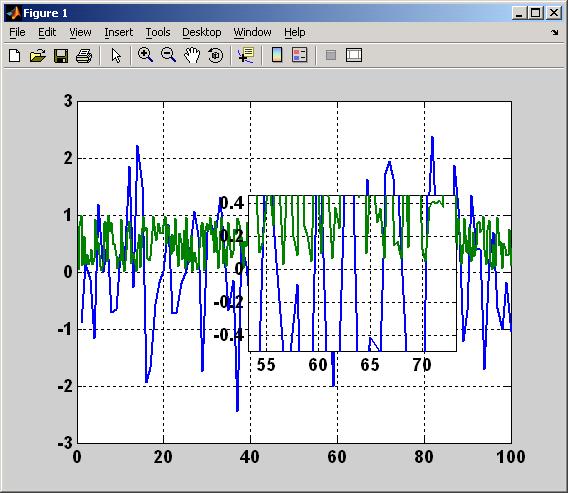
Turns the mouse into a pop-up magnifying glass to look at details of 2D plots.

現在この提出コンテンツをフォロー中です。

編集メモ: This file was a File Exchange Pick of the Week

Ever wish MATLAB had a magnifying glass so you could look at the details of a small region of your plots without having to zoom in and out again and again? Just run 'magnify.m' with the figure of interest as the current figure, then use the left mouse button to bring up a magnified veiw that you control. Or use the 'Ctrl' key while clicking to bring up a magnifying glass that 'locks' onto the figure when released (for use when copying and printing figures). Use the '<' and '>' keys to make the magnifying glass smaller or larger. Use '-' and '+' to decrease or increase the magnification level.

引用

Rick Hindman (2026). magnify (https://jp.mathworks.com/matlabcentral/fileexchange/5961-magnify), MATLAB Central File Exchange. に取得済み.

カテゴリ

Help Center および MATLAB AnswersLanguage Fundamentals についてさらに検索

一般的な情報

MATLAB リリースの互換性

  • すべてのリリースと互換性あり

プラットフォームの互換性

  • Windows
  • macOS
  • Linux
バージョン 公開済み リリース ノート Action
1.0.0.0

BSD License