dbowLoopDetector
R2026bDescription
Use dbowLoopDetector object to create loop detector
database.
Creation
Description
loopDetector = dbowLoopDetector()
loopDetector = dbowLoopDetector(bag)bag.
Object Functions
addVisualFeatures | Add image features to database |
detectLoop | Detect loop closure using visual features |
Examples
Load an existing binary visual vocabulary for loop detection.
bag = bagOfFeaturesDBoW("bagOfFeatures.bin.gz");Initialize the loop detector using the loaded vocabulary.
loopDetector = dbowLoopDetector(bag);
Read a new image and detect ORB features in the image.
I = imread("cameraman.tif");
points = detectORBFeatures(I);
imshow(I)
hold on
plot(points,Showscale=false)
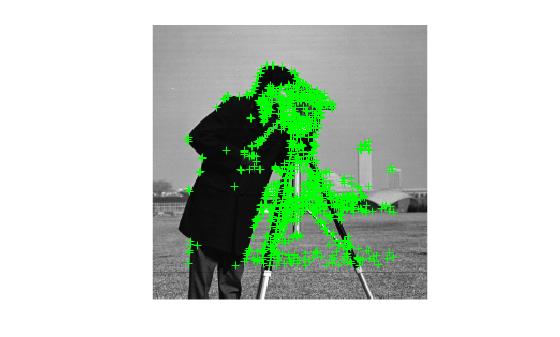
Extract ORB features from the detected points in the image. The extractFeatures function returns features and their corresponding locations. This code focuses on only the features for loop closure detection.
features = extractFeatures(I,points);
Perform loop closure detection with the extracted features.
loopViewIds = detectLoop(loopDetector,features);
Update the loop detector's database with features from the new image by specifying the new image as the 100th view in the sequence. This supports loop detection in future images similar to the current one.
viewId = 100;
addVisualFeatures(loopDetector,viewId,features);
Load a pre-existing binary vocabulary for feature description.
bag = bagOfFeaturesDBoW("bagOfFeatures.bin.gz");Initialize the loop detector with the loaded vocabulary.
loopDetector = dbowLoopDetector(bag);
Use a single image to simulate adding different views.
I = im2gray(imread("cameraman.tif"));
points = detectORBFeatures(I);
[features,points] = extractFeatures(I,points);
Initialize an image view set to manage and store views.
vSet = imageviewset;
Add the first view with random features for initialization.
zeroFeatures = binaryFeatures(zeros(size(points,1),32,"like",uint8(0)));
vSet = addView(vSet,1,"Features",zeroFeatures,"Points",points);
addVisualFeatures(loopDetector,1,zeroFeatures);
fig = figure;
tlo = tiledlayout(fig,1,3,TileSpacing='None');
for i = 1:3
    ax = nexttile(tlo);
    imshow(I,Parent=ax)
    title(["Camera View ", num2str(i)])
end
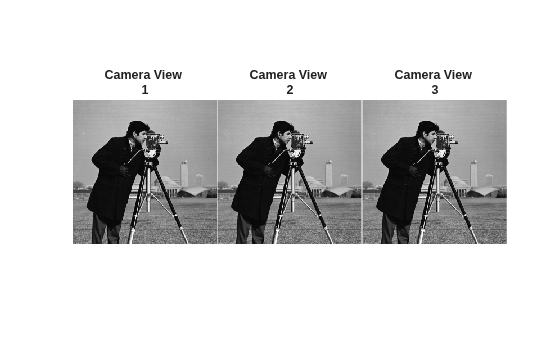
Sequentially add three views with actual features to simulate potential loop candidates.
for viewId = 2:4
    vSet = addView(vSet,viewId,"Features",features,"Points",points);
    addVisualFeatures(loopDetector,viewId,features);
end
Add two new connected views to the image sequence. First, add a previous view with a cropped section of the original image to represent the view from a camera. The resulting cropped image represents the previous frame in the sequence.
prevViewId = 5;
prevView = I(100:200,100:200);
figure
imshow(prevView)
title("Camera View 5")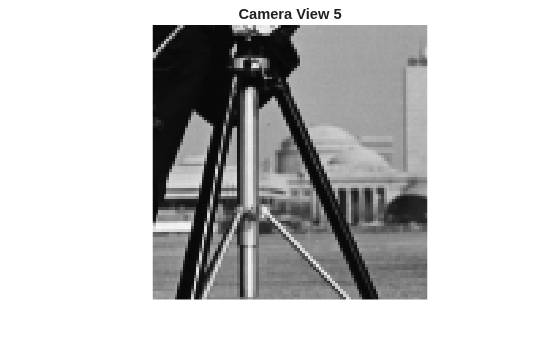
Detect ORB features in the cropped frame with the pyramid level set to 3. Add the features to the image viewset as a new view.
prevPoints = detectORBFeatures(prevView,NumLevels=3);
[prevFeatures,prevPoints] = extractFeatures(prevView,prevPoints);
vSet = addView(vSet,prevViewId,"Features",prevFeatures,"Points",prevPoints);
addVisualFeatures(loopDetector,prevViewId,prevFeatures);
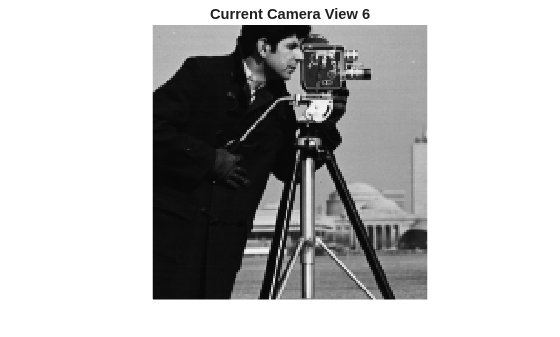
Add a current view, connected to the previous one with another cropped section.
currViewId = 6;
currView = I(50:200, 50:200);
currPoints = detectORBFeatures(currView,NumLevels=3);
[currFeatures, currPoints] = extractFeatures(currView,currPoints);
vSet = addView(vSet,currViewId,"Features",currFeatures,"Points",currPoints);
vSet = addConnection(vSet,prevViewId,currViewId,"Matches",[1:10; 1:10]');
imshow(currView)
title("Current Camera View 6")
Identify views connected to the current key frame.
covisViews = connectedViews(vSet, currViewId);
covisViewsIds = covisViews.ViewId;
Perform loop closure detection by comparing current features against those from connected views. Use 75% of the maximum score among connected views for the threshold.
relativeThreshold = 0.75;
loopViewIds = detectLoop(loopDetector,currFeatures,covisViewsIds,relativeThreshold)
loopViewIds = 1×3 int32 row vector

   2   3   4
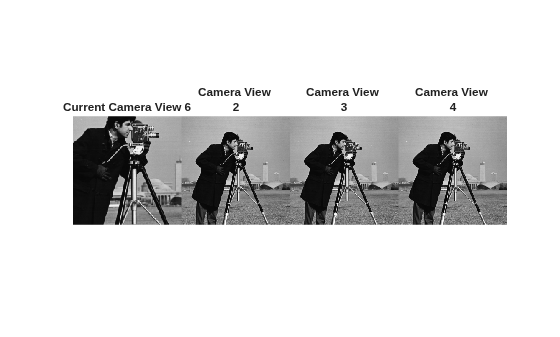
The detected loop candidates show that the current camera view 6 is visually most similar to views 2,3, and 4.This suggests that these earlier views share significant visual features with the current view.
fig= figure;
tlo = tiledlayout(fig,1,4,TileSpacing='None');
for i = 1:4
    ax = nexttile(tlo);
    if i == 1
        imshow(currView,Parent=ax)
        title("Current Camera View 6")
    else
        imshow(I,Parent=ax)
        title(["Camera View ", num2str(i)])
    end

end
References
[1] Galvez-López, D., and J. D. Tardos. “Bags of Binary Words for Fast Place Recognition in Image Sequences.” IEEE Transactions on Robotics, vol. 28, no. 5, Oct. 2012, pp. 1188–97. DOI.org (Crossref), https://doi.org/10.1109/TRO.2012.2197158.
Version History
Introduced in R2024b

