Modeling and Code Generation Using Hardware Interrupt
R2026bUse the Hardware Interrupt block to create an interrupt service routine (ISR) automatically in the generated code of your model. The ISR executes the downstream function-call subsystem associated with event ports of the block.
C2000™ Microcontroller Blockset provides 3 workflows to configure the interrupts and generate code in Simulink®.
Modeling and code generation using the C28x Hardware Interrupt block.
Configuring interrupts with events using Hardware Interrupt block and Hardware Mapping tool.
Multiprocessor modeling using Task Manager block and Hardware Mapping tool.
The following table describes the capabilities of C28x Hardware Interrupt, Hardware Interrupt, F2838x-M4 Hardware Interrupt, and C29x Hardware Interrupt blocks during modeling and code generation.
Capabilities of Hardware Interrupt Block
| Feature | C28x Hardware Interrupt Block | Hardware Interrupt Block | ARM Cortex M3/M4 Hardware Interrupt Block | C29x Hardware Interrupt Block |
|---|---|---|---|---|
|
|
|
| |
| Block capability | Only one block is required for all the interrupts used in the model | For multiple interrupts use the multiple Hardware interrupt blocks with each corresponding to one interrupts | For multiple interrupts, use multiple Hardware Interrupt blocks with each block corresponding to one interrupt name from one interrupt group. | For multiple interrupts, use multiple Hardware Interrupt blocks with each block corresponding to one interrupt name from one interrupt group. |
| Task priority | Simulink task priorities are added as a vector | Specify the priority in the Simulink task priority parameter | Specify task priority in the Simulink task priority parameter. | Specify task priority in the Simulink task priority parameter. |
| Preemption flags | Preemption flags are added as a vector.
| Preemption is available as a checkbox (Disable interrupt preemption).
| Preemption is available as a checkbox (Disable interrupt preemption).
| Preemption is available as a checkbox (Run interrupt service routine as atomic
unit).
|
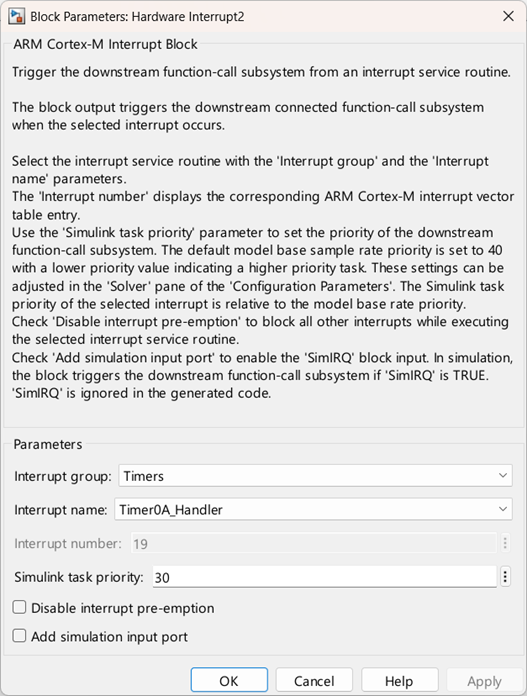
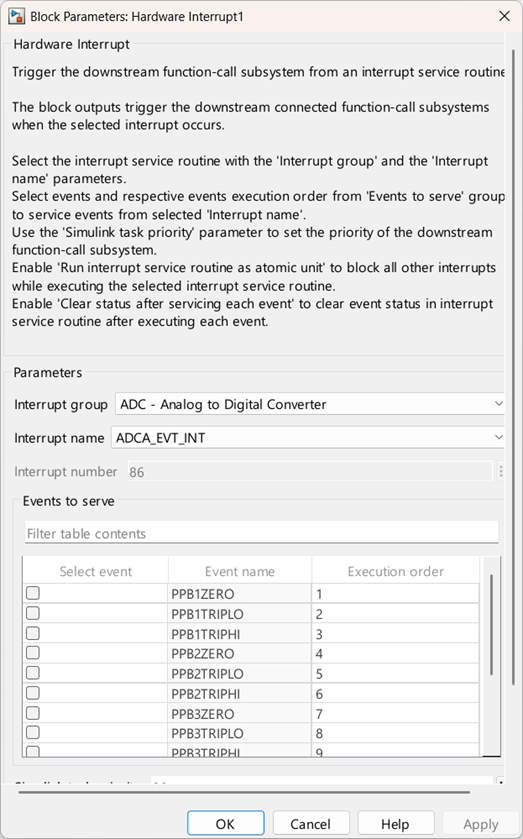
| Interrupt | Interrupt is described by CPU and PIE number | You can select the interrupt names in the hardware mapping tool. | First select the interrupt group, followed by the interrupt name in the block itself. (In F2838x ARM HWI block, by default, NMI interrupts are selected in the block, within the Cortex-M Exceptions group). | First select the interrupt group, followed by the interrupt name in the block itself. By default, the Default event checkbox is selected. If required, specific events can be chosen to be served in place of all events. |
Modeling and Code Generation Using Hardware Interrupt
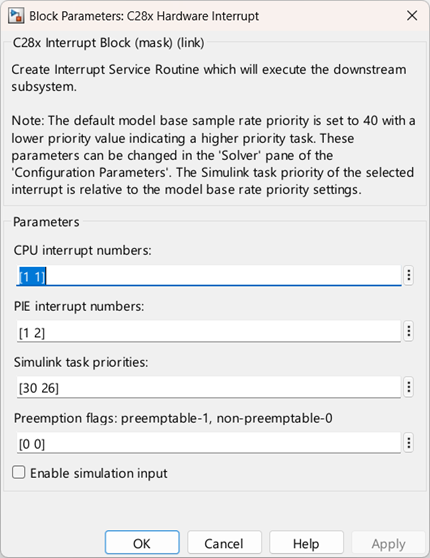
In this workflow, you can configure interrupts using CPU and PIE numbers. For more, see C28x Hardware Interrupt
This workflow is used for flat model approach.
C28x Hardware Interrupt block can be used in model config set reference.
No event selection capability is available.
On using C28x Hardware Interrupt block, the task priority order is negative. Lower priority value indicates a higher priority task.
Modeling and Code Generation Using Hardware Interrupt and Hardware Mapping
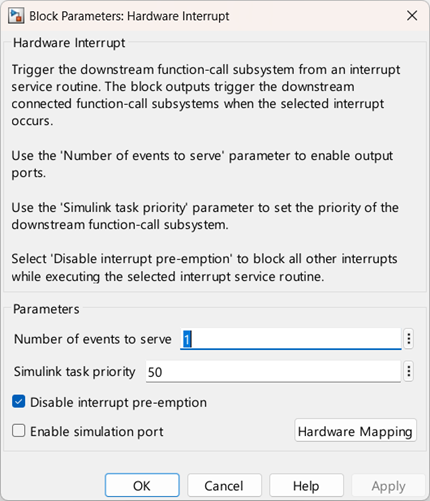
Hardware Interrupt blocks allows you to configure the interrupts along with the source triggers using the Hardware Mapping tool. For more information, see Configure Interrupts and Events Using Hardware Mapping
Data of Hardware Interrupt block is stored as part of the reference config set and hence the reference config set cannot be used.
Multiprocessor Modeling and Code Generation Using Task Manager and Hardware Mapping
Task Manager blocks allows you to configure the interrupts using the Hardware Mapping tool.
Using Task Manager block, you can simulate hardware interrupts in the Simulink environment and also you can implement timer-driven or event-driven. For more information, see Task Manager
Task manager can be used in multiprocessor modeling approach, where task in a particular core is implemented using Model block.
In multiprocessor modeling approach, higher priority value indicates a higher priority task. Navigate to Configuration Parameters > Solver > Tasking and sample time options and enable the Higher priority value indicates a higher priority task.
Event configuration for hardware interrupts other than the default event does not work with task manager.
See Also
Configure Interrupts and Events Using Hardware Mapping | Hardware Mapping | Hardware Interrupt | C28x Hardware Interrupt | Task Manager

