Decimate an Input by a Factor of 2
R2026bThis example demonstrates how to design a multirate system in MATLAB suitable for HDL code generation that implements 'valid' and 'ready' signals. Valid and ready signals are used in multirate systems to control data flow between portions of your code operating at different sampling rates.
Create a Filter to Decimate an Input by a Factor of 2
Create a MATLAB function that decimates an input x by a factor of 2.
type ('mlhdlc_decimate2')function [y, valid_out] = mlhdlc_decimate2(x, valid_in)
% Generate FIR filter coefficients for decimation
coeffs = coder.const(fir1(35,0.4));
coeffs1 = coeffs(1:2:end); % First polyphase filter: take every other coefficient, starting from the first
coeffs2 = coeffs(2:2:end); % Second polyphase filter: take every other coefficient, starting from the second
% Declare persistent variables to maintain state between function calls
persistent tap_delay1 tap_delay2 cnt out1 out2;
% Initialize persistent variables on the first function call.
if isempty(tap_delay1)
tap_delay1 = zeros(size(coeffs1));
tap_delay2 = zeros(size(coeffs1));
cnt = 0;
out1 = 0;
out2 = 0;
end
% Process input sample only when valid_in is asserted.
if valid_in
% Select polyphase branch based on current phase (cnt).
if cnt == 0
coeffs = coeffs1;
tap_delay = tap_delay1;
else
coeffs = coeffs2;
tap_delay = tap_delay2;
end
% Apply FIR filter to the selected branch using current tap delays. Only one filter is instantiated and shared between branches for resource efficiency.
out = mlhdlc_fir(coeffs, tap_delay);
% Update tap delays and outputs according to current phase.
if cnt == 0
out1 = out;
tap_delay1 = [tap_delay1(2:length(coeffs1)) x];
y = out1 + out2;
valid_out = true;
else
out2 = out;
tap_delay2 = [tap_delay2(2:length(coeffs2)) x];
y = 0;
valid_out = false;
end
% Advance phase counter, wrapping around after two phases (decimation by 2).
cnt = cnt + 1;
if cnt >= 2
cnt = 0;
end
% If input is not valid, do not process or update any state.
else
y = 0;
valid_out = false;
end
end
function outdatabuf = mlhdlc_fir(coeff, tap_delay)
% Apply a single-tap FIR filter implementation.
outdatabuf = tap_delay * coeff(end:-1:1)';
end
The function:
Processes input samples only when
valid_inis true.Alternates between two filter phases using a counter.
Produces an output only on every other input sample.
Uses only one subfilter per input sample (polyphase implementation).
The decimation function also includes a helper function, mlhdlc_fir. mlhdlc_fir is a simple FIR filter implementation that performs the dot product of the coefficients and delay line.
The filter coefficients are split into two sets based on odd and even indices. Two separate delay lines are maintained. When the count is 0, valid_out = true and the outputs from both filters are summed. When the count is 1, valid_out = false and no output is produced. For each valid input, one of the polyphase filters is updated. This approach implements decimation by a factor of 2 without computing unnecessary outputs.
Generate HDL Code from the Filter
To generate HDL code from the MATLAB function above, specify a test bench file for the design. This example includes a test bench file,
design_name = 'mlhdlc_decimate2';
testbench_name = 'mlhdlc_decimate2_tb';
This example includes configuration files for generating HDL code.
To generate HDL code:
mlhdlc_decimate2_runme_hdl
===================================================
Design Name: mlhdlc_decimate2
Test Bench Name: mlhdlc_decimate2_tb
===================================================

Input types not specified for design(s) 'mlhdlc_decimate2', inferring types by simulating the first test bench: 'mlhdlc_decimate2_tb' in the base workspace.

============= Step1: Analyze Floating-Point Code ==============

Code generation successful.


============= Step1a: Verify Floating-Point Code ==============

### Analyzing the design 'mlhdlc_decimate2'
### Analyzing the test bench(es) 'mlhdlc_decimate2_tb'
### Begin Floating-Point Simulation (Instrumented)
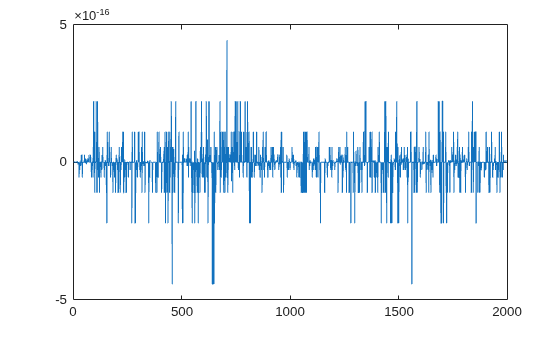
### Floating-Point Simulation Completed in   2.3961 sec(s)
### Elapsed Time:             3.0812 sec(s)

============= Step2: Propose Types Based on Range Information ==============


============= Step3: Generate Fixed-Point Code ==============

### Generating Fixed-Point MATLAB Code mlhdlc_decimate2_fixpt Using Proposed Types
### Generating Fixed-Point MATLAB Design Wrapper mlhdlc_decimate2_wrapper_fixpt
### Generating Mex file for ' mlhdlc_decimate2_wrapper_fixpt '
Code generation successful: View report
### Generating Type Proposal Report for 'mlhdlc_decimate2' mlhdlc_decimate2_report.html

===================================================
Code generation successful.
### Begin MATLAB to HDL Code Generation...
### Working on DUT: mlhdlc_decimate2_fixpt.
### Using TestBench: mlhdlc_decimate2_tb.
### Begin VHDL Code Generation
### Working on mlhdlc_decimate2_fixpt as mlhdlc_decimate2_fixpt.vhd.
### Generating package file mlhdlc_decimate2_fixpt_pkg.vhd.
### Generating Resource Utilization Report resource_report.html.
### Generating Optimization report
### To rerun codegen evaluate the following commands...

---------------------
cgi    = load('/tmp/Bdoc26b_3351752_3496874/tpb702853f/hdlcoder-ex24805413/codegen/mlhdlc_decimate2/hdlsrc/codegen_info.mat');
cfg    = cgi.CodeGenInfo.codegenSettings;
fxpCfg = cgi.CodeGenInfo.fxpCfg;
codegen -float2fixed fxpCfg -config cfg -report
---------------------

### Generating HDL Conformance Report mlhdlc_decimate2_fixpt_hdl_conformance_report.html.
### HDL Conformance check complete with 0 errors, 2 warnings, and 0 messages.
### Code generation successful: View report
To learn more about generating HDL code from MATLAB algorithms, see MATLAB Algorithm Design.

