Customize Generated Entry-Point C Function Arguments for Subcomponent Models
R2026bEntry-point functions are functions in the generated model code that interface with your external code. You can customize the identifiers of entry-point function arguments and you can customize the way root-level inports and outports are passed to the generated functions. These configurations affect all the entry-point functions generated from the model. You can override these customizations for the step function generated from a single-tasking model, as shown in the example Customize Arguments of Step C Function Generated from Single-Tasking Model. This example shows how to apply these customizations in a model configured for subcomponent deployment type. To see how to apply these customizations in a model configured with component deployment type, see Customize Generated Entry-Point C Function Arguments for Component Models.
Open and Explore Model
Open the model EntryPoints.
epModel = "EntryPoints";
open_system(epModel)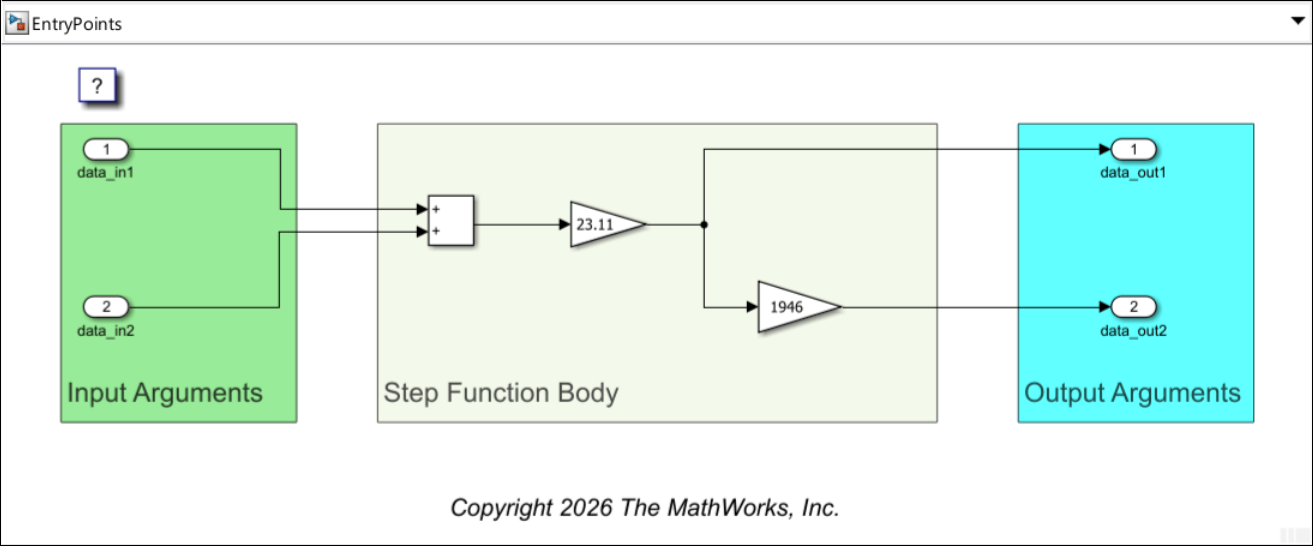
EntryPoints is a nonreusable, single-rate single-tasking model, configured to use the ERT system target file.
Set Model for Subcomponent Deployment Type
Configure the model for subcomponent deployment type:
Open the Embedded Coder app.
In the Simulink Toolstrip, select the C Code tab.
In the Prepare section, select Automatic > Subcomponent.
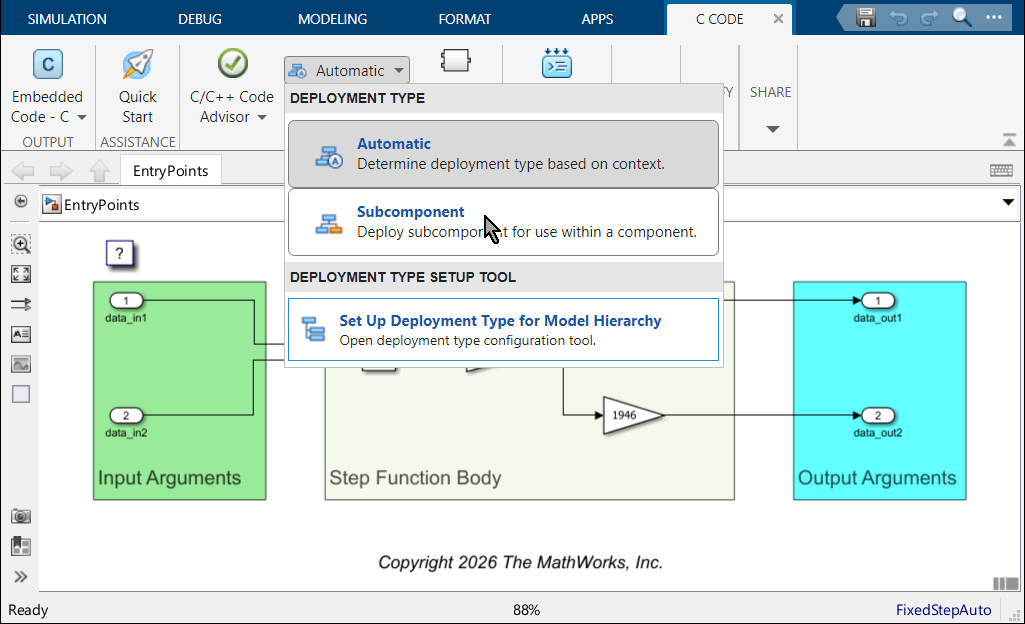
Alternatively, you can specify the deployment type programmatically:
Get a handle to the code mappings object of the model and store it in the variable
codeMapObj.Use the
setDeploymentTypefunction with the code mappings object to specify the deployment type asSubcomponent.
codeMapObj = coder.mapping.api.get(epModel);
setDeploymentType(codeMapObj,"Subcomponent")
Generate Nonreusable Void-Void Entry-Point Functions
The model is currently configured as nonreusable, which means that there is only a single instance of the real-time model per process. With these settings, model elements can be represented by global variables in the generated code, and entry-point functions can access them directly without having to rely on arguments for reading data from them or for changing their values. When the model is configured for subcomponent deployment type, you can choose to use this option, and then the prototype of each nonreusable generated entry-point function is void-void. The model is currently configured to use this option.
Generate model code: in the C Coder tab of the Simulink Toolstrip, locate the Generate Code section, and click Generate Code  .
.

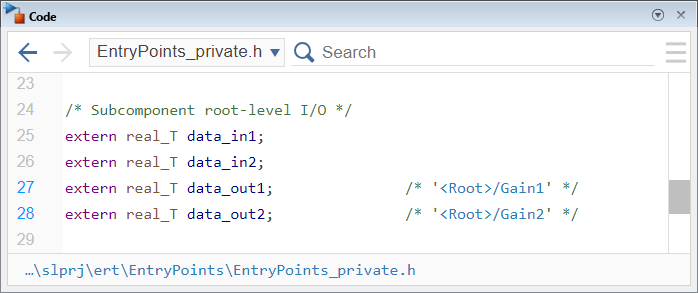
In the Code pane and in it, navigate to the generated header file EntryPoints_private.h, and see that the variables for root-level model ports are global.
In the Code pane, navigate to the generated source code file EntryPoints.c, and locate the definition of the generated step function, EntryPoints.
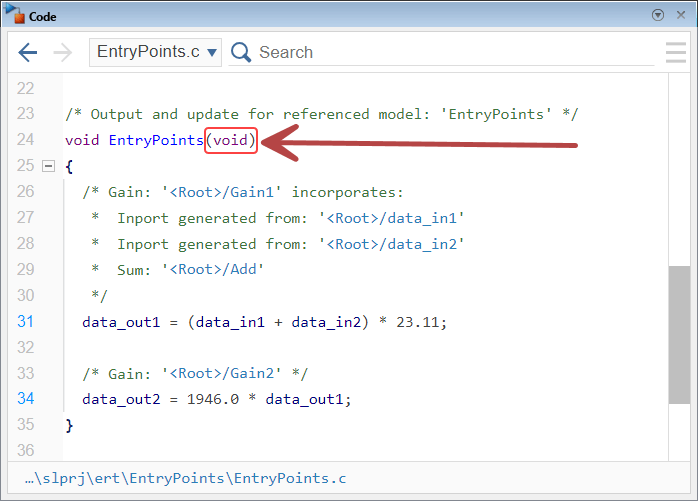
In the generated code, the function EntryPoints has no input arguments, and it directly accesses the global variables that represent the root-level ports to read and update their values.
Pass Root-Level Ports as Individual Arguments
When a subcomponent model is configured as nonreusable, you can choose to pass root-level ports to the generated functions as individual arguments. Unnecessary ports are not passed.
To configure this option:
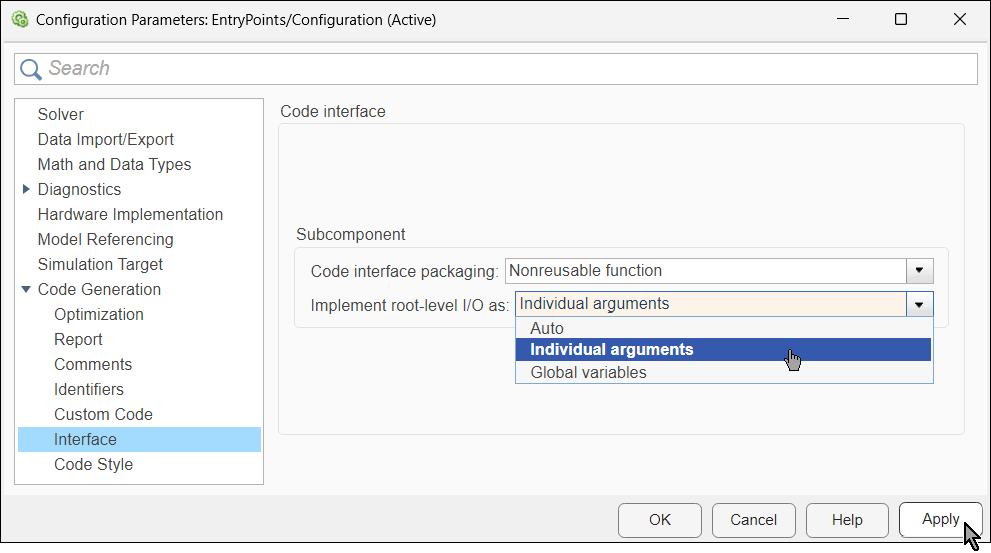
Open the Configuration Parameters dialog box and navigate to Code Generation > Interface.
Locate the Code Interface > Subcomponent section on the right.
From the Implement root-level I/O as list, select
Individual arguments.Click Apply.
Customize Generated Argument Identifiers
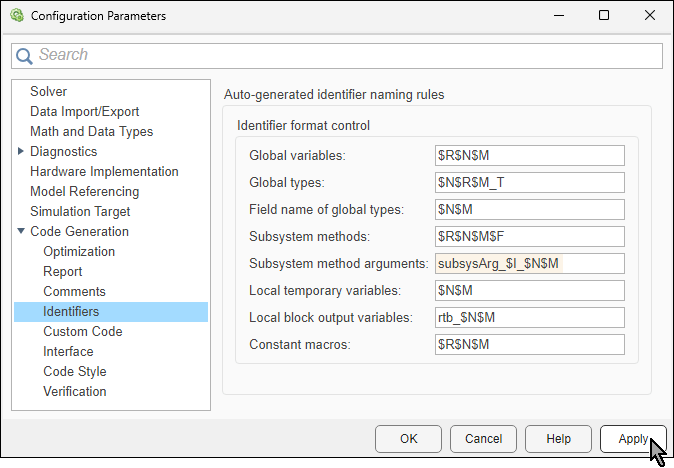
When the model is configured for subcomponent deployment type, the code generator creates the identifiers of entry-point arguments according to the naming rule specified in the configuration parameter Subsystem method arguments. The naming rule is specified as a combination of valid C language characters and the macros $I, $M, $N, and $U. For the definition of each macro, see Subsystem method arguments. In this example, specify the naming rule as subsysArg_$I_$N$M. In it:
The macro
$Iis replaced with the letterUfor an input argument and the letterYfor an output argument.The macro
$Nis replaced by the name of the object for which the identifier is created. For example, the name of the root-level port.The macro
$Mis replaced by an autogenerated name-mangling text to avoid naming collisions. If there is no name collision, this macro is ignored.
To specify the naming rules, in the Configuration Parameters dialog box, navigate to Code Generation > Identifiers. In the section Auto-generated identifier naming rules > Identifier format control, locate the parameter and specify its value. Then. click Apply.
Alternatively, you can use the function set_param to programmatically specify the value of this configure parameter:
set_param(epModel,CustomSymbolStrFcnArg="subsysArg_$I_$N$M")
Generate model code again and in the Code pane, navigate to the generated source file EntryPoints.c to examine the generated step function.
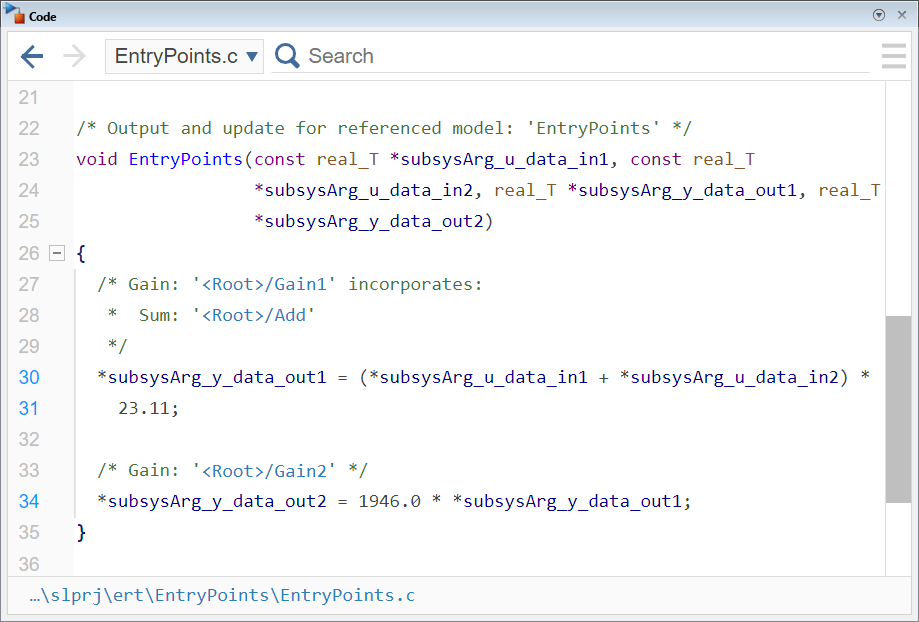
In the generated code:
Root-level port variables are passed as arguments to the step function
EntryPoints.Identifiers of arguments that correspond to root-level inports include the substring
_u_, and identifiers of arguments that correspond to root-level outports include the substring_y_.
Generate Reusable Entry-Point Functions
To allow having multiple real-time instances of the model, configure the model as reusable. In this configuration, the generated entry-point functions are potentially used by more than one real-time model instance within a single process. As such, entry-point functions require arguments to access variables of the specific (real-time model) instance they are invoked by each time.
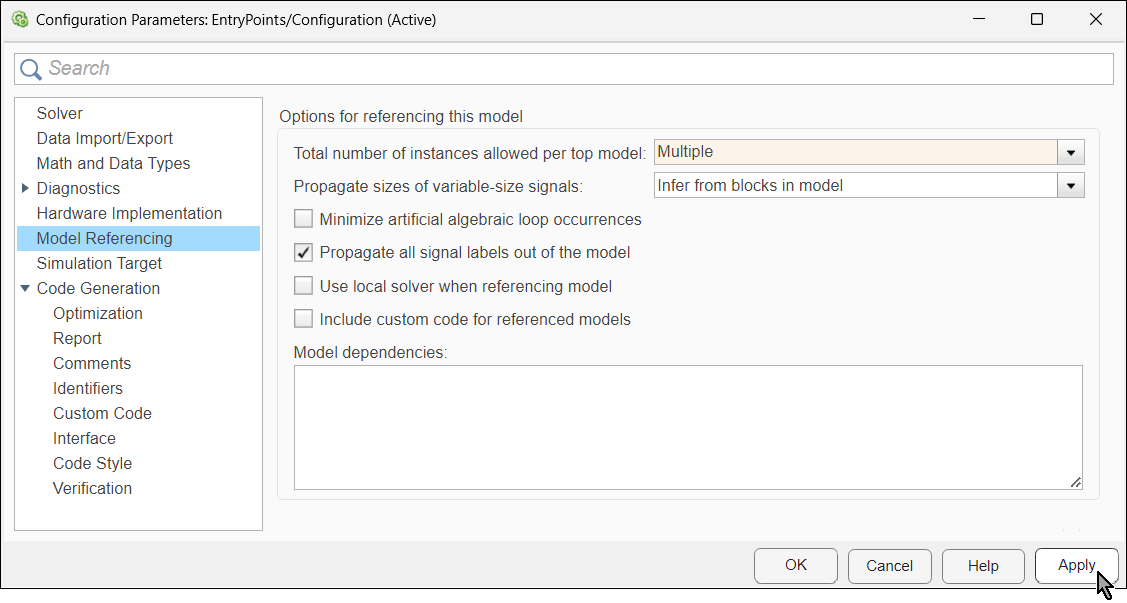
To configure the model to be reusable, you specify the total number of instances allowed per top model as Multiple:
In the Configuration Parameters dialog box, navigate to Model Referencing.
In the section Option for referencing this model, locate the parameter Total number of instances allowed per top model and from the list, select
Multiple.Click Apply.
The model is automatically set to be reusable. To see that, in the Configuration Parameters dialog box, navigate to Code Generation > Interface. In the Code Interface > Subcomponent section on the right, locate the parameter Code interface packaging. The selected value for the parameter is Reusable function.
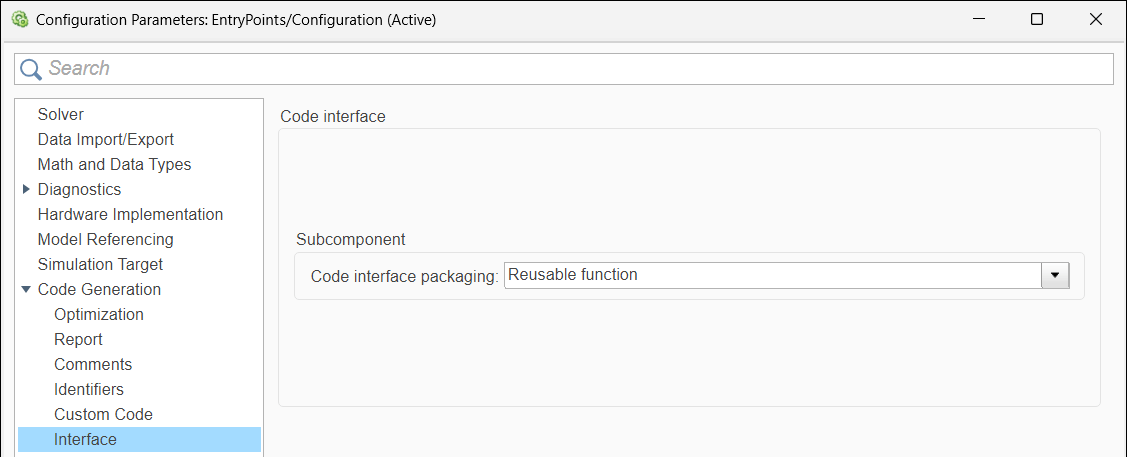
Note that now the parameter Implement root-level I/O as is missing. This is because when you configure a subcomponent model as reusable, its generated entry-point functions must rely on input arguments to access root-level ports.
You can generate model code again and see that root-level ports are passed to the step function as individual arguments.
See Also
setDeploymentType | Subsystem method
arguments | setFunction | set_param

