このページは前リリースの情報です。該当の英語のページはこのリリースで削除されています。
Aero.VirtualRealityAnimation クラス
R2024a名前空間: Aero
仮想現実アニメーションオブジェクトを使用して航空宇宙アニメーションを視覚化する
説明
Aero.VirtualRealityAnimation オブジェクトは、仮想現実アニメーション オブジェクトを使用して飛行データを視覚化します。
Aero.VirtualRealityAnimation クラスは handle クラスです。
クラスの属性
GetAccess | public |
SetAccess | private |
Dependent | true |
Transient | true |
非表示 | true |
SetObservable | true |
NonCopyable | true |
クラス属性の詳細については、クラスの属性を参照してください。
作成
説明
h = Aero.VirtualRealityAnimation は仮想現実アニメーション オブジェクトを構築します。アニメーション オブジェクトは h に返されます。
プロパティ
メソッド
例
この例では、
仮想現実アニメーションオブジェクトのシミュレーションを記録する
飛行データをシミュレートして記録する
アニメーションオブジェクトを作成する
h = Aero.VirtualRealityAnimation;

% Control the frame display rate.

h.FramesPerSecond = 10;

% Configure the animation object to set the seconds of animation data per
% second time scaling (TimeScaling) property.

h.TimeScaling = 5;

% The combination of FramesPerSecond and TimeScaling property determine the
% time step of the simulation. These settings result in a time step of
% approximately 0.5 s.
% This code sets the .wrl file to use in the virtual reality animation.

h.VRWorldFilename = 'asttkoff.wrl';

% Load the animation world described in the 'VRWorldFilename' field of the
% animation object.

initialize(h);

% Set simulation timeseries data. takeoffData.mat contains logged simulated
% data. takeoffData is set up as a 'StructureWithTime', which is one of the
% default data formats.

load takeoffData
[~, idxPlane] = find(strcmp('Plane', h.nodeInfo));
h.Nodes{idxPlane}.TimeseriesSource = takeoffData;
h.Nodes{idxPlane}.TimeseriesSourceType = 'StructureWithTime';

% Use the example custom function vranimCustomTransform to correctly line
% up the position and rotation data with the surrounding objects in the
% virtual world. This code sets the coordinate transformation function for
% the virtual reality animation.

h.Nodes{idxPlane}.CoordTransformFcn = @vranimCustomTransform;

% Set up recording properties.

h.VideoRecord = 'on';
h.VideoQuality = 50;
h.VideoCompression = 'Motion JPEG AVI';
h.VideoFilename = 'astMotion_JPEG_VR';

% Play the animation.

play(h);

% Wait for the animation to stop running before modifying the object.

wait(h);

% Verify that a file named astMotion_JPEG_VR.avi was created in the current folder.
% Disable recording to preserve the file.

h.VideoRecord = 'off';
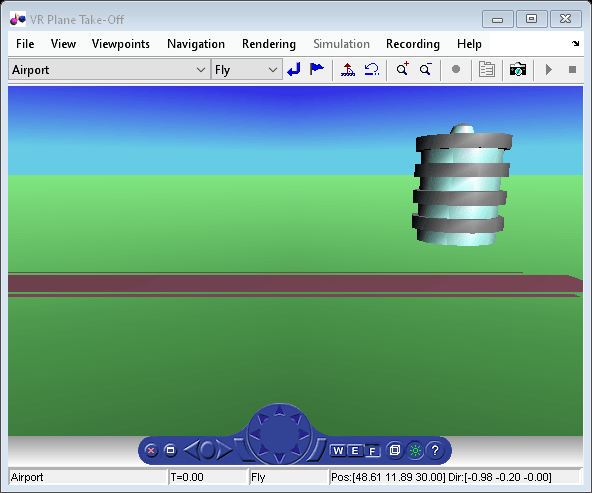
4秒間の飛行データをシミュレートします。
データを使用してアニメーション オブジェクトを作成します。
h = Aero.Animation;
フレームの表示レートを制御します。
h.FramesPerSecond = 10;
アニメーション オブジェクトを構成して、1 秒あたりのアニメーション データの秒数 (TimeScaling) プロパティを設定します。
h.TimeScaling = 5;
FramesPerSecond プロパティと TimeScaling プロパティの組み合わせによって、シミュレーションの時間ステップ (TimeScaling/|FramesPerSecond|) が決まります。これらの設定により、時間ステップは約 0.5 秒になります。
アニメーション オブジェクトのボディを作成して読み込みます。
idx1 = createBody(h,'pa24-250_orange.ac','Ac3d');
シミュレートされた飛行軌道データ (simdata) を読み込みます。
load simdata;本文の時系列データを設定します。
h.Bodies{1}.TimeSeriesSource = simdata;アニメーション オブジェクトの図オブジェクトを作成します。
show(h);

録音プロパティを設定します。
h.VideoRecord='on';
h.VideoQuality = 50;
h.VideoCompression = 'Motion JPEG AVI';
h.VideoFilename = 'astMotion_JPEG';
アニメーションを TStart から TFinal まで再生します。
h.TSTart = 1;
h.TFinal = 5;
play(h);
現在のフォルダーに astMotion_JPEG.avi という名前のファイルが作成されたことを確認します。記録を再実行すると、シミュレーション時間の長さを記録したときの再生時間が前の例よりも短くなることに注意してください。
待機
オブジェクトを変更する前に、アニメーションの再生が停止するまで待ちます。
wait(h);
ファイルを保存するには録画を無効にします。
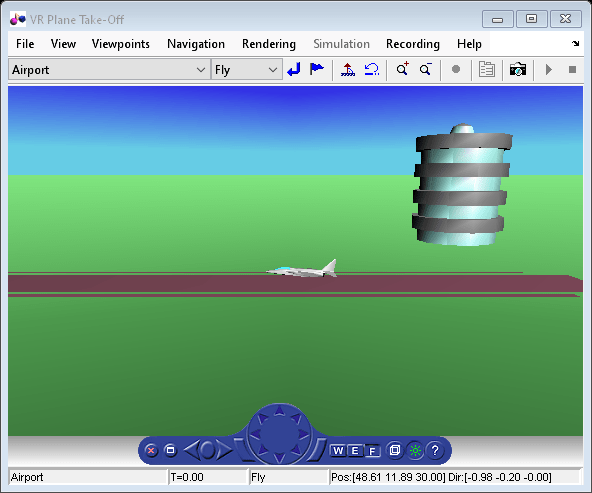
h.VideoRecord = 'off';この例では、仮想現実オブジェクトのアニメーション シミュレーションの 3 秒間の記録をスケジュールする方法を示します。
% Create an animation object.
h = Aero.VirtualRealityAnimation;

% Control the frame display rate.
h.FramesPerSecond = 10;

% Configure the animation object to set the seconds of animation data per
% second time scaling (TimeScaling) property.
h.TimeScaling = 5;

% The combination of FramesPerSecond and TimeScaling properties determines
% the time step of the simulation. These settings result in a time step of
% approximately 0.5 s.
% This code sets the .wrl file to use in the virtual reality animation.

h.VRWorldFilename = 'asttkoff.wrl';

% Load the animation world described in the 'VRWorldFilename' field of the
% animation object.
h.initialize();

% Set simulation timeseries data. takeoffData.mat contains logged
% simulated data. takeoffData is set up as a 'StructureWithTime', which is
% one of the default data formats.
load takeoffData
[~, idxPlane] = find(strcmp('Plane', h.nodeInfo));
h.Nodes{idxPlane}.TimeseriesSource = takeoffData;
h.Nodes{idxPlane}.TimeseriesSourceType = 'StructureWithTime';

% Use the example custom function vranimCustomTransform to correctly line
% up the position and rotation data with the surrounding objects in the
% virtual world. This code sets the coordinate transformation function for
% the virtual reality animation.
h.Nodes{idxPlane}.CoordTransformFcn = @vranimCustomTransform;

% Set up recording properties.
h.VideoQuality = 50;
h.VideoCompression = 'Motion JPEG AVI';
h.VideoFilename = 'astMotion_JPEG';

% Set up simulation time from TFinal to TStart.
h.TSTart = 1;
h.TFinal = 5;

% Set up to record between two and four seconds of the four second
% simulation.
h.VideoRecord='scheduled';
h.VideoTSTart = 2;
h.VideoTFinal = 4;

% Play the animation.
h.play();

% Wait for the animation to stop running before modifying the object.

h.wait();

% Verify that a file named astMotion_JPEG_VR.avi was created in the
% current folder. When you rerun the recording, notice that the play time
% is faster than when you record for the length of the simulation time.
% Disable recording to preserve the file.
h.VideoRecord = 'off';
制限
Aero.VirtualRealityAnimation オブジェクトは MATLAB Online ではサポートされていません。
バージョン履歴
R2007b で導入

