xlsheets

Creating sheets and naming them in Excel.

現在この提出コンテンツをフォロー中です。

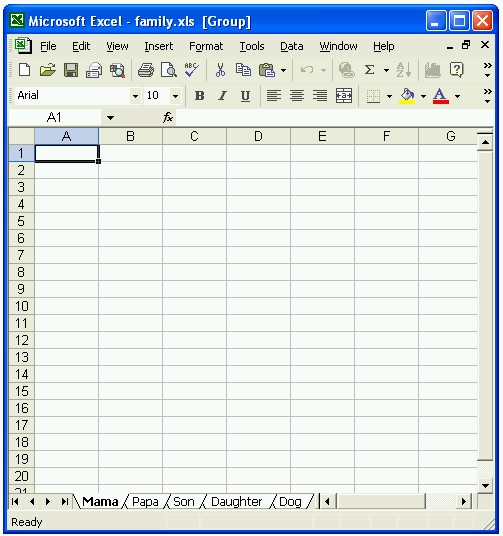
Creates new Excel file (or opens it if file exists) and name the sheets as listed in (sheetnames) and saves the workbook as (filename).

xlsheets(sheetnames,filename)
xlsheets(sheetnames)

sheetnames: List of sheet names (cell array).
filename: Name of excel file.

NOTE: Follow the following rules when naming your sheets:
1- Make sure the name you entered does not exceed 31 characters.
2- Make sure the name does not contain any of the following characters:
: \ / ? * [ or ]
3- Make sure you did not leave the name blank.
4- Make sure each sheet name is a character string.
5- Make sure you do not have two sheets or more with the same name.

Example:

sheetnames = {'Mama','Papa','Son','Daughter','Dog'};
filename = 'family.xls';
xlsheets(sheetnames,filename);
xlsheets(sheetnames);

引用

Fahad Al Mahmood (2026). xlsheets (https://jp.mathworks.com/matlabcentral/fileexchange/4474-xlsheets), MATLAB Central File Exchange. に取得済み.

謝辞

ヒントを得たファイル: xlswrite - legacy

ヒントを与えたファイル: Example of how to save or read data to an Excel archive.

一般的な情報

MATLAB リリースの互換性

  • すべてのリリースと互換性あり

プラットフォームの互換性

  • Windows
  • macOS
  • Linux
バージョン 公開済み リリース ノート Action
1.0.0.0

Supporting Full or Partial Path