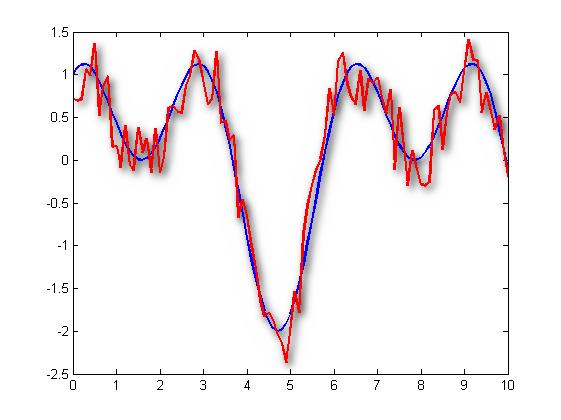
dropshadow - Drop Shadow class for plot objects

Adds a dropshadow to plot objects.
ダウンロード: 947
更新 2022/11/27

ライセンスの表示

Every now and then your crude and harsh Matlab plots can benefit from some graphical enhancements. This class adds a fully customisable dropshadow to the plot objects in your axes. It takes a "snapshot" of the current axes and renders a dropshadow image using 2D convolution with a Gaussian kernel. Still, the figure can be exported to a vector graphics format, making it ideal for printed reports or PDFs.
Usage:
ShadowObj = dropshadow(hAxes) creates a dropshadow object for the plot objects in the specified axes. The shadow image is rendered using 2D convolution of a Gaussian kernel based on the properties Color, Angle, Distance, Spread and Size. The original plot objects are kept, such that the figure can still be exported to a vector graphics format such as EPS or PDF.
ShadowObj = dropshadow(hAxes,'Prop1',Value1,...) creates the dropshadow and sets the specified properties.
The dropshadow object is updated whenever a change is made to one of the properties. The object is deleted upon axes deletion.
Note that the shadow is always put as a 2D image in the background of the plot axes, regardless of 3D rotations.
Known issues:
The current implementation uses the java.awt.Robot to make a snapshot. This will not work with docked figures. A workaround is to use the built-in getframe function, which is activated by setting the hidden property ShadowObj.SnapMethod = 'getframe'. Suggestions for more robust implementations are welcome!

引用

Maarten van der Seijs (2026). dropshadow - Drop Shadow class for plot objects (https://jp.mathworks.com/matlabcentral/fileexchange/39024-dropshadow-drop-shadow-class-for-plot-objects), MATLAB Central File Exchange. に取得済み.

MATLAB リリースの互換性
作成: R2012a
すべてのリリースと互換性あり
プラットフォームの互換性
Windows macOS Linux
謝辞

ヒントを得たファイル: getscreen

バージョン 公開済み リリース ノート
1.1.0.0

Updates as suggested by Paul Ackerman

1.0.0.0