How to extract the plate area only from black background

古いコメントを表示
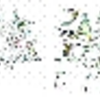
Hi, i want to know how to crop the plate area only from the image shown below my code takes the RGB image & outputs this image, so i need only a way to extract the numbers area only here is the output picture

thanks in advance
採用された回答

Andrei Bobrov
2012 年 8 月 3 日
II=im2bw(I);
s=regionprops(II,'Area','BoundingBox');
[ii,ii] = sort([s.Area],'descend');
out = imcrop(I,s(ii(2)).BoundingBox);

その他の回答 (2 件)

Image Analyst
2012 年 8 月 3 日
2 投票
You could pass the image into regionprops() and ask for area and eccentricity. The plate will have a lower eccentricity than the lines, and probably but not necessarily a larger area than any/most/all of the lines. But I can't tell that that rectangular blob with a bunch of holes in it in the lower left is not also another license plate. At least for this one particular image, you could get rid of that based on area or FilledArea.
Thomas
2012 年 8 月 3 日
1 投票
The following thread might be helpful
カテゴリ
ヘルプ センター および File Exchange で Image Processing Toolbox についてさらに検索
Community Treasure Hunt
Find the treasures in MATLAB Central and discover how the community can help you!
Start Hunting!
Translated by 

