plotting x vs y but not y vs x.
古いコメントを表示
Hello all,
I have two vectors XN and YN. Their values are mentioned in the excel file attached. I want to plot YN vs XN. when I enter following code: plot(XN,YN) I didn't get any result. But when I enter plot(YN,XN), matlab shows me correct plot.
Can you please help me to resolve this issue, why MATLAB is plotting x vs y but not y vs x?
Thank you in advance
Nikhil
採用された回答

Azzi Abdelmalek
2014 年 1 月 3 日
Maybe because your values are very small, try this
plot(x,y*1e+152)
3 件のコメント
Azzi Abdelmalek
2014 年 1 月 3 日
After the plot, you can change the yticks to get the real values displayed in your plot

Nikhil
2014 年 1 月 3 日
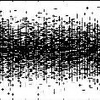
Youssef Khmou
2014 年 1 月 4 日
it worked without amplifying factor, this issue is not clear yet ...
その他の回答 (1 件)
Youssef Khmou
2014 年 1 月 3 日
編集済み: Youssef Khmou
2014 年 1 月 3 日
Nikhil,
with the file you posted, it plots correctly y=f(x) which has a peak in the abscissa x=4.
G=xlsread('file.xlsx');
x=G(:,1)
y=G(:,2)
plot(x,y)
カテゴリ
ヘルプ センター および File Exchange で 2-D and 3-D Plots についてさらに検索
Community Treasure Hunt
Find the treasures in MATLAB Central and discover how the community can help you!
Start Hunting!
Translated by 

