このページの内容は最新ではありません。最新版の英語を参照するには、ここをクリックします。
イメージ ポイント機能を使用した要素の多いシーン内のオブジェクトの検出
R2026aこの例では、オブジェクトの参照イメージがある場合に、要素の多いシーンで特定のオブジェクトを検出する方法を説明します。
概要
この例では、参照イメージとターゲット イメージの間で点の対応を見つけることにより、特定のオブジェクトを検出するアルゴリズムを提示します。スケールの変更や面内回転がある場合でもオブジェクトを検出できます。また、少量であれば面外の回転やオクルージョンに対してもロバストです。
このオブジェクト検出方法は、一意の特徴マッチが得られる繰り返しのないテクスチャ パターンを示すオブジェクトに最適です。色が均一のオブジェクトや反復パターンのあるオブジェクトでは、この手法はうまく機能しない可能性が高くなります。このアルゴリズムは特定のオブジェクトを検出するよう設計されています。たとえば、任意のゾウすべてを検出するのではなく、参照イメージ内のゾウを検出します。
手順 1: イメージの読み取り
対象オブジェクトを含む参照イメージを読み取ります。
boxImage = imread("stapleRemover.jpg");
figure;
imshow(boxImage);
title("Image of a Box");

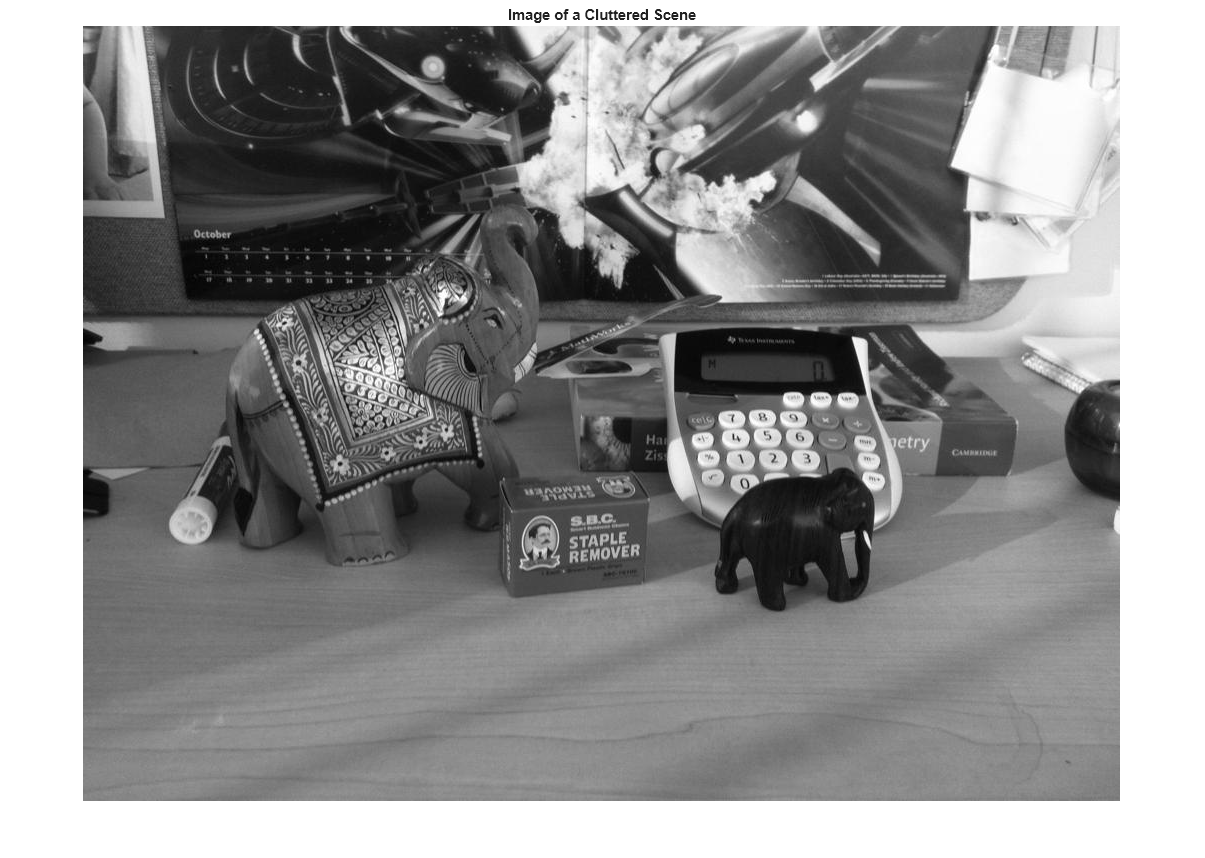
要素の多いシーンを含むターゲット イメージを読み取ります。
sceneImage = imread("clutteredDesk.jpg");
figure;
imshow(sceneImage);
title("Image of a Cluttered Scene");
手順 2: 特徴点の検出
両方のイメージ内の特徴点を検出します。
boxPoints = detectSIFTFeatures(boxImage);
scenePoints = detectSIFTFeatures(sceneImage);
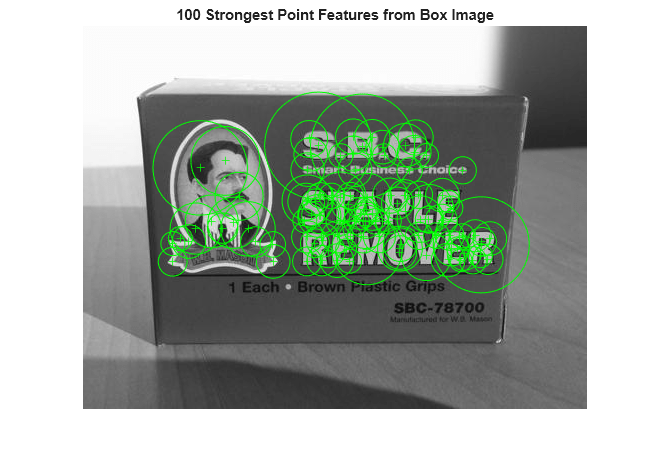
参照イメージで検出された最も強い特徴点を可視化します。
figure;
imshow(boxImage);
title("100 Strongest Point Features from Box Image");
hold on;
plot(selectStrongest(boxPoints, 100));
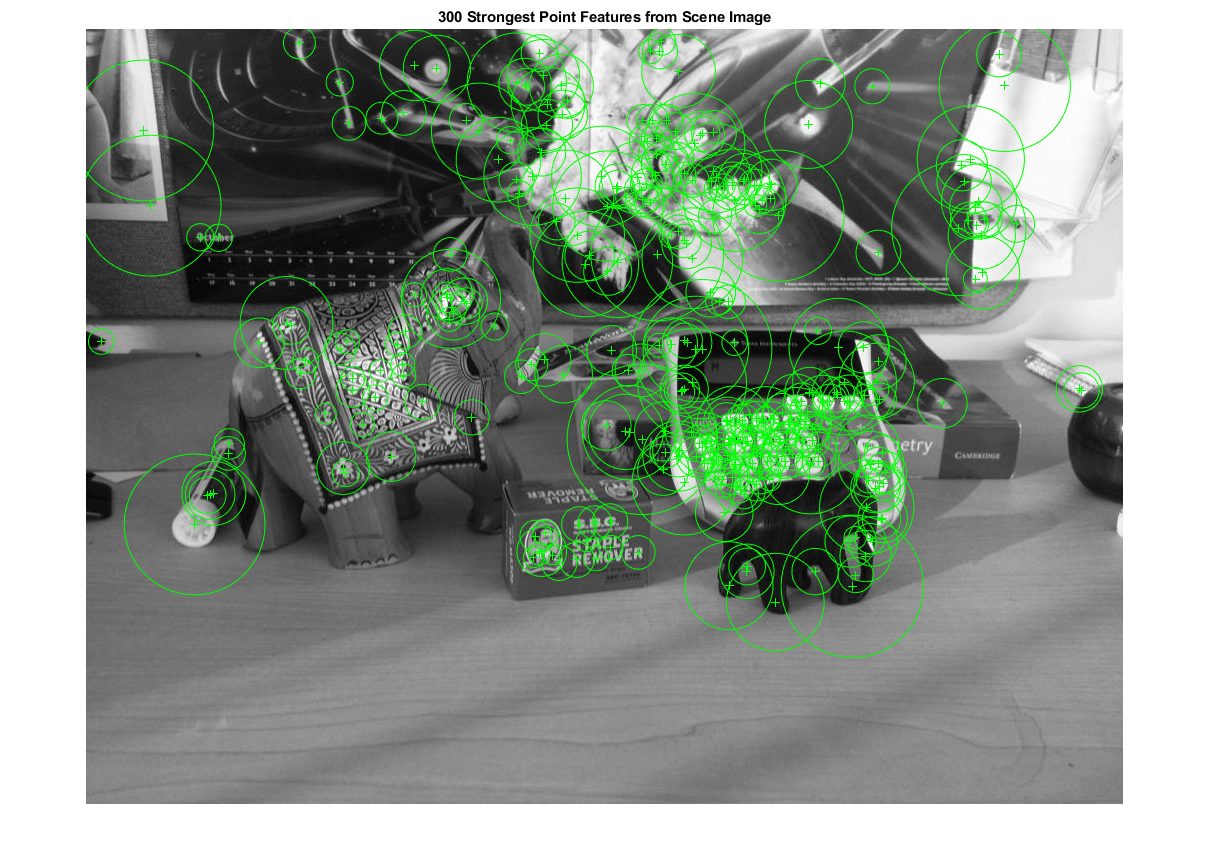
ターゲット イメージで検出された最も強い特徴点を可視化します。
figure;
imshow(sceneImage);
title("300 Strongest Point Features from Scene Image");
hold on;
plot(selectStrongest(scenePoints, 300));
手順 3: 特徴記述子の抽出
両方のイメージ内の関心点における特徴記述子を抽出します。
[boxFeatures, boxPoints] = extractFeatures(boxImage, boxPoints);
[sceneFeatures, scenePoints] = extractFeatures(sceneImage, scenePoints);
手順 4: 点の推定的マッチの検出
特徴記述子を使用して特徴をマッチングします。
boxPairs = matchFeatures(boxFeatures, sceneFeatures, MatchThreshold=40,...
    MaxRatio=0.7, Unique=true);
マッチであると推定される特徴を表示します。
matchedBoxPoints = boxPoints(boxPairs(:, 1), :);
matchedScenePoints = scenePoints(boxPairs(:, 2), :);
figure;
showMatchedFeatures(boxImage, sceneImage, matchedBoxPoints, ...
    matchedScenePoints, "montage");
title("Putatively Matched Points (Including Outliers)");

手順 5: 推定的マッチを使用したシーン内のオブジェクト検出
estgeotform2d は、外れ値を排除しながら、マッチした点を関連付ける変換を計算します。この変換によってシーン内のオブジェクトの位置を決定できます。
[tform, inlierIdx] = estgeotform2d(matchedBoxPoints, matchedScenePoints, "affine");
inlierBoxPoints   = matchedBoxPoints(inlierIdx, :);
inlierScenePoints = matchedScenePoints(inlierIdx, :);
外れ値を削除したうえで、マッチする点のペアを表示します。
figure;
showMatchedFeatures(boxImage, sceneImage, inlierBoxPoints, ...
    inlierScenePoints, "montage");
title("Matched Points (Inliers Only)");

参照イメージの境界多角形を取得します。
boxPolygon = [1, 1;...                           % top-left
        size(boxImage, 2), 1;...                 % top-right
        size(boxImage, 2), size(boxImage, 1);... % bottom-right
        1, size(boxImage, 1);...                 % bottom-left
        1, 1];                   % top-left again to close the polygon
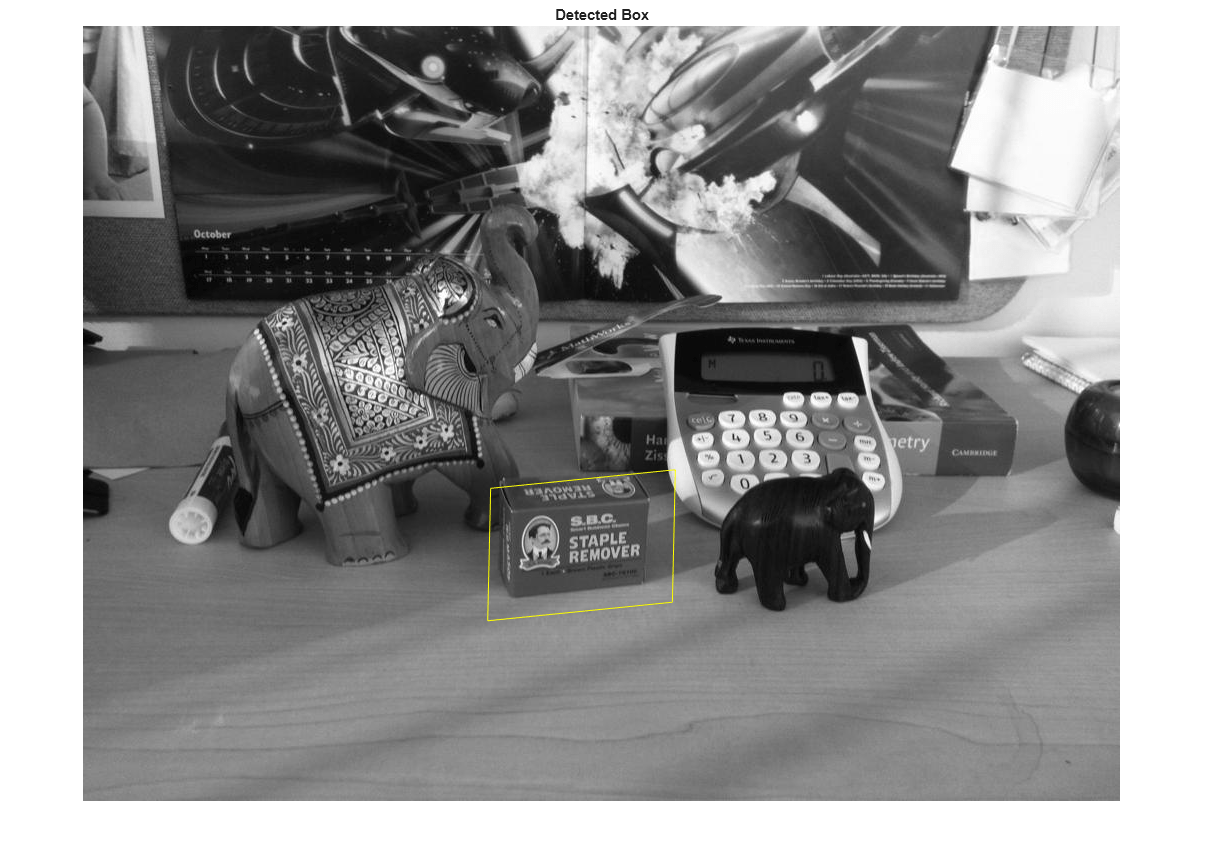
この多角形をターゲット イメージの座標系に変換します。変換後の多角形は、シーン内のオブジェクトの位置を示しています。
newBoxPolygon = transformPointsForward(tform, boxPolygon);
検出したオブジェクトを表示します。
figure;
imshow(sceneImage);
hold on;
line(newBoxPolygon(:, 1), newBoxPolygon(:, 2), Color="y");
title("Detected Box");
手順 6: 別のオブジェクトの検出
前と同じ手順で 2 つ目のオブジェクトを検出します。
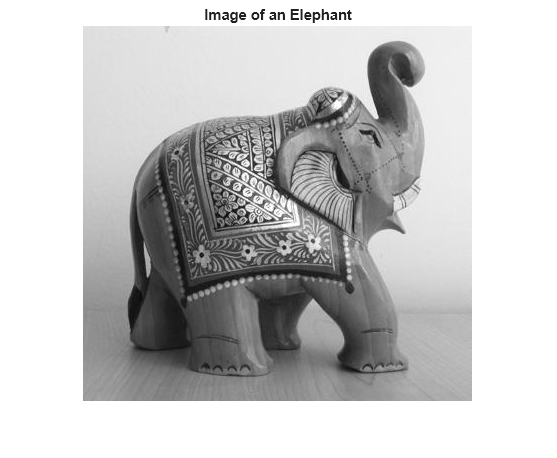
2 つ目の対象オブジェクトを含むイメージを読み取ります。
elephantImage = imread("elephant.jpg");
figure;
imshow(elephantImage);
title("Image of an Elephant");
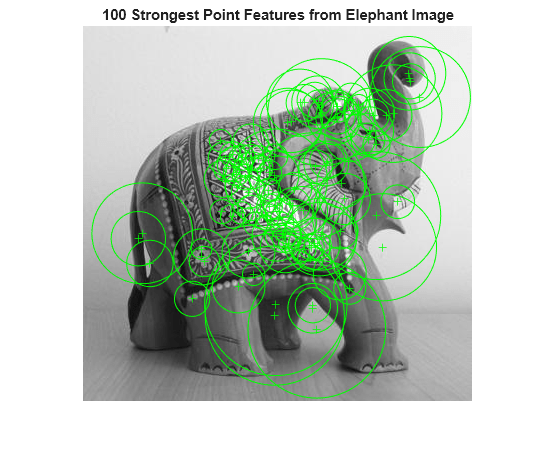
特徴点を検出して可視化します。
elephantPoints = detectSIFTFeatures(elephantImage);
figure;
imshow(elephantImage);
hold on;
plot(selectStrongest(elephantPoints, 100));
title("100 Strongest Point Features from Elephant Image");
特徴記述子を抽出します。
[elephantFeatures, elephantPoints] = extractFeatures(elephantImage, elephantPoints);
特徴をマッチさせます。
elephantPairs = matchFeatures(elephantFeatures, sceneFeatures, MatchThreshold=40,...
    MaxRatio=0.7, Unique=true);
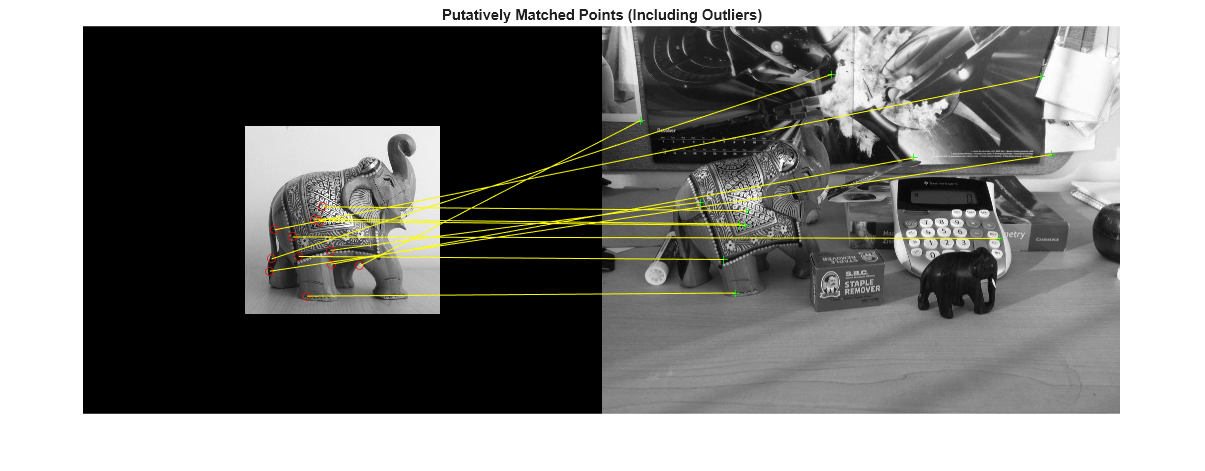
マッチであると推定される特徴を表示します。
matchedElephantPoints = elephantPoints(elephantPairs(:, 1), :);
matchedScenePoints = scenePoints(elephantPairs(:, 2), :);
figure;
showMatchedFeatures(elephantImage, sceneImage, matchedElephantPoints, ...
    matchedScenePoints, "montage");
title("Putatively Matched Points (Including Outliers)");
幾何学的変換を推定し、外れ値を排除します。
[tform, inlierElephantPoints, inlierScenePoints] = ...
    estimateGeometricTransform(matchedElephantPoints, matchedScenePoints, "affine");
figure;
showMatchedFeatures(elephantImage, sceneImage, inlierElephantPoints, ...
    inlierScenePoints, "montage");
title("Matched Points (Inliers Only)");

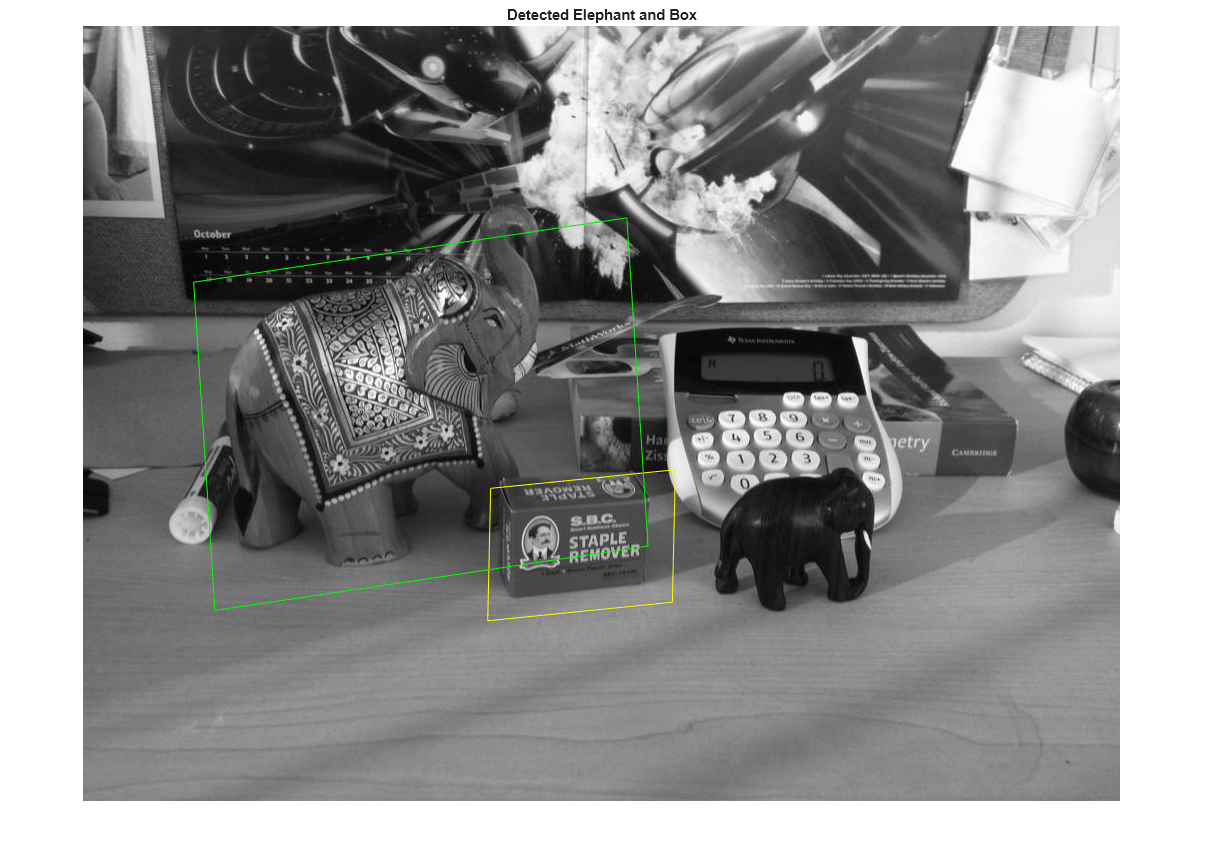
両方のオブジェクトを表示します。
elephantPolygon = [1, 1;...                                 % top-left
        size(elephantImage, 2), 1;...                       % top-right
        size(elephantImage, 2), size(elephantImage, 1);...  % bottom-right
        1, size(elephantImage, 1);...                       % bottom-left
        1,1];                         % top-left again to close the polygon

newElephantPolygon = transformPointsForward(tform, elephantPolygon);

figure;
imshow(sceneImage);
hold on;
line(newBoxPolygon(:, 1), newBoxPolygon(:, 2), Color="y");
line(newElephantPolygon(:, 1), newElephantPolygon(:, 2), Color="g");
title("Detected Elephant and Box");