Generate Depth, Semantic, and Point Cloud Data Using MATLAB
R2026bThis example shows how to generate image, depth, semantic, and point cloud data using MATLAB® objects and functions.
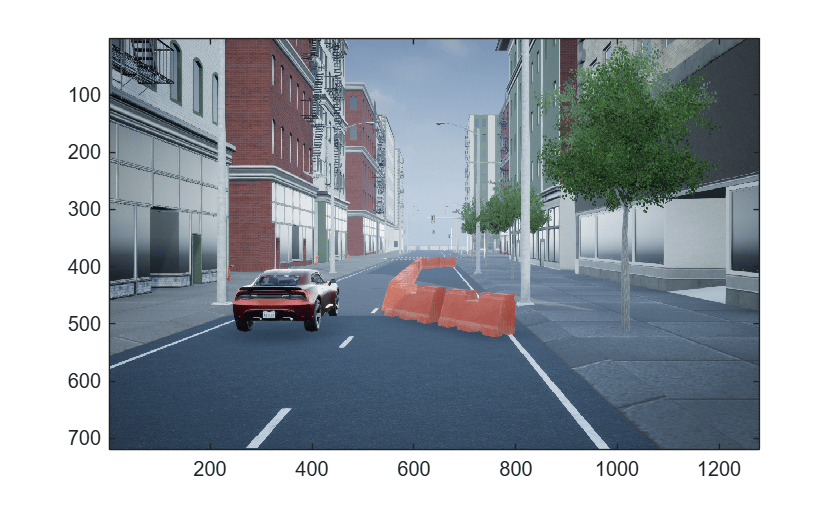
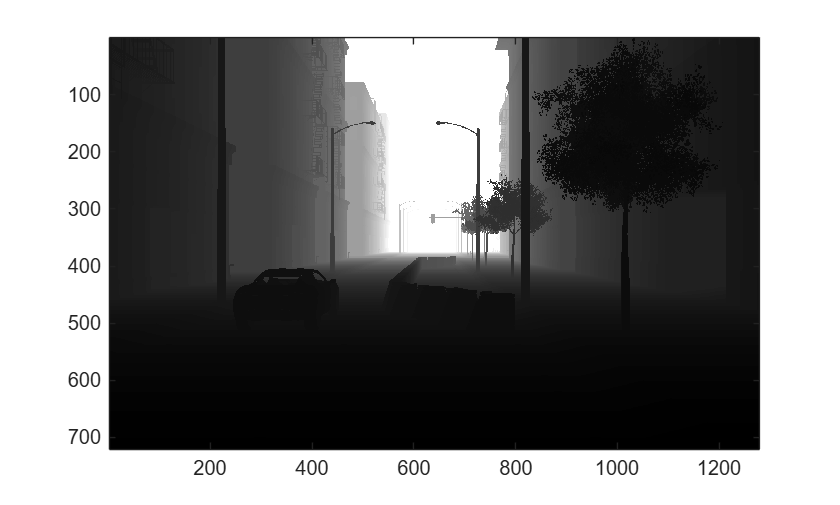
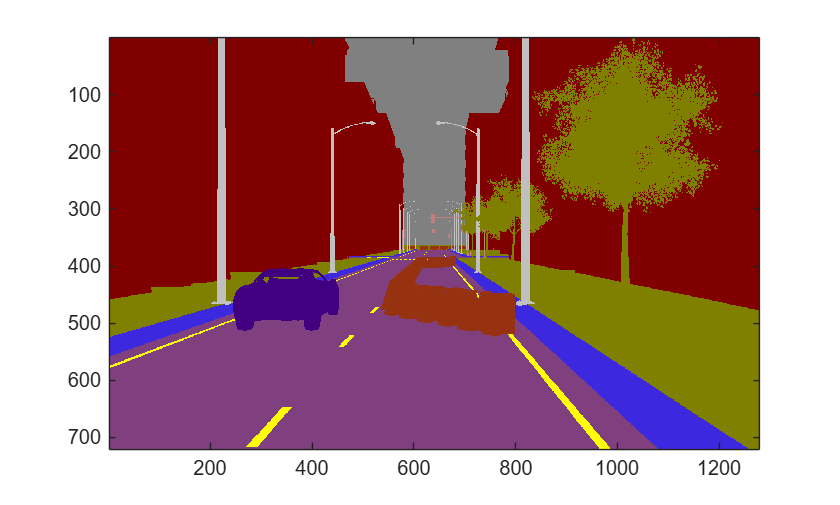
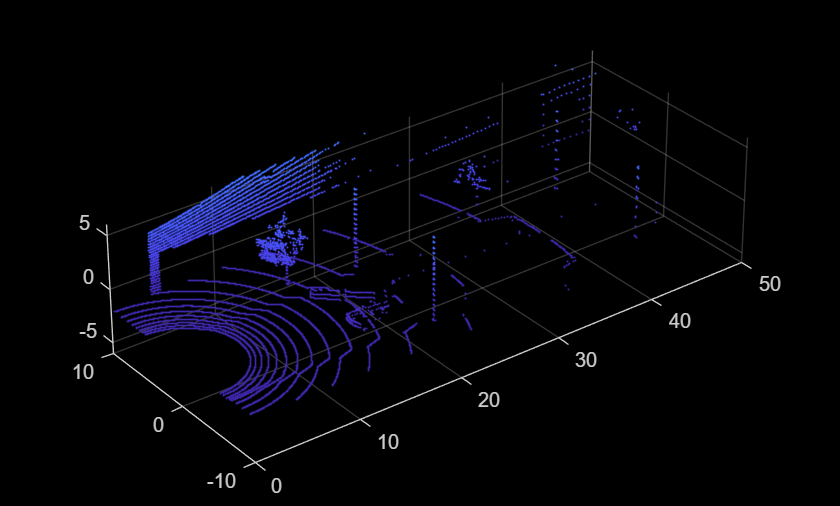
First, you create a 3D environment using the sim3d.World object and create a ground following passenger vehicle using the sim3d.vehicle.ground.PassengerVehicle object. Then, you create a camera sensor using the sim3d.sensors.Camera object and a lidar sensor using the sim3d.sensors.Lidar object. Finally, you view the simulation in the Simulation 3D Viewer window and the image, depth, semantic, and point cloud data output in MATLAB.
Create 3D Environment
Create a 3D environment and set up communication with the Unreal Engine® simulation environment using the output function OutputImpl and the update function UpdateImpl. The sim3d.World object can send and receive data about the 3D environment to and from the Unreal Engine at each simulation step using output and update functions, respectively. The functions OutputImpl and UpdateImpl are defined at the end of the file.
world = sim3d.World(Scene="USCityBlock", ...
        Output=@OutputImpl, ...
        Update=@UpdateImpl);
Create Passenger Vehicle
Create a vehicle using the sim3d.vehicle.ground.PassengerVehicle object. Add the vehicle to the world.
vehicle = sim3d.vehicle.ground.PassengerVehicle( ...
    ActorName="Vehicle", ...
    Translation=[0 -2 0; 0 0 0; 0 0 0; 0 0 0; 0 0 0]);
add(world,vehicle);
Create Lidar
Create a lidar sensor object using the sim3d.sensors.Lidar object. Add the lidar to the world.
lidar = sim3d.sensors.Lidar(ActorName="Lidar",Translation=[-10 2 2]);
add(world,lidar);
Create Camera
Create a camera object using the sim3d.sensors.Camera object and enable the depth and semantic output. Set the location of the camera using the Translation property. Add the camera to the world.
camera = sim3d.sensors.Camera( ...
    ActorName="Camera",Translation=[-10 2 2],EnableDepthOutput = true, EnableSemanticOutput = true);
add(world,camera);
Run Simulation
Run the co-simulation for 2 seconds with a sample time of 1/60 seconds. The image, depth, semantic, and point cloud data displays in MATLAB.
sampletime = 1/60;
stoptime = 2;
run(world,sampletime,stoptime);
Create Figures
Create handles to the figure windows with the name specified to display the image, depth, semantic, and point cloud output. Use the image function to display the image data and semantic data as images in MATLAB. Use the imagesc function to display the depth data as an image in grayscale. The semantic data provides label IDs that correspond to objects in the scene to identify and classify objects, regions, and structures within the captured image. Use the label2rgb (Image Processing Toolbox) function to convert the label matrix to RGB image. For Unreal Engine scenes, you can use the sim3dColormap file to define the colormap. sim3dColormap defines the label IDs for the objects in the scenes. Use the pcshow (Point Cloud Toolbox) function to display the point cloud in MATLAB. Use the UserData property in the sim3d.World object to access and display the sceneImage, sceneDepth, sceneSemantic, and pc output.
% Display image data from camera
imageFigure = figure(Name="Image");
figure(imageFigure);
image(world.UserData.sceneImage);
% Saturate depth data to 150 m
world.UserData.sceneDepth(world.UserData.sceneDepth > 150) = 150;
world.UserData.sceneDepth(world.UserData.sceneDepth < 0) = 0;

% Display depth data in gray scale
depthFigure = figure(Name="Depth");
figure(depthFigure);
imagesc(world.UserData.sceneDepth);
colormap gray;
% Define label ids
cmap = sim3dColormap;
Semantic = label2rgb(world.UserData.sceneSemantic,cmap);

% Display semantic data
semanticFigure = figure(Name="Semantic");
figure(semanticFigure)
image(Semantic)
% Display point cloud from lidar
pointCloudFigure = figure(Name="PointCloud");
figure(pointCloudFigure);
pcshow(world.UserData.pc);
xlim([0 50]);
ylim([-10 10]);
zlim([-6 6]);
Delete World
Delete the world object.
delete(world)
Set Up Output Function
The output function sends data about the vehicle actor to the Unreal Engine environment at each simulation step. For this example, the function moves the vehicle by updating the longitudinal position property X of the actor at each simulation step.
function OutputImpl(world)
world.Actors.Vehicle.X = world.Actors.Vehicle.X + 0.05;
end
Set Up Update Function
The update function reads data from the Unreal Engine environment. For this example, the updateImpl function reads the image, depth, and semantic data captured by the Camera in the Unreal Engine using the read function of the sim3d.sensors.Camera object. The function also uses read function of the sim3d.sensors.Lidar object to get the point cloud data in pc from the Lidar in the Unreal Engine environment. Use the UserData property in the sim3d.World object to store the data from the sensors objects or other objects that you can access outside the sim3d.World object.
function UpdateImpl(world)
[world.UserData.sceneImage, world.UserData.sceneDepth, world.UserData.sceneSemantic] = read(world.Actors.Camera);
world.UserData.pc = read(world.Actors.Lidar);
end
See Also
sim3d.vehicle.ground.PassengerVehicle | add | sim3d.sensors.Camera | sim3d.sensors.Lidar

