refreshImage
R2026bDescription
Add-On Required: This feature requires the Optical Design and Simulation Library for Image Processing Toolbox add-on.
Examples
Import a double Gauss lens from a ZMX file into the workspace.
opsys = zmximport("DoubleGaussLens.zmx");Add an image sensor to the optical system.
addImageSensor(opsys);
Render a ColorChecker test chart through the focused optical system.
ccAperture1 = renderChart(opsys,MaxSampleVariance=1,Focus=true);
Modify the aperture size of the ninth surface.
opsys.Surfaces(9).Shape.SemiDiameter = opsys.Surfaces(9).Shape.SemiDiameter/2;
Re-render the test chart to compute a new gain based on the updated system.
ccAperture2 = renderChart(opsys,MaxSampleVariance=1,Focus=true);
Reuse the original gain using the refreshImage function. Otherwise, the second render uses a higher gain and produces images with similar brightness.
refreshImage(ccAperture2,Gain=ccAperture1.Gain);
Compare the image brightness after aperture change using consistent gain.
montage({ccAperture1.Image,ccAperture2.Image})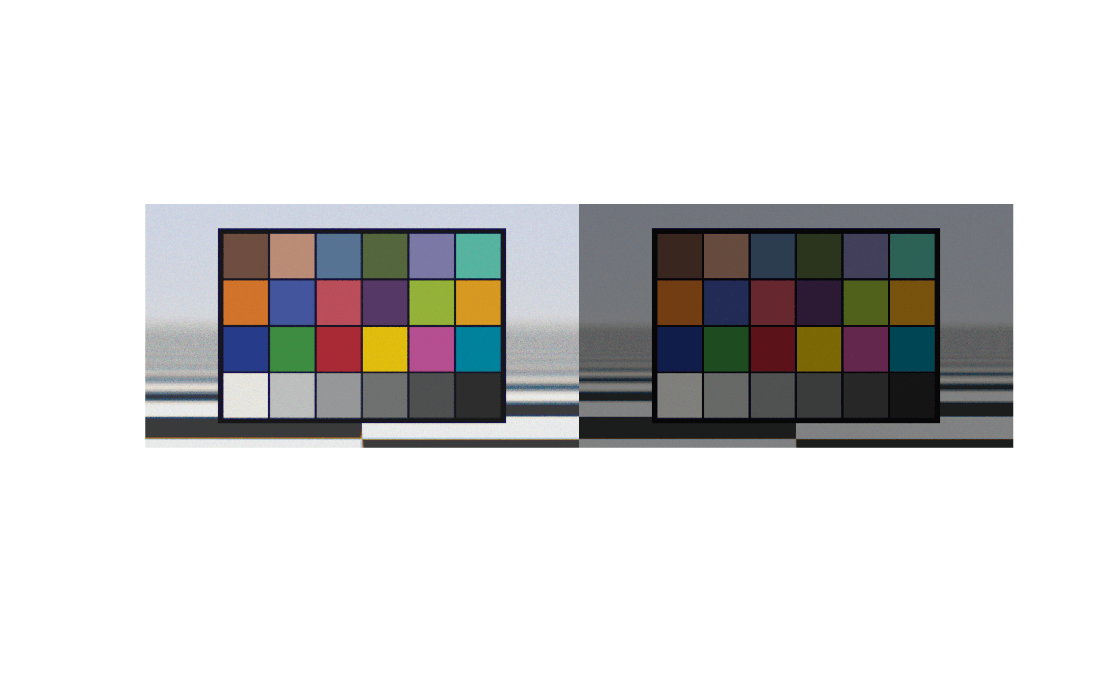
Input Arguments
Version History
Introduced in R2026b
See Also
SimulatedColorCheckerChart | SimulatedESFRChart | renderChart | opticalSystem | displayChart

