addCoating
R2026bDescription
Add-On Required: This feature requires the Optical Design and Simulation Library for Image Processing Toolbox add-on.
addCoating(
specifies the side of the lens surfaces to which to apply the coating.opsys,oc,CoatingSide=surfaceside)
Examples
Create a broadband anti-reflective (AR) optical coating that consists of two alternating TiO2/SiO2 material layer stacks.
ocBBAR = opticalCoating(Name="BBAR_4l", ...
CoatingMaterial = ["TiO2" "SiO2"], ...
LayerMaterialIndex = [1 2 1 2], ...
ThicknessUnit = "nm", ...
LayerThickness = [14.6 36.5 129.1 95.5])
ocBBAR =
  opticalCoating with properties:

                  Name: "BBAR_4l"
    IncidentAngleRange: [0 15]
       WavelengthRange: [300 800]
     PrimaryWavelength: 587.5618
                Medium: [1×1 opticalMaterial]
             Substrate: [1×1 opticalMaterial]
      CoatingMaterials: [2×1 opticalMaterial]
    LayerMaterialIndex: [1 2 1 2]
        LayerThickness: [14.6000 36.5000 129.1000 95.5000]
         ThicknessUnit: "nm"
             NumLayers: 4
        TotalThickness: 275.7000
Load a double Gauss lens from a ZMX file into the workspace. View the optical system in 2-D using the view2d function.
opsys = zmximport("DoubleGaussLens.zmx");
view2d(opsys);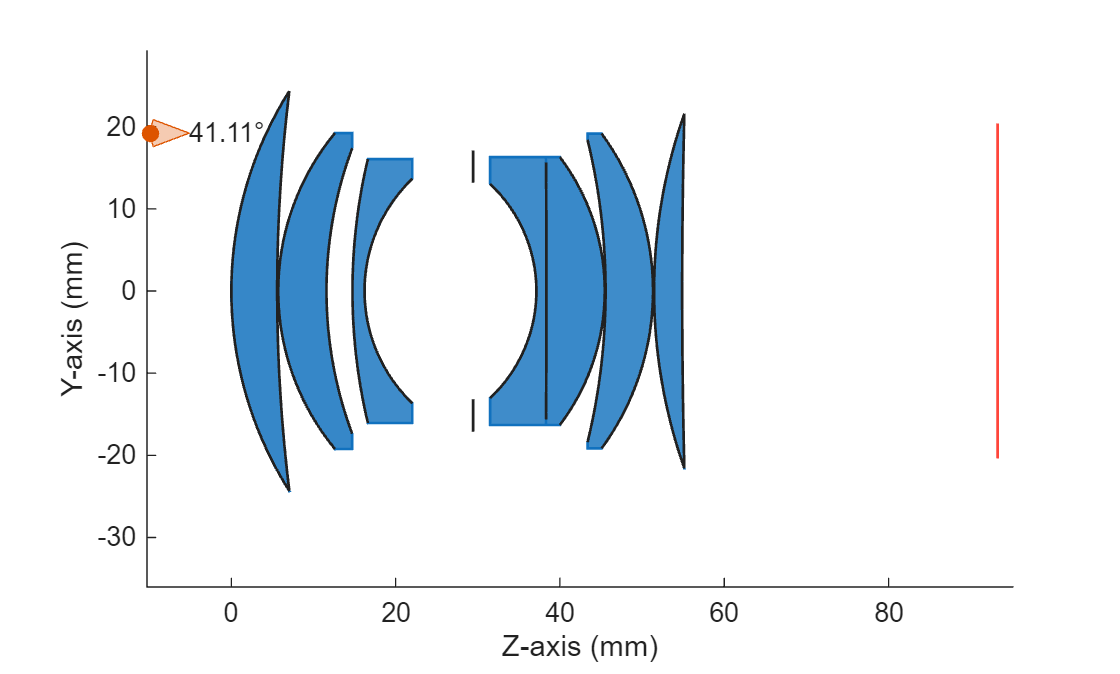
Apply the broadband AR coating you created to all lens surfaces of the optical system using the addCoating function.
addCoating(opsys,ocBBAR)
Input Arguments
Tips
If you want to apply a coating to a only single lens or mirror element in an optical
system, you must set the Coatings property of the corresponding
LensElement or
Mirror object,
respectively. For example, to specify the front surface coating of the second element in
the optical system opsys, as the broadband AR coating
BBAR_4l, enter:
Lens1 = opsys.Components(2)
Lens1.Coatings = BBAR_4l;
Note that the back surface of the component remains uncoated. For more information about applying optical coatings to optical system components, see Apply Optical Coatings.
Version History
Introduced in R2026a

