Display Fixed-Point Port Data Types and Values
R2026bWhen designing fixed-point or integer algorithms, it is helpful to display the data type of signals or display the values of signals in hexadecimal or binary representation.
Display Data Type
The port display for fixed-point signals consists of three parts: the data type, the number of bits, and the scaling. These three parts reflect the block Output data type parameter value or the data type and scaling that is inherited from the driving block or through back propagation.
To display the data types for the ports in your model, on the Simulink® Debug tab, select Information Overlays > Base Data Types.
This model displays its port data types.
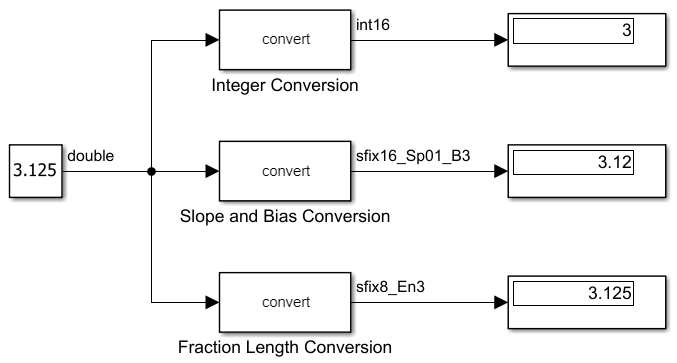
In the model, the data type displayed with the Slope and Bias
Conversion block indicates the output data type is
sfix16_Sp01_B3. This corresponds to
fixdt(1,16,0.01,10) which is a signed 16 bit fixed-point number with
slope 0.01 and bias 3.00.
The data type displayed with the Fraction Length Conversion block
indicates the output data type is sfix8_En3. This corresponds to
fixdt(1,8,3) which is a signed 8 bit fixed-point number with fraction
length 3.
The data type displayed with the Integer Conversion block indicates
the output data type is int16. This can correspond to either
fixdt(1,16,0) or the int16 data type class. In either case, it is a signed 16 bit integer.
For more information on the syntax used to indicate data type and scaling of fixed-point values, see Fixed-Point Numbers in Simulink.
View Port Values in Different Representations
To display signal values in different representations, including hexadecimal and binary, you can format port value labels.
To add port value labels to your model, right-click a selection of one or more signals. Then, in the context menu, select Show Port Value Label On Selected Signal.
To change the display format of the port value labels:
On the Debug tab, in the Tools section, in the Port Values button group, click the Remove all port value labels button arrow
 .
.Select Options.
In the Value Label Display Options dialog box, in the Display Format section, change the value of Fixed point to your desired display format.
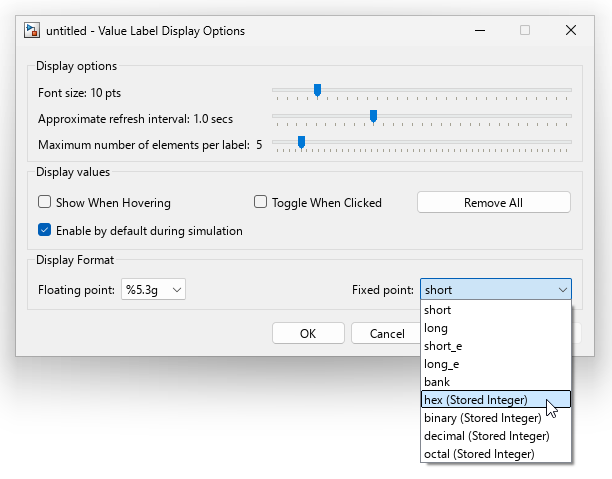
Multiple options for the value of Fixed point contain the text
(Stored Integer). The stored integer value is the integer in
the general slope and bias equation:
where the slope can be expressed as
For fixed-point values described by fraction length, the bias is zero and the slope adjustment factor is one. This simplifies the slope and bias equation to
The real-world value is the fixed-point representation of the value you are trying to
represent, while the stored integer is the value actually stored in computer memory. For
port values labeled (Stored Integer), the stored integer value is
displayed. For more information about the slope bias equation and stored integer values for
fixed-point numbers, see Scaling, Range, and Precision.
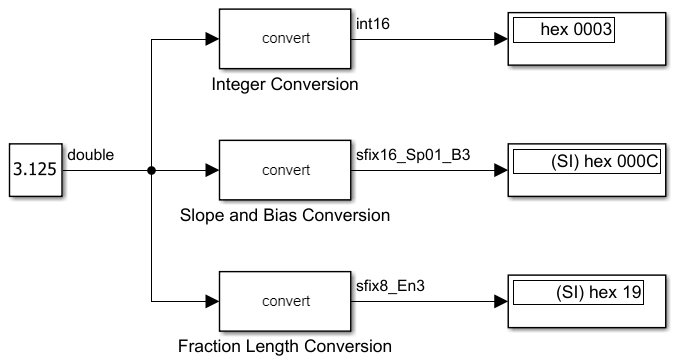
Simulate your model to update the values in the port value labels. This model displays the port value labels as the hexadecimal stored integer value for any fixed-point value.
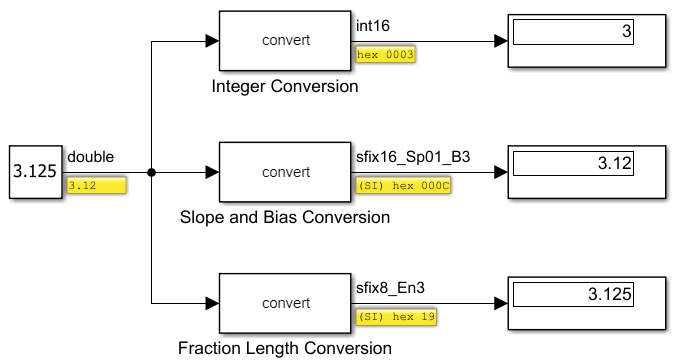
The port value label for the constant block remains in double-precision representation because the output of the block is not a fixed-point value.
The port value label for the output of the Integer Conversion does
not contain the (SI) label. Integers have a slope of one and a bias of zero, so the stored
integer value and the real-world value are equivalent and there is no need to distinguish
between the two.
For more information about using port value labels, see View Signal Values Using Port Value Labels.
View Display Block Values in Different Representations
The Display block can be formatted to display the port value in a different data type, similar to the port value label. To change the displayed data type:
Double-click the Display block to open the Block Parameters dialog box.
Set the Numeric display format to your desired display format.
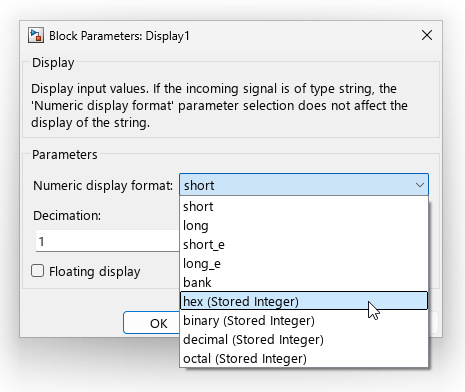
Simulate your model to update the value displayed in the Display block.