バリアントの構造
モデル内の構造のバリエーションに対応するコードを生成および管理する
Simulink® のバリアント ブロックを使用すると、コンポーネントのすべての設計バリエーションを 1 つのモデルで表現できます。設計の各選択肢は、単一レイヤーまたは個別の階層内のバリアントの選択肢としてモデルに組み込まれます。このようなモデルには、共通の固定構造と、選択したバリアント制御に応じてアクティブまたは非アクティブになるバリアント選択肢の有限のセットが含まれます。詳細については、Simulink Variants Overviewを参照してください。バリアントのアクティベーションのタイミングによって、選択肢をいつアクティブにするかと、生成されたコードにアクティブな選択肢のみを含めるか、アクティブな選択肢と非アクティブな選択肢の両方を含めるかが決まります。アクティベーションのタイミングについては、Activate Variant During Different Stages of Simulation and Code Generation Workflowを参照してください。
トピック
コードの生成
- Generate Code for Variant Subsystem Blocks
Generate code for specific implementation of component represented using Variant Subsystem block. - Generate Code for Variant Source and Variant Sink Blocks
Generate code for specific implementation of component represented using Variant Source and Variant Sink blocks. - Generate Code for Variant Start and Variant End Blocks
Generate code for specific implementation of component represented using Variant Start and Variant End blocks. - Generate Code for Model References Connected to Variant Blocks
Reuse and incrementally load, build, and generate code for multiple variations of a component. - Generate Code from Nested Variant Subsystem with Code Compile and Startup Activation
This example illustrates howcode compileandstartupvariant activation time can be used together in two nested variant subsystems.
バリアント ブロックのインターフェイス
- Conditionalize Export Function Calls in Code using Variant Blocks
Generate code for export function calls conditionally using variant blocks.
最適化されたコードによるコードの信頼性と安全性の最大化
- Compile Code Conditionally for Variations of Component Represented Using Variant Block
Conditionally compile code for different implementations of a component using variant blocks. - Run Executables for Variant Blocks Without Recompiling Code for Changing Active Choices Using Startup Activation Time
This example explains how to generate code for multiple implementations of a component represented using a Variant Subsystem block withstartupactivation time. - Generate Code from Nested Variant Subsystem with Code Compile and Startup Activation
This example illustrates howcode compileandstartupvariant activation time can be used together in two nested variant subsystems. - Propagate Variant Conditions to Define Variant Regions Outside Variant Subsystems to Promote Consistency and Reduce Errors
Propagate variant conditions outside a Variant Subsystem block to adapt its interface according to the state of underlying blocks. - Remove Inactive Variant Components from Generated Code at Compile Time When No Active Choices Exist
Exclude inactive variant components from generated code at compile time. - Manage Variant Components to Pass Specified Values from Inactive Variant Subsystems with No Active Choice
Exclude inactive variant components from code generated for Variant Subsystem block at compile time.
バリアントの制御と管理
- Organize Variant Control Macros in Same Header File
Aggregate variant control macros into a single header file using custom storage classes. - Represent Variant Conditions of Enumerated Type in Generated Code
Represent variant control variables meaningfully in the generated code by using enumerated types. - Generate Code for Variant Elements Within Buses
Generate code for buses with elements having different variant conditions. - Use Simulink.Parameter Type of Variant Control Variables for Code Generation in Variant Blocks
If you intend to generate code for a model containing variant blocks, specify variant control variables asSimulink.Parameter
注目の例
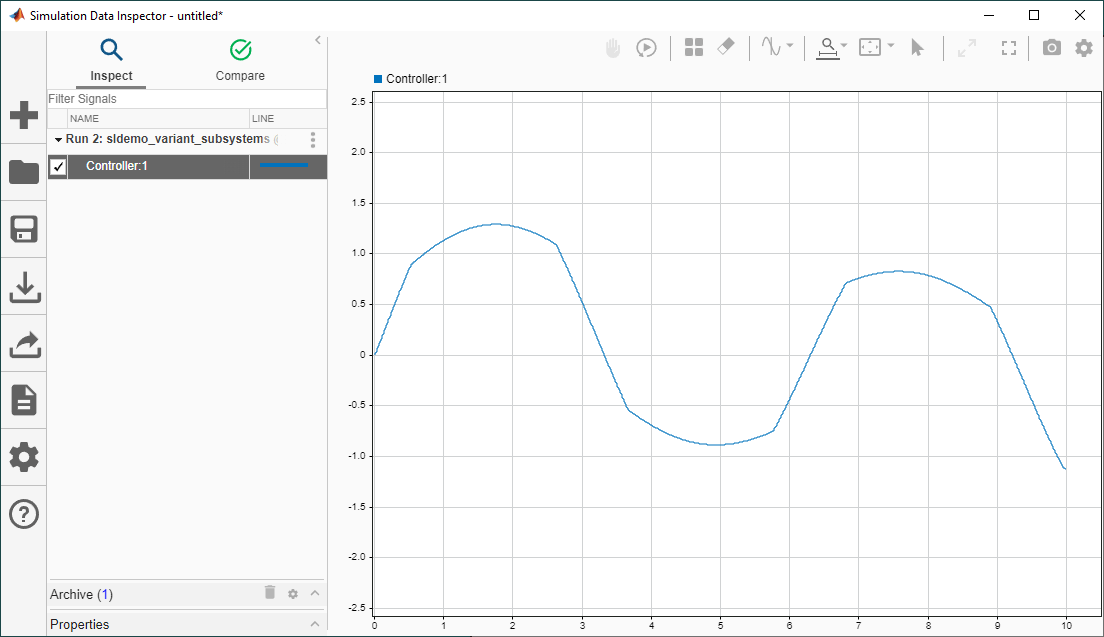
Create Real-Time Applications Using Variants and Simulink Real-Time
Create a real-time application with a variant subsystem by using the Simulink® Real-Time™ workflow. Simulink Real-Time lets you create real-time applications from Simulink models and run them on Speedgoat® target computer hardware connected to your physical system.

