Interactive 2-D Stationary Wavelet Transform Denoising
In this section, we explore a strategy for denoising images based on the 2-D stationary wavelet analysis using the Wavelet Analyzer app. The basic idea is to average many slightly different discrete wavelet analyses.
Start the Stationary Wavelet Transform Denoising 2-D Tool.
From the MATLAB® prompt, type
waveletAnalyzer.The Wavelet Analyzer appears:
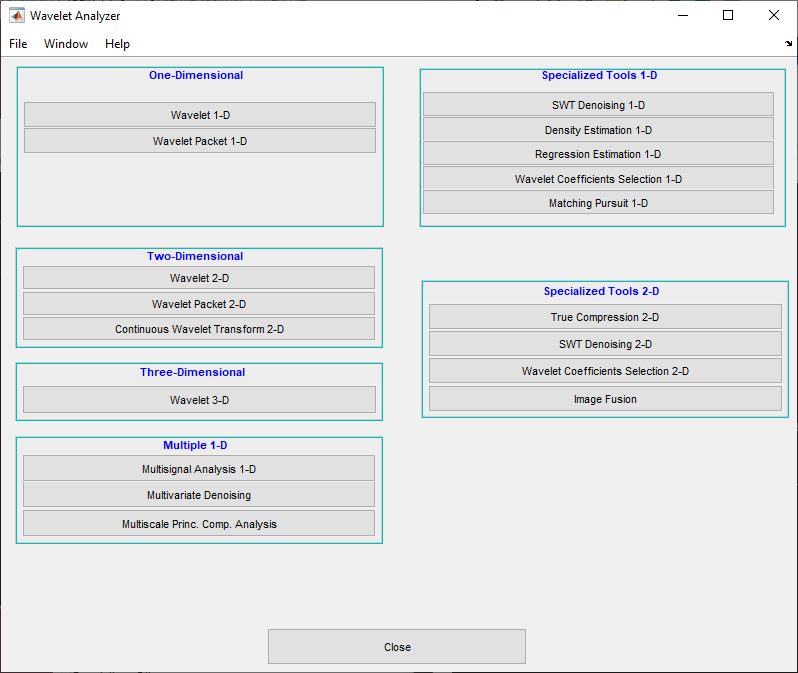
Click the SWT Denoising 2-D menu item.
Load data.
At the MATLAB command prompt, type
In the SWT Denoising 2-D tool, select File > Import Image from Workspace. When the Import from Workspace dialog box appears, select theload noiswom
Xvariable. Click OK to import the image.Perform a Stationary Wavelet Decomposition.
Select the
haarwavelet from the Wavelet menu, select 4 from the Level menu, and then click the Decompose Image button.The tool displays the histograms of the stationary wavelet detail coefficients of the image on the left of the window. These histograms are organized as follows:
From the bottom for level 1 to the top for level 4
On the left horizontal coefficients, in the middle diagonal coefficients, and on the right vertical coefficients
Denoise the image using the Stationary Wavelet Transform.
While a number of options are available for fine-tuning the denoising algorithm, we'll accept the defaults of fixed form soft thresholding and unscaled white noise. The sliders located to the right of the window control the level dependent thresholds indicated by the dashed lines running vertically through the histograms of the coefficients on the left of the window. Click the Denoise button.
The result seems to be oversmoothed and the selected thresholds too aggressive. Nevertheless, the histogram of the residuals is quite good since it is close to a Gaussian distribution, which is the noise introduced to produce the analyzed image
noiswom.matfrom a piece of the original imagewoman.mat.Selecting a thresholding method.
From the Select thresholding method menu, choose the Penalize low item. The associated default for the thresholding mode is automatically set to hard; accept it. Use the Sparsity slider to adjust the threshold value close to 45.5, and then click the denoise button.
The result is quite satisfactory, although it is possible to improve it slightly.
Select the
sym6wavelet and click the Decompose Image button. Use the Sparsity slider to adjust the threshold value close to 40.44, and then click the denoise button.

