UDP Receive
R2026bUDP Receive Block block

To add a block to a model, double-click the canvas and start typing the block name. Then, select the block from the list.
Libraries:
STM32 Microcontroller Blockset /
STM32F2xx Based Boards
STM32 Microcontroller Blockset /
STM32F4xx Based Boards
STM32 Microcontroller Blockset /
STM32F7xx Based Boards
STM32 Microcontroller Blockset /
STM32H7xx Based Boards
Description
The UDP Receive block receives UDP packets from a UDP host. Use the block for stateless and connectionless data transmission.
With each sample, the block outputs the contents of a UDP packet as a (Nx1) array.
The block receives the packets on the port number specified in the
Local IP Port parameter from the IP address
specified in the Remote IP address (0.0.0.0 for accepting
all) parameter. To receive packets from all the sending
hosts, specify the remote IP address as 0.0.0.0. Match
the port number specified in the Local IP Port
parameter with the remote port number of the sending host.
You can choose to receive the UDP packets in blocking or non-blocking mode.
Note
Ensure to configure the Ethernet options in STM32CubeMX project. For more, see Ethernet Configuration in STM32CubeMX for STM32 Processor-Based Boards.
If you are having trouble using UDP to communicate with a computer, investigate if antivirus or firewall software is blocking UDP traffic. If so, try to configure the software to allow the traffic for a specific IP port number.
Examples
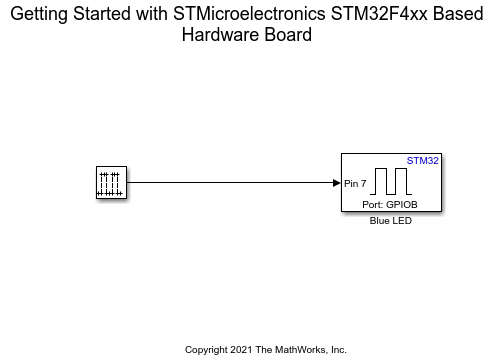
Get Started with STMicroelectronics STM32 Processor Based Boards
Run a Simulink model on STM32 processor.
Ports
Output
Parameters
Programmatic Use: Add Block
To add the block programmatically, use the add_block function with one of these library block paths as the source.
"stm32f2xxblockslib/Udp Receive"
"stm32f4xxblockslib/Udp Receive"
"stm32f7xxblockslib/Udp Receive"
"stm32h7xxblockslib/Udp Receive"
Example: add_block("stm32f2xxblockslib/Udp Receive","myModel/myBlock",MakeNameUnique="on")
More About
This example describes the values at the output ports when the length of the packets received is less than, greater than, or equal to the length of requested data.
Length of UDP packet received = Data size (N): The
Dataport outputs the packet as a data vector of the size specified in the Data size (N) parameter.The
Statusport outputs0, indicating that the requested data is received.Suppose that the Data size (N) parameter specified is 4 and the length of the packet received is also 4.
In this case, the
Dataport outputs a data vector of size 4 filled with the elements of the packet.The value at the
Statusport is0.
Length of UDP packet received < Data size (N): The
Dataport outputs the packet as a data vector of the size specified in the Data size (N) parameter. All the empty spaces in the vector are filled with random values.The
Statusport outputs a nonzero value, indicating that no new data is received.Suppose that the Data size (N) parameter specified is 4 and the length of data received is 3 bytes.
In this case, the
Dataport outputs a data vector of size 4. The first three elements in the vector are the elements from the received packet. The remaining space is filled with a random value.The
Statusport outputs a nonzero value.
Length of UDP packet received > Data size (N): The
Dataport outputs a data vector of the size specified in the Data size (N) parameter. The vector contains only the first N elements from the packet. The remaining elements are dropped.The
Statusport outputs0, indicating that the requested data is received.Suppose that the Data size (N) parameter specified is 4 and the length of data received is 5 bytes. In this case, the
Dataport outputs a data vector of size 4. The vector contains only the first four elements from the received packet. The remaining element is dropped. The value at theStatusport is0.
Extended Capabilities
Version History
Introduced in R2022b

