Common Gear Constraint
R2026bKinematic constraint between two coplanar spur gear bodies with parallel rotation axes
Common Gear Constraint block

To add a block to a model, double-click the canvas and start typing the block name. Then, select the block from the list.
Libraries:
Simscape /
Multibody /
Gears and Couplings /
Gears
Description
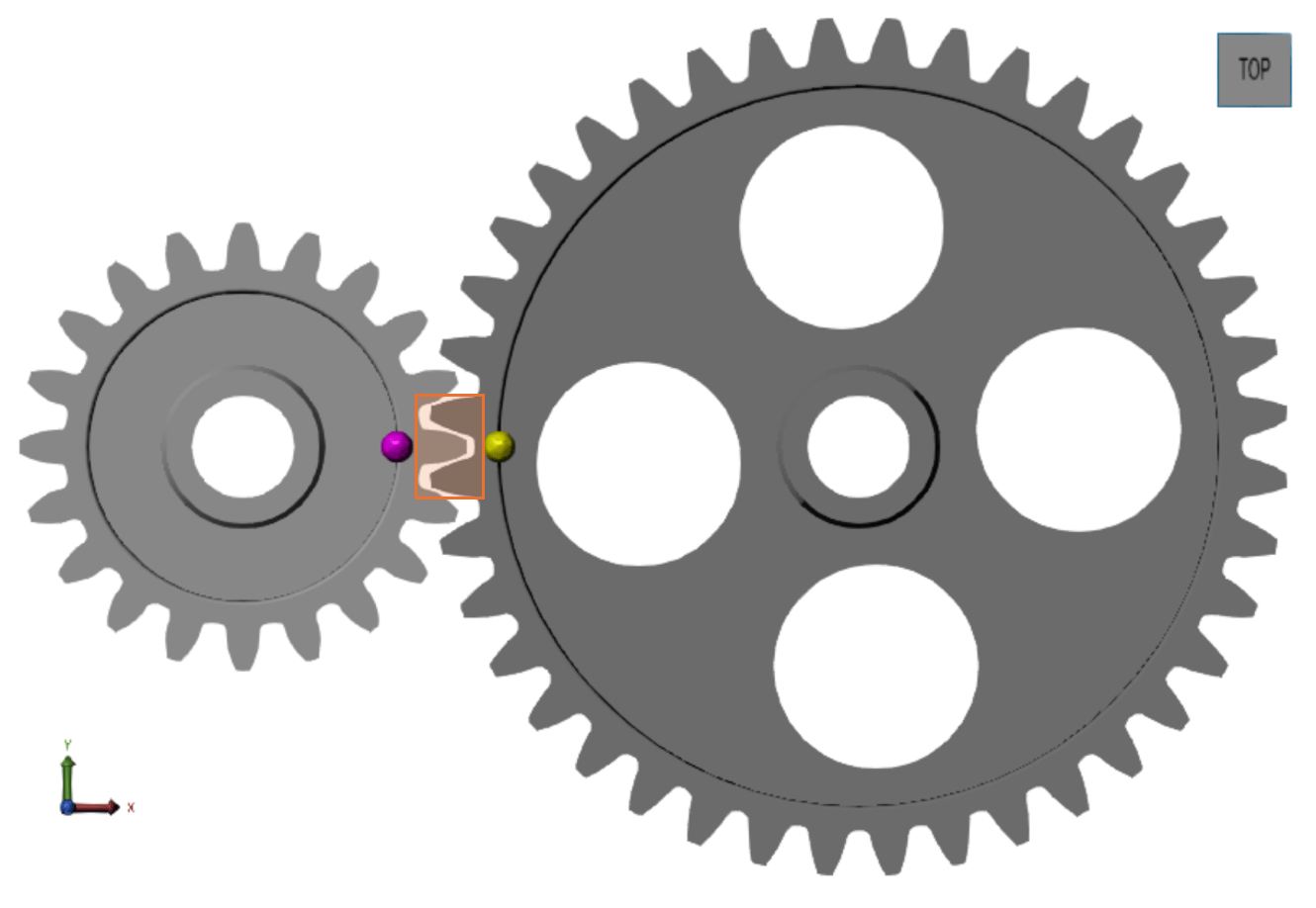
The Common Gear Constraint block represents a kinematic constraint between two coplanar spur gear bodies with parallel rotation axes. The gear meshing can be external to both gears or internal to one of the gears. The base and follower frame ports identify the connection frames on the spur gear bodies. The gear rotation axes coincide with the frame z-axes.

The block represents only the kinematic constraint characteristic to a spur gear system. Gear inertia and geometry are solid properties that you must specify using solid blocks. The gear constraint model is ideal. Backlash and gear losses due to Coulomb and viscous friction between teeth are ignored. You can, however, model viscous friction at joints by specifying damping coefficients in the joint blocks.
Gear Geometry
The common gear constraint is parameterized in terms of the dimensions of the gear
pitch circles. A pitch circle is an imaginary circle concentric with the gear body
and tangent to the tooth contact point. The pitch radii, labeled
RB and
RF in the figure, are the radii
that the gears would have if they were reduced to friction cylinders in mutual contact.

Gear Assembly
Gear constraints occur in closed kinematic loops. The figure shows the closed-loop topology of a simple common gear model. Joint blocks connect the gear bodies to a common fixture or carrier, defining the maximum degrees of freedom between them. A Common Gear Constraint block connects the gear bodies, eliminating one degree of freedom and effectively coupling the two gear motions.

Assembly Requirements
The block imposes special restrictions on the relative positions and orientations of the gear connection frames. The restrictions ensure that the gears assemble only at distances and angles suitable for meshing. The block enforces the restrictions during model assembly, when it first attempts to place the gears in mesh, but relies on the remainder of the model to keep the gears in mesh during simulation.
Position Restrictions
The distance between the z-axes of the base and follower frame, denoted dB-F in the figure, must equal the distance between the gear centers. This constraint ensures that the rotation axes of the gears are at the proper distance for meshing.

The follower frame origin must lie on the xy plane of the base frame. This constraint ensures that the pitch circle of one gear is coplanar with the pitch circle of the other.
Orientation Restrictions
The z-axes of the base and follower frames must point in the same direction. This constraint ensures that the gear rotation axes are parallel to each other. The figure shows the z-axes of the base and follower frames pointing out of the screen.

Examples
Model Gear Backlash by Using Joint Limits
In this example, you learn how to model backlash in a gear assembly using a Revolute Joint block with upper and lower joint limits. You can use the Revolute Joint block to add an additional degree of freedom to the follower gear, which allows relative motion between the gears when the teeth are not in contact. The amount of play between the gears is constrained within the joint limits you specify.
Ports
Frame
Output
Parameters
Extended Capabilities
Version History
Introduced in R2013a

