タイマーに依存しない Arduino ブロックのピン マッピング
R2026bSimulink® Support Package for Arduino® Hardware は、Arduino ボード上での動作がタイマーに依存しない次のブロックをサポートしています。
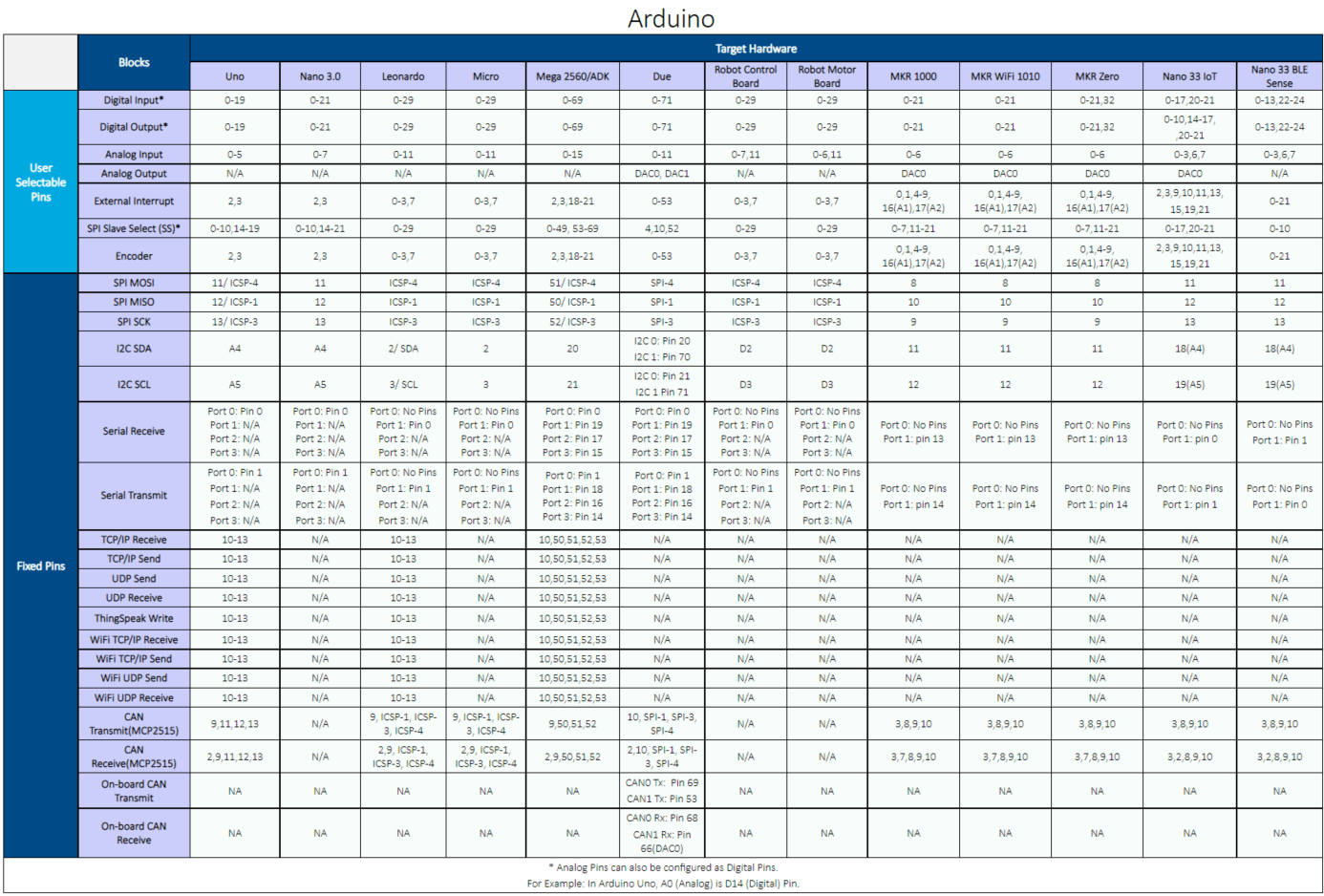
これらのブロックのピン マッピングを表示するには、[ブロック パラメーター] ダイアログ ボックスで [View pin map] をクリックします。これにより、Arduino ボードと Arduino 互換ボードのピン マッピング テーブルが開きます。たとえば、Leonardo ボードの場合に ThingSpeak Write ブロックで使用できるピンを特定するには、"Blocks" 列の下方向にある "ThingSpeak Write" エントリを見つけて、その横方向にある "Leonardo" ボードを確認します。Leonardo ボードにはピン 10 ~ 13 を使用できます。
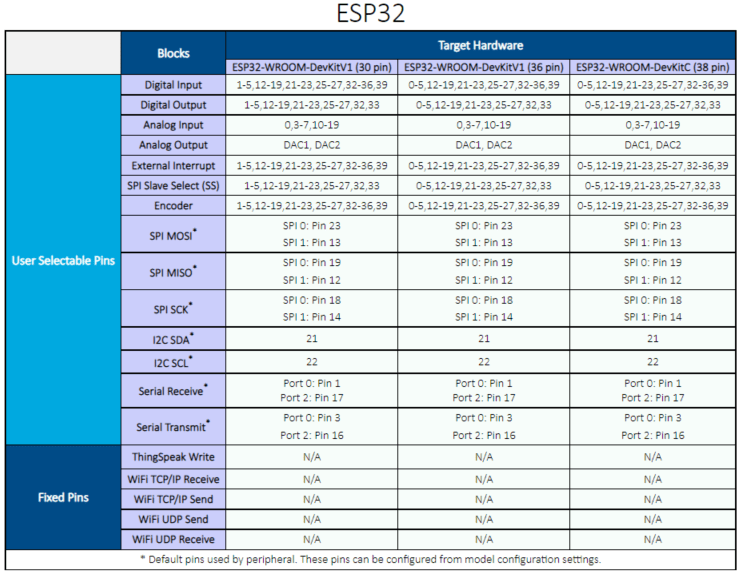
Arduino 互換ボード ESP32-WROOM および ESP32-WROVER の場合は、次のピン マッピング テーブルを使用して、Simulink モデル内のタイマーに依存しないブロックのピン番号を入力します。
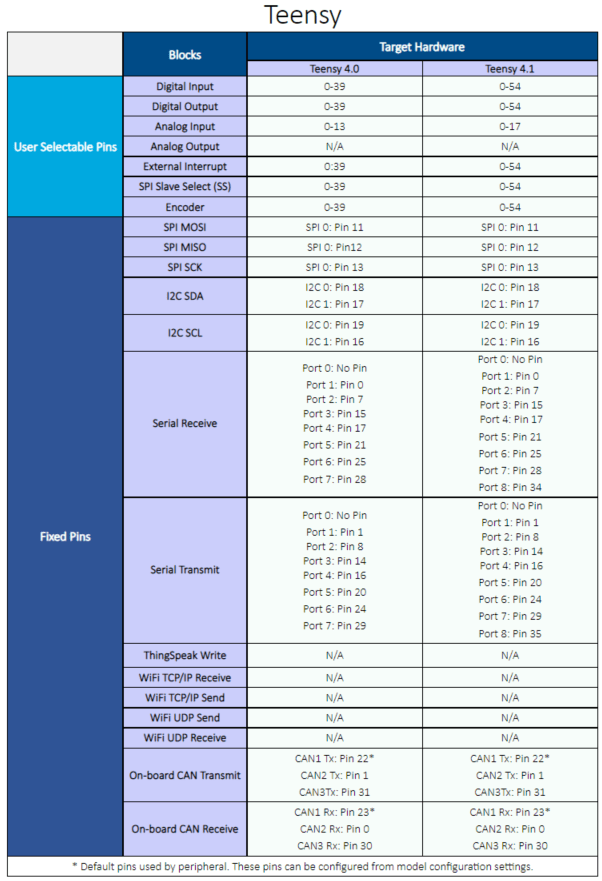
Arduino 互換ボード Teensy 4.0 および 4.1 の場合は、次のピン マッピング テーブルを使用して、Simulink モデル内のタイマーに依存しないブロックのピン番号を入力します。
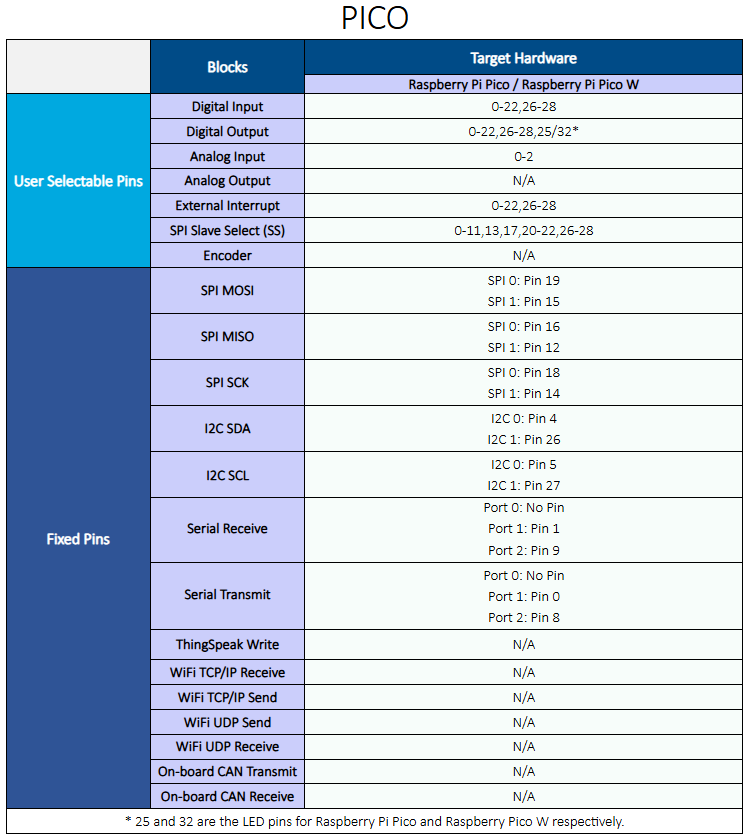
Arduino 互換ボード Raspberry Pi® Pico および Pico W の場合は、次のピン マッピング テーブルを使用して、Simulink モデル内のタイマーに依存しないブロックのピン番号を入力します。
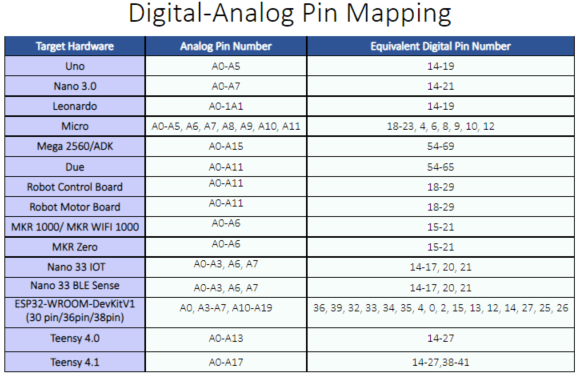
Arduino または Arduino 互換ボード上のデジタル ピンとアナログ ピンの間でマッピングを行うには、次のテーブルを使用します。
参考
Pin Mapping for Arduino Timer-Dependent Blocks | サポートされている Arduino ハードウェア

