SA-CCR Analyzer
R2026bDescription
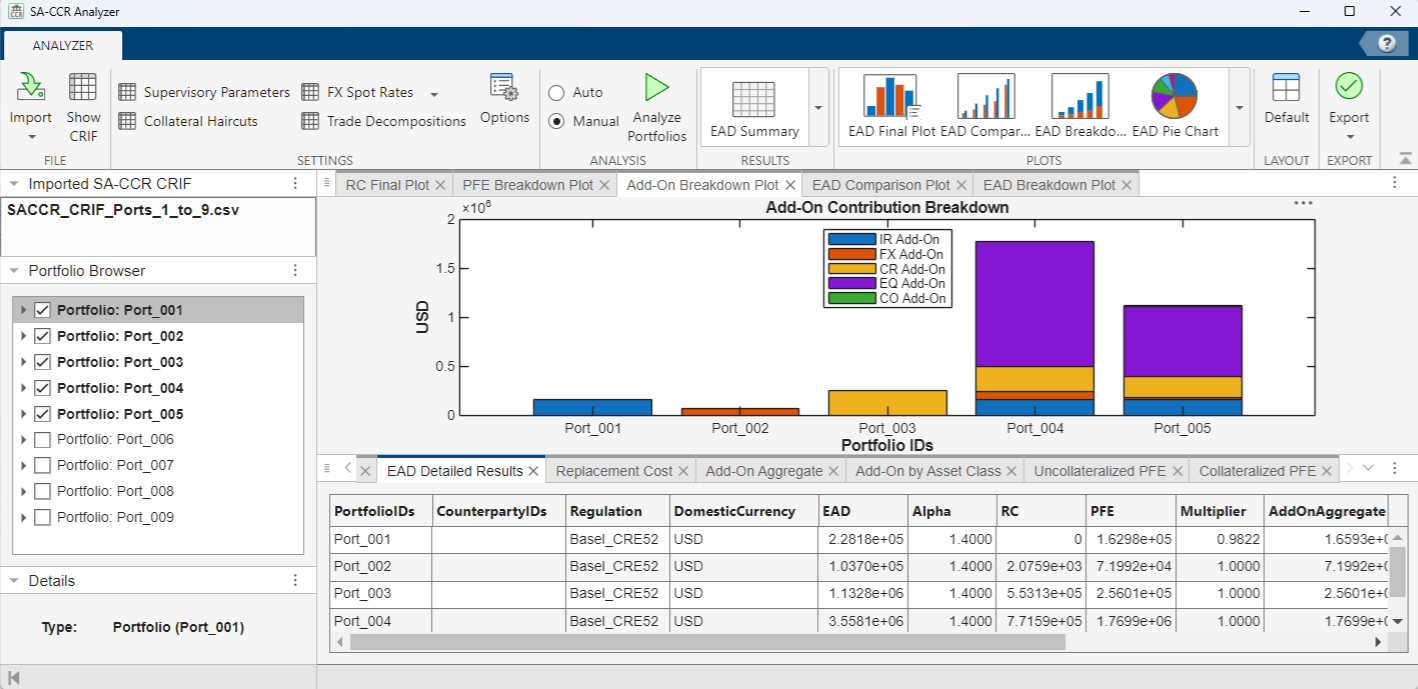
The SA-CCR Analyzer app provides an interface for interactive exploratory data analysis. The interface supports analysis of exposure at default (EAD) and the associated underlying components for replacement cost (RC), add-ons, and potential future exposure (PFE).
Using the app, you can:
Open the SA-CCR Analyzer App
MATLAB® Toolstrip: On the Apps tab, under Computational Finance, click the app icon .
MATLAB command prompt: Enter
saccrAnalyzer.
Examples
Import an SA-CCR CRIF file to the SA-CCR Analyzer app, select two portfolios from the file, and then compare those two portfolios.
From the MATLAB® Toolstrip on the Apps tab, under Computational Finance, click the app icon  . Alternatively, from the MATLAB Command Window, enter
 saccrAnalyzer.
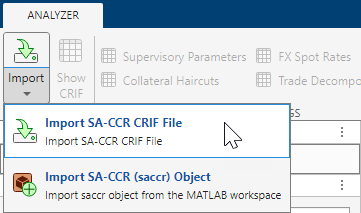
From the File section of the app toolbar, click the drop-down menu under the Import  button and select Import SA-CCR CRIF File.
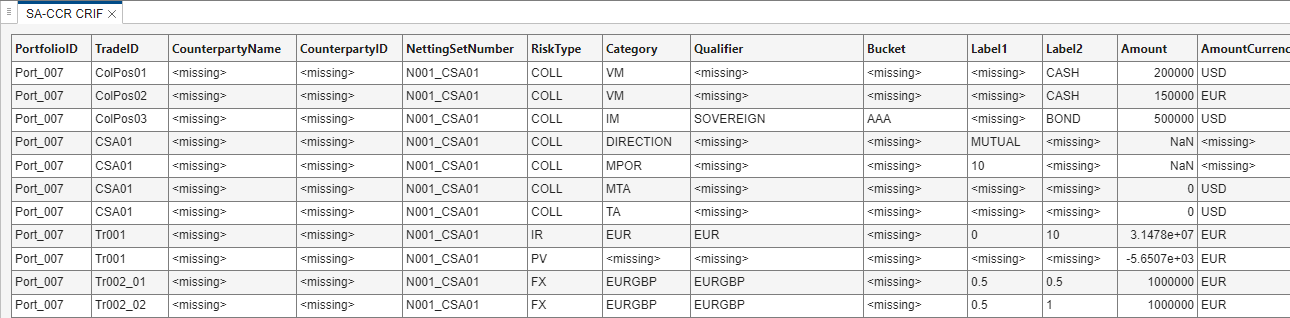
Use the SA-CCR CRIF File Selector to select the SACCR_CRIF_Ports_7_8_9.csv SA-CCR CRIF file, which is attached to this example in the current folder, and then click Open. The SA-CCR CRIF file displays in the SA-CCR CRIF tab in the Results pane of the main app window.
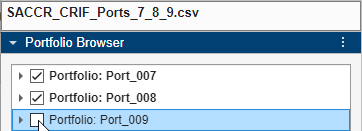
Begin the analysis by clicking the Analyze Portfolios  button in the Analysis section of the app toolbar. The app analyzes all three portfolios. To analyze only portfolios
 Port_007 and Port_008, deselect the check box for portfolio Port_009 in the Portfolio Browser pane.
Redo the analysis for only portfolios Port_007 and Port_008 by again clicking the Analyze Portfolios  button. The app produces these results in the Plots and Results panes:
Plots Pane | Results Pane |
|---|---|
• EAD Breakdown Plot • EAD Comparison Plot • RC Final Plot • Add-On Breakdown Plot • PFE Breakdown Plot | • SA-CCR CRIF • EAD Summary • EAD Detailed Results • Replacement Cost • Add-On Aggregate • Add-On by Asset Class • Uncollateralized PFE • Collateralized PFE |
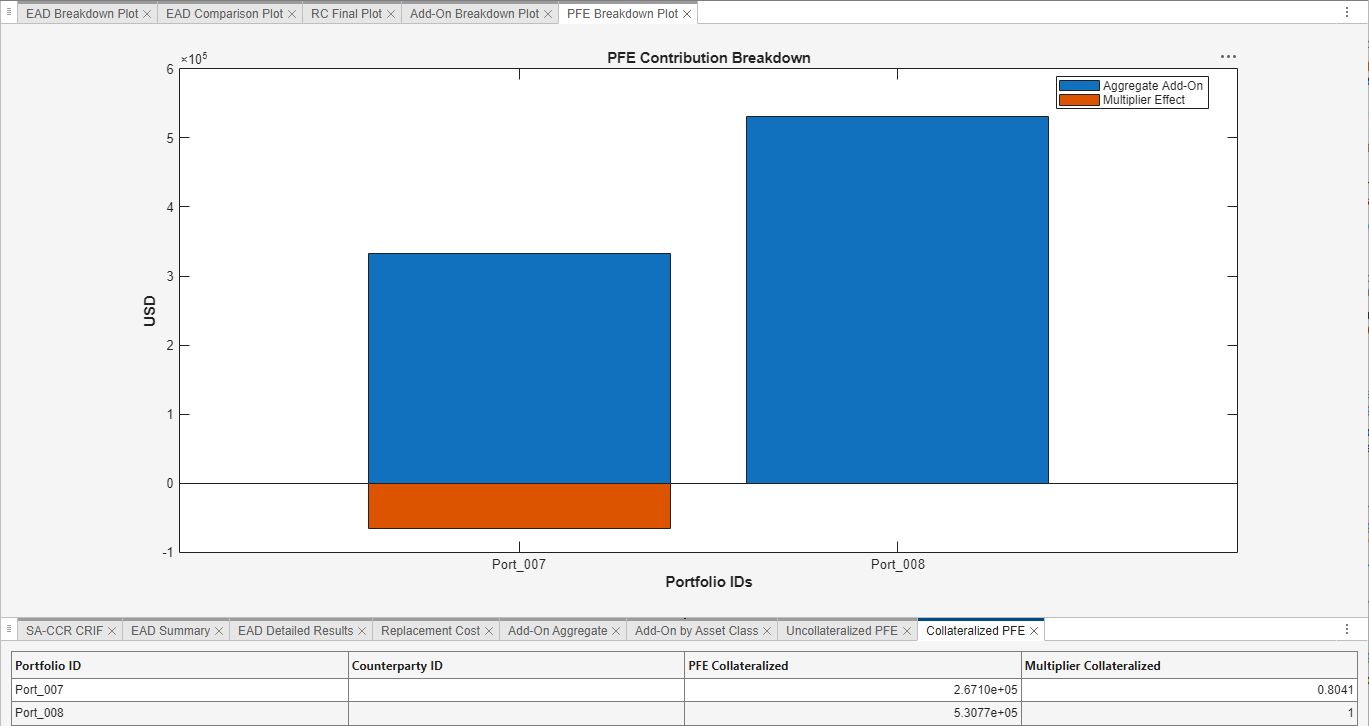
Customize currency and exchange rates when analyzing portfolios using the SA-CCR Analyzer app.
Open the SA-CCR Analyzer app and import the SACCR_CRIF_Ports_1_to_9.csv file, which is attached to this example.
Begin the analysis by clicking the Analyze Portfolios  button from the Analysis section of the app toolbar. The app analyzes the first five portfolios. To analyze all portfolios, select all of the check boxes for the portfolios in the Portfolio Browser pane.
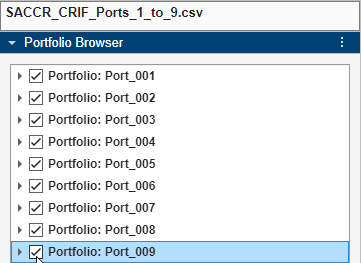
Redo the analysis for all portfolios by again clicking the Analyze Portfolios  button.
Choose Canadian Dollars (CAD) for your domestic currency using the Options  dialog box.
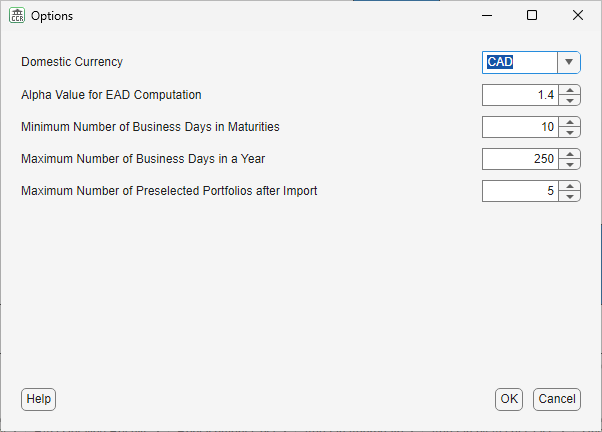
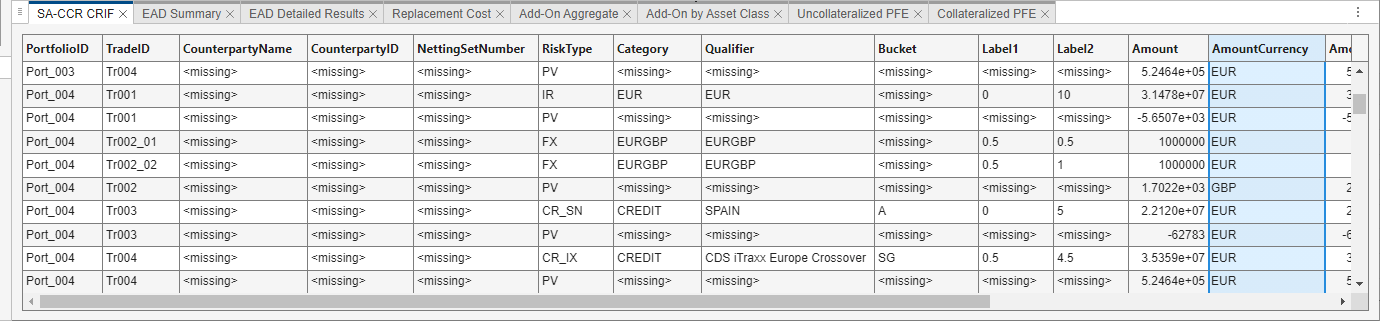
Scan the AmountCurrency column of the table in the Results pane and observe entries with values EUR, GBP, and USD.
Enter conversion rates between CAD and EUR, GBP, and USD using the FX Spot Rates  dialog box.
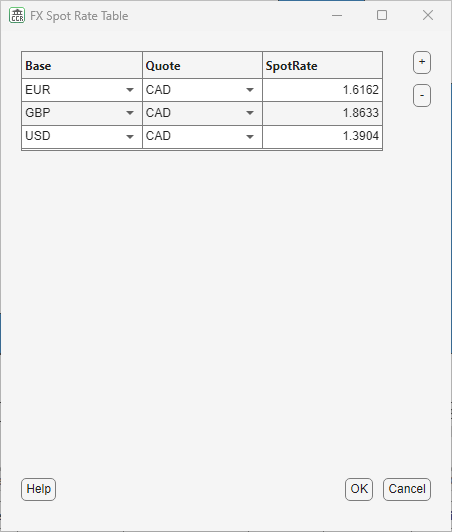
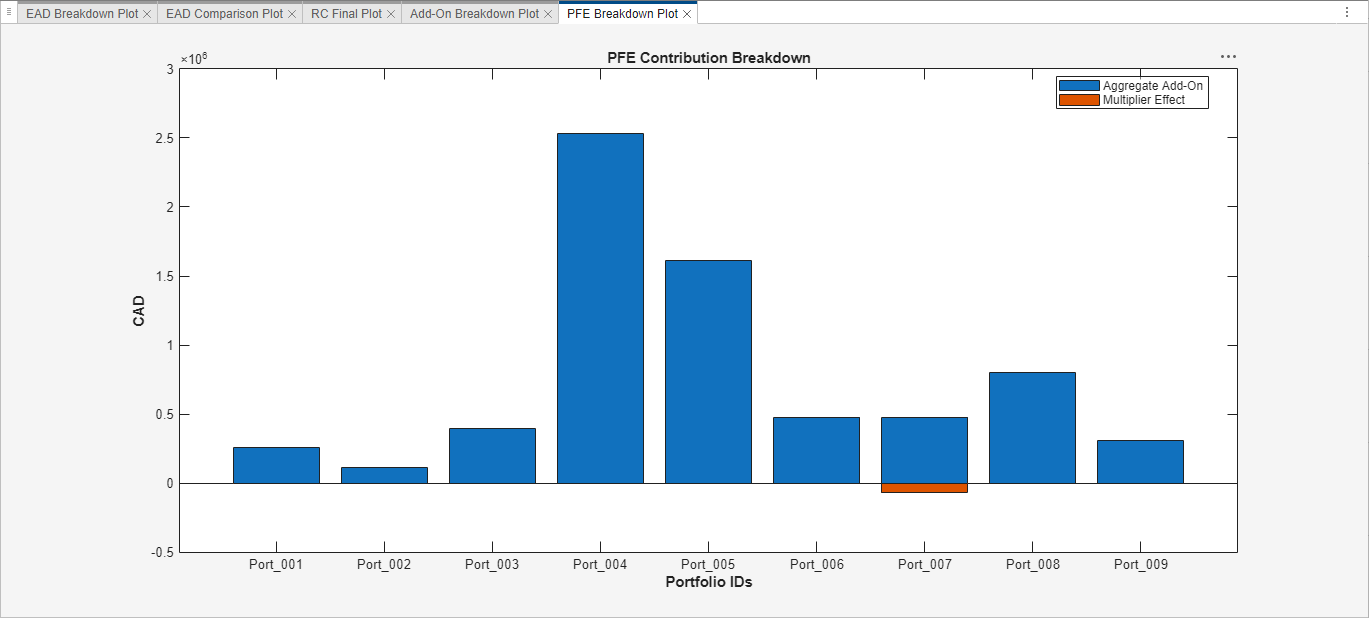
Redo the analysis for all portfolios by again clicking the Analyze Portfolios  button. The results are now shown in Canadian Dollars (
CAD).
Related Examples
Parameters
More About
Tips
If you make more than one entry in the FX Spot Table between the same two currencies, then the app uses the first entry from the table relating those two currencies and ignores all other entries relating those two currencies.
Version History
Introduced in R2026a

