Serial Write
R2026bWrite data to serial port
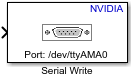
Serial Write block
To add a block to a model, double-click the canvas and start typing the block name. Then, select the block from the list.
Libraries:
NVIDIA Jetson and NVIDIA DRIVE /
Communication
Description
Add-On Required: This feature requires the MATLAB Coder Support Package for NVIDIA Jetson and NVIDIA DRIVE Platforms add-on.
Use the Serial Write block to write data to a serial device connected to a NVIDIA® Jetson™ hardware. To open the serial pin map of the NVIDIA Jetson board, click the View pin map button. For more information, see Serial Port Mapping for NVIDIA Jetson Boards.
Examples

Read and Write Data over Serial Port on NVIDIA Jetson Platforms
Use MATLAB® Coder™ Support Package for NVIDIA® Jetson® and NVIDIA DRIVE® to read and write serial data over the UART port on a Jetson board.
Ports
Input
The input port through which the block accepts data.
Data Types: single | double | int8 | int16 | int32 | uint8 | uint16 | uint32
Parameters
The port at which you connect the NVIDIA Jetson board to the serial device.
Programmatic Use
Block Parameter:
SCIModule_
|
| Type: character vector |
Values:
valid name| |
Default:
'/dev/ttyTHS1' |
Select the rate at which the data is read over the serial line. The baud rate is measured as the number of bits read per second.
Programmatic Use
Block Parameter:
Baudrate_
|
| Type: character vector |
Values:
'50'
'75'
'110''134'
'150'
'200'
'300'
'600''1200'
'1800'
'2400'
'4800'
'9600'
'19200'
'38400'
'57600'
'115200'
'230400'| |
Default:
'9600' |
Select the parity you want to add to the transmitted data. A parity bit is used to detect error in the data transmission.
None – This value means that no parity is used for error detection in the data transmission.
Even – The parity bit value is 1 if the number of bits with value 1 is odd. The parity bit value is 0 if the number of bits with value 1 is even.
Odd – The parity bit value is 1 if the number of bits with value 1 is even. The parity bit value is 0 if the number of bits with value 1 is odd.
Programmatic Use
Block Parameter:
Parity
|
| Type: character vector |
Values:
'None'| 'Even'
'Odd' |
Default:
'None' |
Select the number of bits used to signal the stop of data transmission.
Programmatic Use
Block Parameter:
StopBits_
|
| Type: character vector |
Values:
'1'| '2'
|
Default:
'1' |
Version History
Introduced in R2020b
MATLAB Command
You clicked a link that corresponds to this MATLAB command:
Run the command by entering it in the MATLAB Command Window. Web browsers do not support MATLAB commands.
Web サイトの選択
Web サイトを選択すると、翻訳されたコンテンツにアクセスし、地域のイベントやサービスを確認できます。現在の位置情報に基づき、次のサイトの選択を推奨します:
また、以下のリストから Web サイトを選択することもできます。
最適なサイトパフォーマンスの取得方法
中国のサイト (中国語または英語) を選択することで、最適なサイトパフォーマンスが得られます。その他の国の MathWorks のサイトは、お客様の地域からのアクセスが最適化されていません。
南北アメリカ
- América Latina (Español)
- Canada (English)
- United States (English)
ヨーロッパ
- Belgium (English)
- Denmark (English)
- Deutschland (Deutsch)
- España (Español)
- Finland (English)
- France (Français)
- Ireland (English)
- Italia (Italiano)
- Luxembourg (English)
- Netherlands (English)
- Norway (English)
- Österreich (Deutsch)
- Portugal (English)
- Sweden (English)
- Switzerland
- United Kingdom (English)
