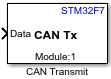
CAN Transmit
Libraries:
STM32 Microcontroller Blockset /
STM32F7
Description
The CAN Transmit block transmits message to a Controller Area Network (CAN) network connected to the hardware.
Configure the FIFO and other properties of CAN module in the Configuration Parameters.
Note
CAN Transmit block is currently supported only for STM32 Nucleo F767ZI processor.
Ports
Input
The block accepts messages in Raw data format.
To accept the message as a uint8 vector array, set
Data Format as Raw data.
Dependencies
To enable this port, set the Data Format to
Raw data.
Data Types: uint8
The block accepts messages in CAN Message
format.
You can create your messages or you can upload a CAN database file to CAN Pack block.
Dependencies
To enable this port, set the Data Format to
CAN Message.
Data Types: CAN Msg
Output
Output port to display the status of data transmission.
1- data transmission is successful0- data transmission is unsuccessful
Dependencies
To enable this port, select the Output Status parameter.
Parameters
CAN module which is used for communication.
Note
CAN 0 Module on block represents CAN 1 peripheral on hardware.
CAN 1 Module on block represents CAN 2 peripheral on hardware.
Select a type to transmit message.
Raw data– To transmit message as a 1-by-Nuint8array, select Data Format asRaw data.CAN Msg– To transmit message in CAN message format, select Data Format asCAN Msgand then perform these steps:Add a CAN pack block to your model.
Connect the output of the CAN Receive pack block to the input of the CAN Transmit block
Using the options in the Data to be input as list of the CAN Pack block, specify if you want to create your messages or you want to upload a CAN database file. If you choose to upload a CAN database file, the CAN Pack inherits the message properties from the uploaded file.
The type of message identifier.
Dependencies
To enable this parameter, set the Data Format as
Raw data.
Identifier, which is 11 bits long for the standard frame size or 29 bits long for
the extended frame size, specified in decimal, binary, or hex. For binary and hex
formats, use bin2dec(' ') and hex2dec(' '),
respectively, to convert the entry. The identifier is coded into a message that is sent
to the CAN bus.
Dependencies
To enable this parameter, set the Data Format as
Raw data. To output the identifier of the
CAN Msg, select Output identifier of
the CAN Unpack block.
The length of the message, in bytes.
Dependencies
To enable this parameter, set the Data Format as
Raw data. To output the length of the CAN
Msg, select Output length of the CAN
Unpack block.
The block sends a remote frame in the CAN message if this parameter is selected. The data at the input port is not sent in the CAN message.
Dependencies
To enable this parameter, set the Data Format as
Raw data. For CAN Msg, the Remote Frame is inherited from
the request specified in the CAN Pack block.
When you select the Output Status parameter, the block configures an output port, Status. The port outputs the status of CAN message.
Extended Capabilities
C/C++ Code Generation
Generate C and C++ code using Simulink® Coder™.
Version History
Introduced in R2021b
MATLAB Command
You clicked a link that corresponds to this MATLAB command:
Run the command by entering it in the MATLAB Command Window. Web browsers do not support MATLAB commands.
Web サイトの選択
Web サイトを選択すると、翻訳されたコンテンツにアクセスし、地域のイベントやサービスを確認できます。現在の位置情報に基づき、次のサイトの選択を推奨します:
また、以下のリストから Web サイトを選択することもできます。
最適なサイトパフォーマンスの取得方法
中国のサイト (中国語または英語) を選択することで、最適なサイトパフォーマンスが得られます。その他の国の MathWorks のサイトは、お客様の地域からのアクセスが最適化されていません。
南北アメリカ
- América Latina (Español)
- Canada (English)
- United States (English)
ヨーロッパ
- Belgium (English)
- Denmark (English)
- Deutschland (Deutsch)
- España (Español)
- Finland (English)
- France (Français)
- Ireland (English)
- Italia (Italiano)
- Luxembourg (English)
- Netherlands (English)
- Norway (English)
- Österreich (Deutsch)
- Portugal (English)
- Sweden (English)
- Switzerland
- United Kingdom (English)