Troubleshoot Model Coverage for Conditional Transitions in Stateflow Charts
R2026bIf you generate coverage results for a model that contains a Stateflow® chart, and the chart contains a junction that has a conditional
transition, the model coverage results may not include complete coverage data about
all execution paths. Consequently, if you generate a
code coverage report, the model and code coverage reports may not match. To collect
complete coverage data for the conditional transitions in the chart, you can remove the
junctions or guard the conditional transition by using the in
operator.
Issue
Consider a Stateflow chart that contains three states and one junction. States
A and B transition to a junction, and the
transition exiting the junction has a condition, c that
transitions to state C.
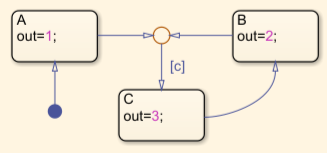
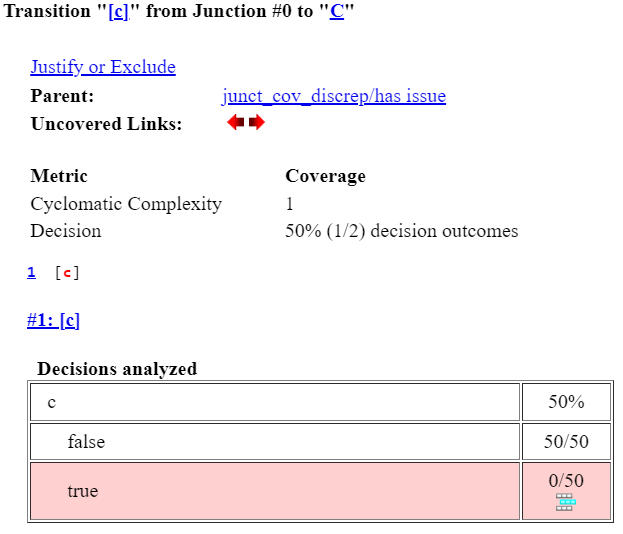
When you analyze model coverage for this chart, the transition condition
c reports decision coverage. The decision coverage for the
transition provides no information about whether
the transition originates from state A or state
B. The report contains model coverage data
only about whether decision c
is true or false.
When you simulate the same chart in software-in-the-loop (SIL) mode, Embedded Coder® creates a switch case block to define which state
is currently active, and two of if statements inside the
case blocks that capture the logic of the transition. In this
example, the code generator generates this code for the
junction:
case junct_cov_discrep_IN_A:
      if (junct_cov_discrep_U.In1 != 0)
case junct_cov_discrep_IN_B:
if (junct_cov_discrep_U.In1 != 0)if statements are inside the case blocks
that define the active state, the code coverage for the generated code contains the
full information about the transition. When you analyze code coverage for the
generated code, Simulink®
Coverage™ reports a decision for each if statement, with a
total of four decision outcomes.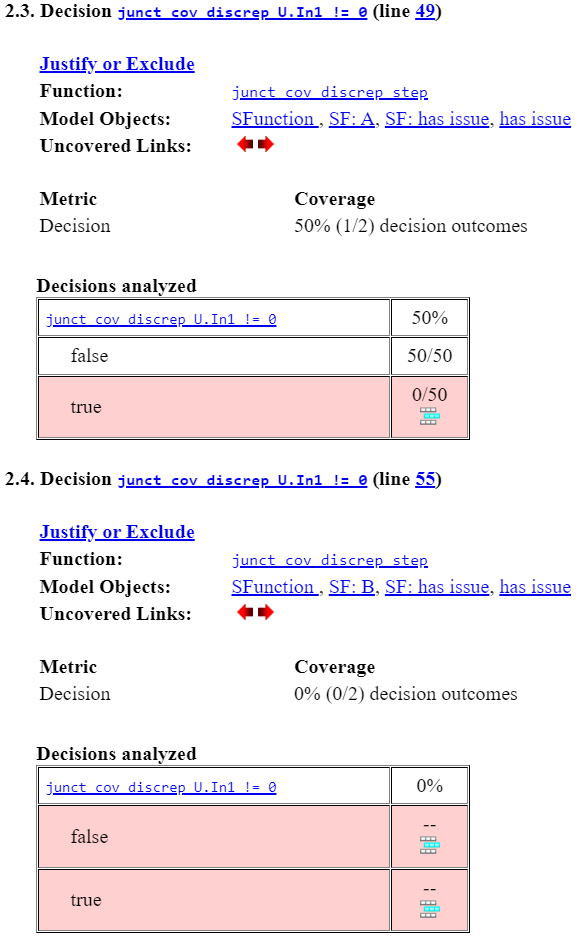
Possible Solutions
To collect complete model coverage data for Stateflow charts that contain junctions with conditional transitions, you can
remove the junctions, or guard the conditional transition by using the
in operator.
For simple charts, remove the junctions. If removing the junctions is difficult to
implement, or makes the chart less readable, use the in operator
instead.
Remove Conditional Junctions with Multiple Source States
To avoid gaps in coverage information, avoid using junctions that can be
reached from multiple source states and have a condition on the exit junction.
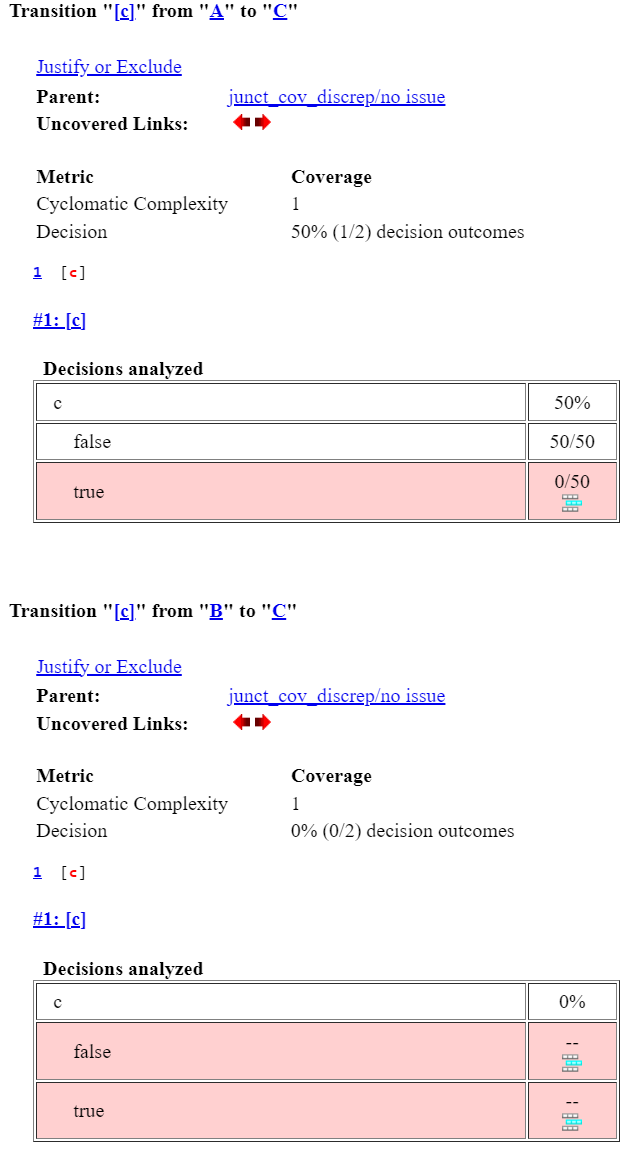
In this example, replace the junction with transitions from state
A and B to state C,
and add the condition c on both transitions to state
C.
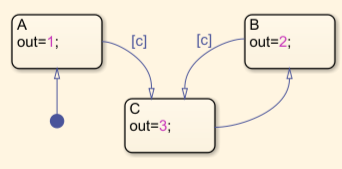
The coverage results now provide information about the full execution path because there are two separate conditional transitions.
Guard the Transition Logic by Using the in
Operator
Alternatively, use the in (Stateflow) operator to duplicate the logic
in the transition condition. In this example, replace the transition condition
c with in(A) && c || in(B) &&
c.
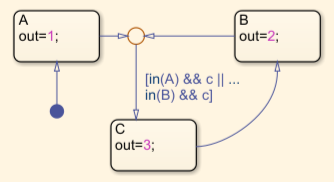
The coverage results now provide information about the full execution path of the transitions before and after the junction.
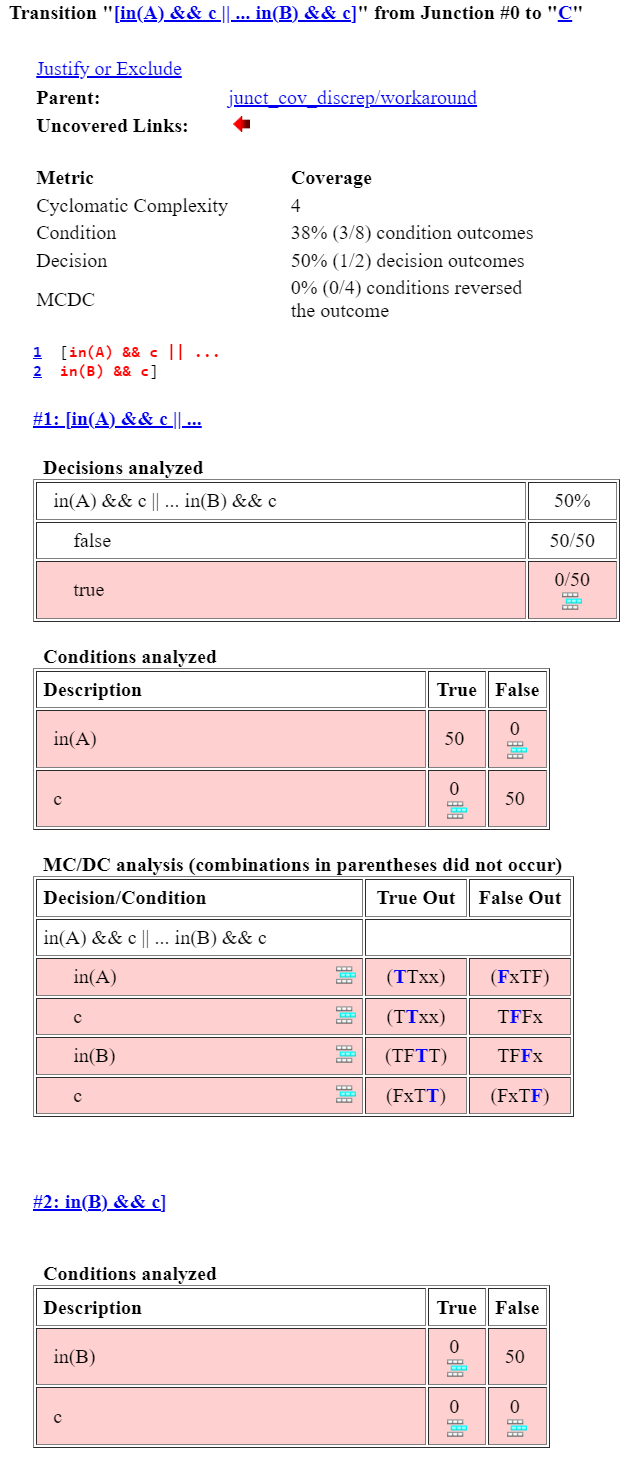
In this case, the transition also reports modified condition decision coverage (MCDC).
See Also
in (Stateflow)

