nrrdread
Syntax
Description
Examples
Read the image data from an NRRD format file. The file is part of a data set containing the 3-D CT and MRI scans from The Retrospective Image Registration Evaluation (RIRE) Dataset, converted to the NRRD file format. The original data set was provided by Dr. Michael Fitzpatrick. For more information, see the RIRE Project homepage. The size of the entire data set is approximately 35 MB. Download the data set from the MathWorks® website, then unzip the folder.
zipFile = matlab.internal.examples.downloadSupportFile("medical", ... "MedicalRegistrationNRRDdata.zip"); filepath = fileparts(zipFile); unzip(zipFile,filepath)
Specify the name of the NRRD file to read.
filename = fullfile(filepath,"supportfilesNRRD","Patient007CT.nrrd");
Read the image data from filename. The image data, V, is a 3-D array of intensity values.
V = nrrdread(filename);
whos VName Size Bytes Class Attributes V 512x512x28 29360128 single
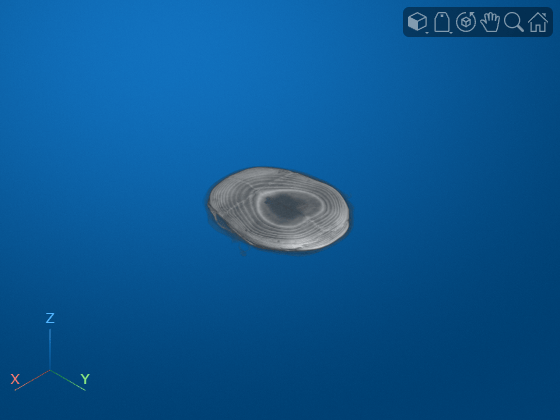
Display the image data stored in the array V.
volshow(V);
Input Arguments
Name of the NRRD file, specified as a string scalar or a character vector. The file
must be a valid NRRD file (.nrrd) that contains header information
and image data or a detached header file (.nhdr). Specify
filename as the absolute path to the file, a relative path from
the current directory, or a relative path from a directory on the MATLAB® path.
If filename specifies the path to a detached header file
(.nhdr), the corresponding raw image data file
(.raw.gz) must be on the path and its name must match the
datafile attribute of the metadata in the .nhdr
file. You can identify the value of the datafile attribute of the
metadata by inspecting the datafile subfield of the
RawAttributes field of the metadata info
returned by the nrrdinfo
function.
Data Types: char | string
Output Arguments
Volumetric image data, returned as a numeric array.
Version History
Introduced in R2022bRead image data using detached header files (.nhdr) when the
corresponding raw image data file (.raw.gz) with the same name is also on
the path.
MATLAB Command
You clicked a link that corresponds to this MATLAB command:
Run the command by entering it in the MATLAB Command Window. Web browsers do not support MATLAB commands.
Web サイトの選択
Web サイトを選択すると、翻訳されたコンテンツにアクセスし、地域のイベントやサービスを確認できます。現在の位置情報に基づき、次のサイトの選択を推奨します:
また、以下のリストから Web サイトを選択することもできます。
最適なサイトパフォーマンスの取得方法
中国のサイト (中国語または英語) を選択することで、最適なサイトパフォーマンスが得られます。その他の国の MathWorks のサイトは、お客様の地域からのアクセスが最適化されていません。
南北アメリカ
- América Latina (Español)
- Canada (English)
- United States (English)
ヨーロッパ
- Belgium (English)
- Denmark (English)
- Deutschland (Deutsch)
- España (Español)
- Finland (English)
- France (Français)
- Ireland (English)
- Italia (Italiano)
- Luxembourg (English)
- Netherlands (English)
- Norway (English)
- Österreich (Deutsch)
- Portugal (English)
- Sweden (English)
- Switzerland
- United Kingdom (English)