Fit Models to Generate Calibrations
R2026bFit the data to a point-by-point model with these responses, local inputs, and operating points. A separate model is fit to each operating point when using point-by-point models.
Responses:
q-axis current, Iq, in A
Voltage magnitude, Vs, in V
Local inputs:
d-axis current, Id, in A
Motor torque, Trq, in Nm
Operating points:
Motor speed, n, in rpm
In the Model Browser, click Fit Models.
In the Fit Models dialog box, configure a point-by-point model with these responses and inputs. The Operating point inputs field automatically populates.
Responses Local Inputs Operating Points IqVsIdTrqnAlternatively, you can select the pmsmSpeed template to automatically populate the Responses and Local inputs fields.
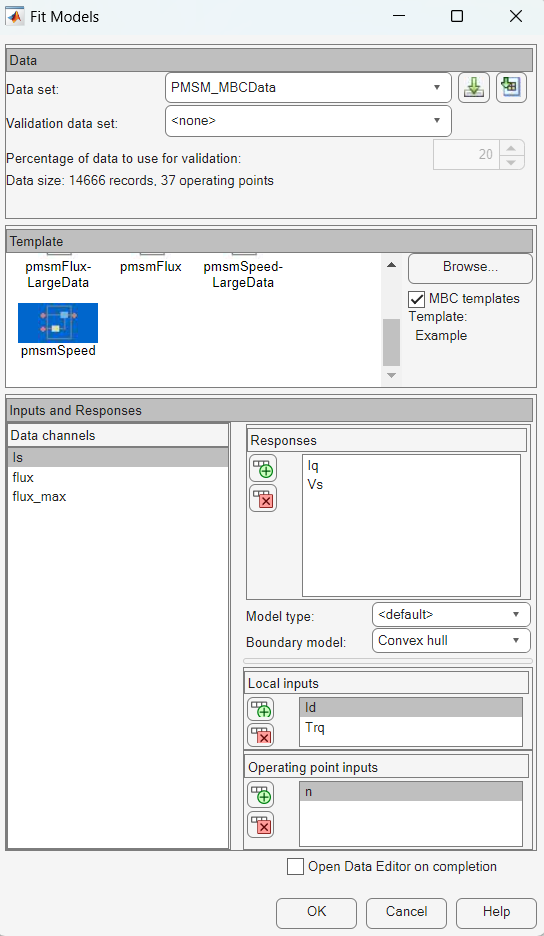
To fit the model, click OK. If prompted, accept changes to the data. By default, the toolbox fits four model types to each operating point and selects the best model. For more information, see Fit Point-by-Point Models.
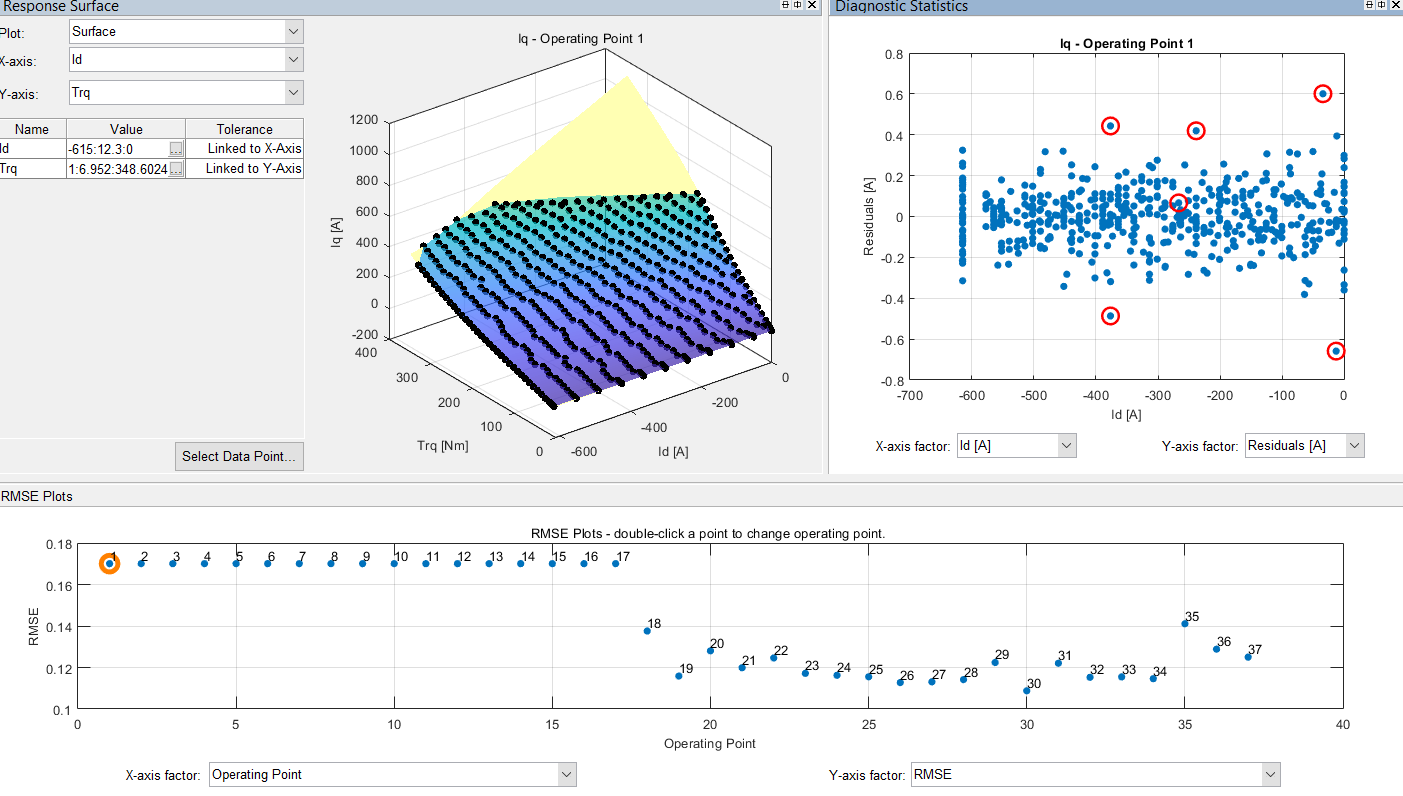
After the fit completes, examine the response models for Iq. The Model Browser displays information that you can use to determine the accuracy of the model fit.
Examine the response surface and diagnostic statistics. These results indicate a reasonably accurate fit. You can browse through each operating point and local model to examine the response for each speed operating point.
Save your project. For example, select Files > Save Project. Save the
gs_example.matfile to theworkfolder.

