clmo-ui
GUI to clear graphics objects from axesm-based map
Activation
clmo
Description
clmo brings up a Select Object dialog box
for selecting mapped objects to delete.
Controls
The scroll box is used to select the desired objects from the list of mapped objects.
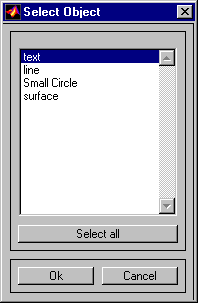
Pushing the Select all button highlights all objects in the scroll box for selection. Pushing the OK button deletes the selected objects from the map. Pushing the Cancel button aborts the operation.
Version History
Introduced in R2007a

