Change the Organization of a Generated File
R2026bThis example shows how to control the organization of generated files using both code templates and data templates.
The files created during code generation are organized according to the general code generation template. This template has the filename ert_code_template.cgt, and is specified by default in Code Generation > Templates pane of the Configuration Parameters dialog box.
Use Default Code Template
Open example model ConfigurationInterface.
model='ConfigurationInterface';
open_system(model)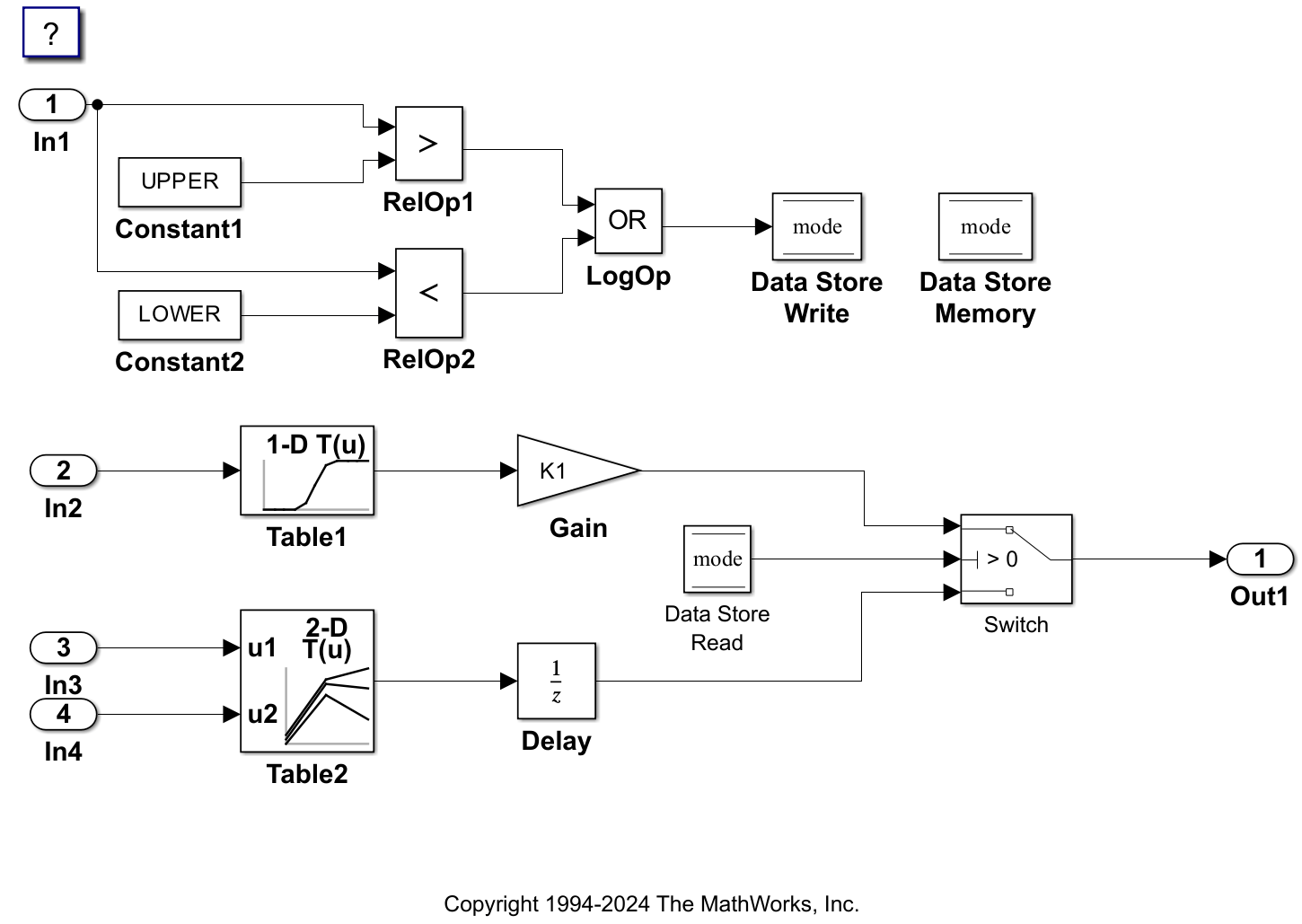
Generate code. On the C Code tab, click Build.
evalc('slbuild(model)');Examine the source file ConfigurationInterface.c. For example, the default template generates the following file header:
file = fullfile("ConfigurationInterface_ert_rtw","ConfigurationInterface.c");
coder.example.extractLines(file,"/*","*/",1,1)
/*
 * File: ConfigurationInterface.c
 *
 * Code generated for Simulink model 'ConfigurationInterface'.
 *
 * Model version                  : 13.0
 * Simulink Coder version         : 26.2 (R2026b) 22-May-2026
 * C/C++ source code generated on : Fri Aug  7 04:41:38 2026
 *
 * Target selection: ert.tlc
 * Embedded hardware selection: Intel->x86-64 (Windows64)
 * Code generation objectives: Unspecified
 * Validation result: Not run
 */
and the following global data definition section:
coder.example.extractLines(file,"/* Exported data definition","DW_ConfigurationInterface_T",1,1)
/* Exported data definition */

/* ConstVolatile memory section */
/* Definition for custom storage class: ConstVolatile */
const volatile int8_T K1 = 2;          /* Referenced by: '<Root>/Gain' */
const volatile Table1_Type Table1 = {
  { -5.0, -4.0, -3.0, -2.0, -1.0, 0.0, 1.0, 2.0, 3.0, 4.0, 5.0 },

  { -1.0, -0.99, -0.98, -0.96, -0.76, 0.0, 0.76, 0.96, 0.98, 0.99, 1.0 }
} ;                                    /* Referenced by: '<Root>/Table1' */

const volatile Table2_Type Table2 = {
  { 1.0, 2.0, 3.0 },

  { 1.0, 2.0, 3.0 },

  { 4.0, 16.0, 10.0, 5.0, 19.0, 18.0, 6.0, 20.0, 23.0 }
} ;                                    /* Referenced by: '<Root>/Table2' */

/* Volatile memory section */
/* Definition for custom storage class: Volatile */
volatile boolean_T mode;               /* '<Root>/Data Store Memory' */

/* Block states (default storage) */
DW_ConfigurationInterface_T ConfigurationInterface_DW;
Change Code and Data Templates
Code templates primarily organize the files that contain functions. Data templates organize the files that contain identifiers. To organize the generated files, configure your model to use the supplied code and data templates:
In the Configuration Parameters dialog box, open the Code Generation > Templates pane.
In the Code templates section, in the Source file template box, type code_c_template.cgt.
In the Header file template box, type code_h_template.cgt.
In the Data templates section, in the Source file template box, type data_c_template.cgt.
In the Header file template box, type data_h_template.cgt.
Click Apply.
Alternatively, enter the following at the MATLAB command prompt.
set_param(model,ERTSrcFileBannerTemplate="code_c_template.cgt");
set_param(model,ERTHdrFileBannerTemplate="code_h_template.cgt");
set_param(model,ERTDataSrcFileTemplate="data_c_template.cgt");
set_param(model,ERTDataHdrFileTemplate="data_h_template.cgt");
Generate code.
evalc('slbuild(model)'); Now the files are organized using the templates you specified. For example, the source file code template code_c_template.cgt organizes the file header in ConfigurationInterface.c as:
coder.example.extractLines(file,"/**"," ** MODIFICATION HISTORY:",1,0)
/**
 *******************************************************************************
 **  FILE INFORMATION:
 **  Filename:           ConfigurationInterface.c
 **  File Creation Date: 07-Aug-2026
 **
 **  ABSTRACT:
 **
 **
 **  NOTES:
 **
 **
 **  MODEL INFORMATION:
 **  Model Name:         ConfigurationInterface
 **  Model Description:  Data Dictionary Driven Modeling Using Simulink(R) Data Objects

   This model shows how to use Simulink data objects to define data
   independently from the diagram, which supports a data dictionary
   driven modeling style.
 **  Model Version:      13.0
 **  Model Author:       The MathWorks, Inc. - Mon Nov 27 14:36:56 2000
 **
and the global data definition section as:
coder.example.extractLines(file,"/***","/* Declarations */",1,1)
/**************************** GLOBAL DATA *************************************/
/*  Definitions */
/* Exported data definition */

/* ConstVolatile memory section */
/* Definition for custom storage class: ConstVolatile */
const volatile int8_T K1 = 2;          /* Referenced by: '<Root>/Gain' */
const volatile Table1_Type Table1 = {
  { -5.0, -4.0, -3.0, -2.0, -1.0, 0.0, 1.0, 2.0, 3.0, 4.0, 5.0 },

  { -1.0, -0.99, -0.98, -0.96, -0.76, 0.0, 0.76, 0.96, 0.98, 0.99, 1.0 }
} ;                                    /* Referenced by: '<Root>/Table1' */

const volatile Table2_Type Table2 = {
  { 1.0, 2.0, 3.0 },

  { 1.0, 2.0, 3.0 },

  { 4.0, 16.0, 10.0, 5.0, 19.0, 18.0, 6.0, 20.0, 23.0 }
} ;                                    /* Referenced by: '<Root>/Table2' */

/* Volatile memory section */
/* Definition for custom storage class: Volatile */
volatile boolean_T mode;               /* '<Root>/Data Store Memory' */

/* Block states (default storage) */
DW_ConfigurationInterface_T ConfigurationInterface_DW;

/*  Declarations  */

