メインコンテンツ

ADXL34x Accelerometer

Measure linear acceleration along axes of ADXL34x family of accelerometers

Since R2025a
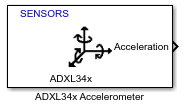
  • ADXL34x Accelerometer

Libraries:
STM32 Microcontroller Blockset / Sensors / IMU Sensors

Description

The ADXL34x Accelerometer block reads data from the ADXL34x family of accelerometers (ADXL343, ADXL344, ADXL345, and ADXL346) with STM32 Processors.

You can use this block to measure linear acceleration along the X, Y and Z-axes. The block also provides the option to enable the data ready interrupt.

The block outputs acceleration as a 1-by-3 array.

Note

Always ensure to connect the sensor to the board, when performing monitor and tune with sensor block available in the model.

Ports

Output

expand all

This port outputs the linear acceleration (in m/s2) along the x-, y- and z-axes as a 1-by-3 array.

Data Types: double

Note

It is observed that there are many faulty cloned ADXL345 sensors available in the market, with Z axis raw output becoming unresponsive. Buy the sensor from a genuine distributor to avoid this issue.

Parameters

expand all

The I2C module to be used for communication to the ADXL34x sensor. The number of I2C modules supported varies across different STM32 Processors. You can find the supported I2C modules corresponding to the processor (which you selected for the Hardware Board parameter in the Simulink® model) by opening the Configuration Parameters dialog box and checking the I2C specific tabs under Target hardware resources.

Programmatic Use

Block Parameter: I2CModule

The I2C address of the ADXL34x sensor from which the block reads the values.

The ADXL34x sensor can have two I2C addresses depending on the logic level on pin ALT of the sensor.

Pin NamePin StateI2C Address
ALTLow0x53
High0x1D

Programmatic Use

Block Parameter: I2CAddress

Select the data type of the sensor from which the block reads the values.

Specify the output data type for the values read from ADXL34x sensor. The default data type for STM32 Processors is single. Use this parameter to change the values to double, if required.

Programmatic Use

Block Parameter: DataType

Specify how often this block reads the data from the ADXL34x sensor. When you set this parameter to -1, Simulink determines the best sample time for the block based on the block context within the model.

Programmatic Use

Block Parameter: SampleTime

Advanced settings

Select the range of acceleration that the accelerometer can measure.

Programmatic Use

Block Parameter: AcelerationRange

Select the output data rate at which accelerometer data is sampled.

Programmatic Use

Block Parameter: AccelerometerODR

If this option is selected, an interrupt is generated on pin INT1 or INT2 of the sensor when data is ready, allowing you to trigger other subsystems to perform any action.

Programmatic Use

Block Parameter: IsActiveInterrupt

Select the interrupt generate pin to read accelerometer data.

Dependencies

To enable this parameter, select the Enable data ready interrupt parameter.

Programmatic Use

Block Parameter: InterruptPin

Extended Capabilities

expand all

C/C++ Code Generation
Generate C and C++ code using Simulink® Coder™.

Version History

Introduced in R2025a