このページの内容は最新ではありません。最新版の英語を参照するには、ここをクリックします。
showNonManifoldEdges
R2026aSTL ファイルまたはメッシュ内の非多様体エッジを強調表示する
説明
例
stlFileChecker オブジェクトを使用し、STL ファイル内の不良特性を検出して表示します。
stlFilename = 'sample_stl_file.stl';
s = stlFileChecker(stlFilename)
detected 8 Non Manifold Edges. detected 3 Non Manifold Vertices. detected 4 duplicate Vertices. detected 0 Slivers. detected 12 Normal Transition Edges. detected 2 Free Triangles. detected 9 T-Vertices.
s =
  stlFileChecker with properties:

                 FileName: 'sample_stl_file.stl'
            Triangulation: [162×3 triangulation]
         NonManifoldEdges: [8×2 double]
      NonManifoldVertices: [3×1 double]
                  Slivers: [0×1 double]
        DuplicateVertices: [4×1 double]
    NormalTransitionEdges: [12×2 double]
            FreeTriangles: [2×1 double]
                TVertices: [9×1 double]
                  ShowLog: 1
        MinimumSeparation: 1.0000e-06
              MinimumArea: 1.0000e-11
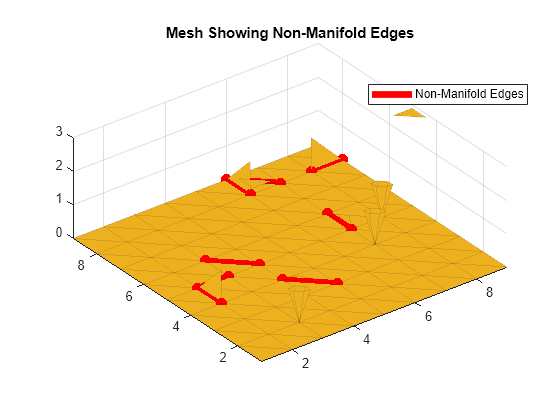
STL ファイル内の非多様体エッジを可視化します。
showNonManifoldEdges(s)
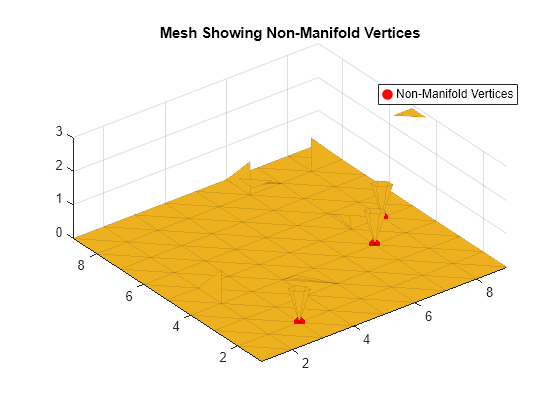
STL ファイル内の非多様体の頂点を可視化します。
figure
showNonManifoldVertices(s)
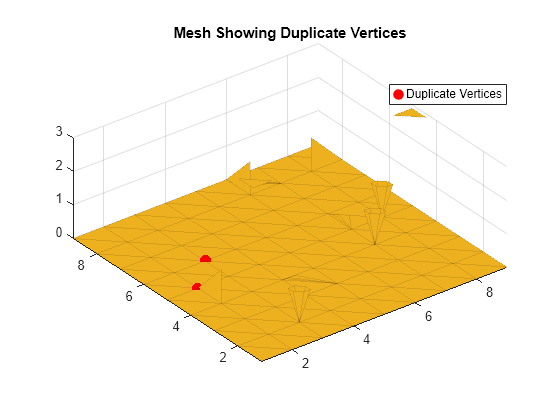
STL ファイル内の重複した頂点を可視化します。
figure
showDuplicateVertices(s)
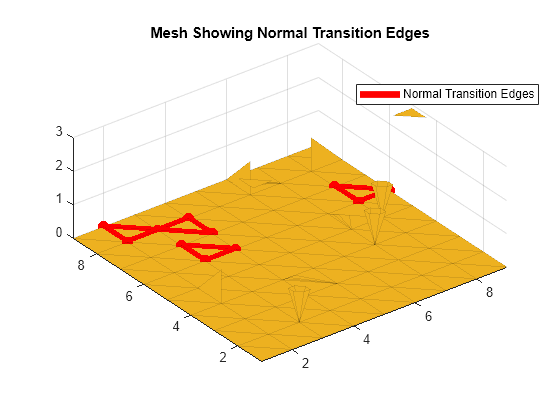
STL ファイル内の法線遷移エッジを可視化します。
figure
showNormalTransitionEdges(s)
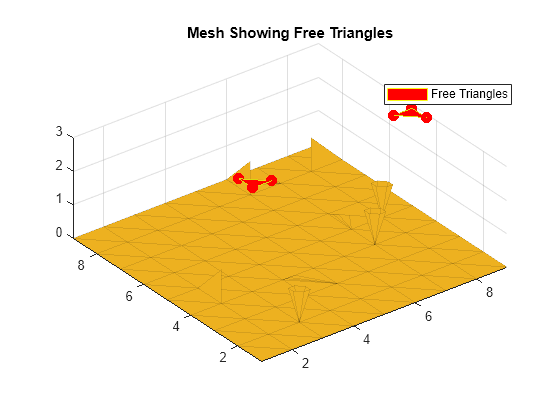
STL ファイル内の遊離した三角形を可視化します。
figure
showFreeTriangles(s)
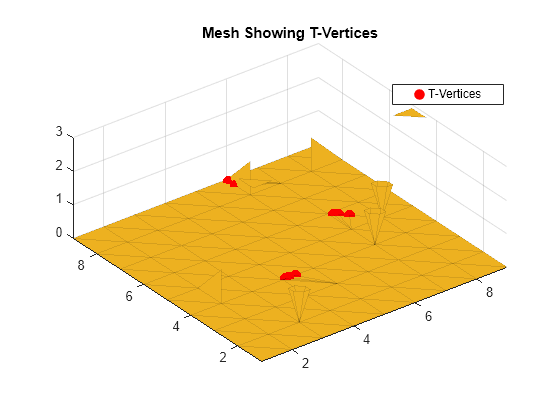
STL ファイル内の T 型頂点を可視化します。
figure
showTVertices(s)
入力引数
バージョン履歴
R2021b で導入

