Set Up Designs and Models, Resume Work, or Find Engine Modeling Examples
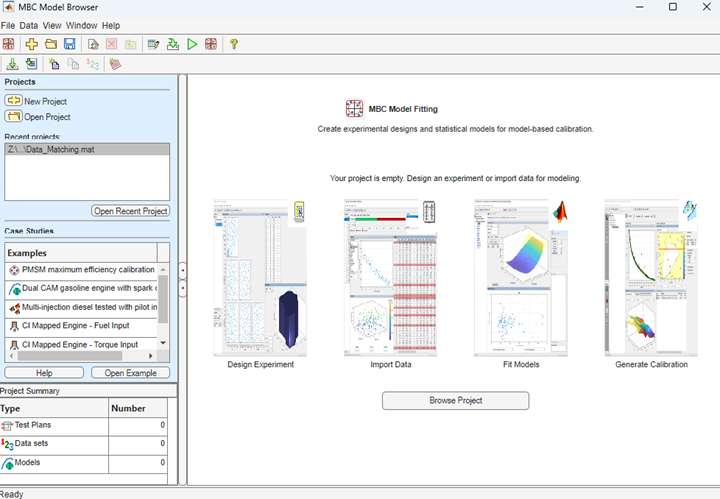
R2026bWhen you open MBC Model Fitting app, the home page helps you get started or resume work faster by accessing frequent tasks, recent projects, and featured examples.
Get started by using the buttons in the right pane for common modeling tasks: design an experiment, import data, or fit models.
Resume work by opening projects from the Recent projects list.
Open case study examples from the Case Studies list.
View a summary of test plans, data sets, and models in your project. To open other modeling views and browse the model tree, click Browse Project.
From other modeling views, to return to the home page, click the Home toolbar button or select File > Home.
On the home page, click Generate Calibration to open the MBC Optimization App and help you import models for calibrations.