Install Hardware Driver
Install Arduino Driver on a Windows System
Before installing device drivers, make sure that you have administrative privileges.
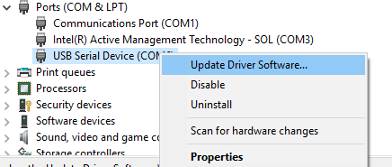
Open Device Manager, and find your device mentioned as
USB Serial DeviceorUnknown Device.Right-click on the device, and select Update Driver Software.
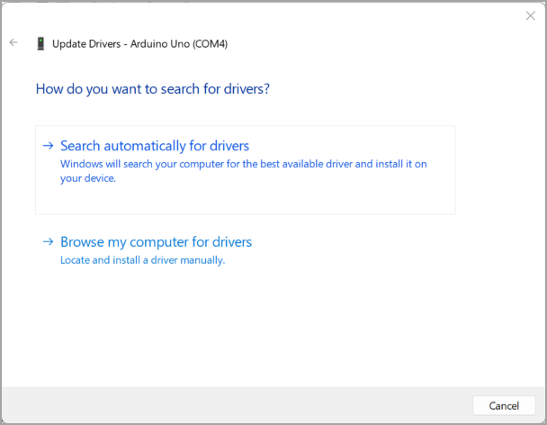
Select Browse my computer for driver software.
Enter the path of the hardware IDE in your computer. Example folder location of IDE:
C:\Program Files (x86)\Arduino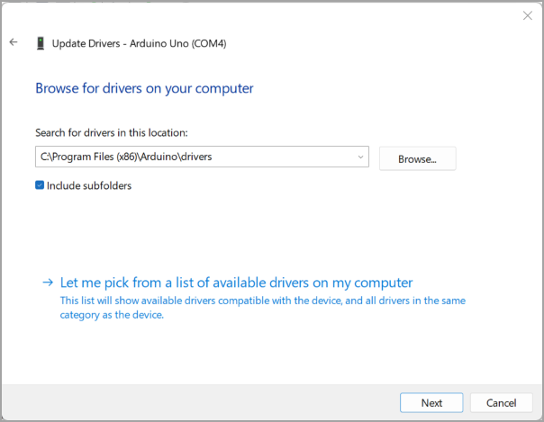
Click Install to install the driver software for Arduino® board.
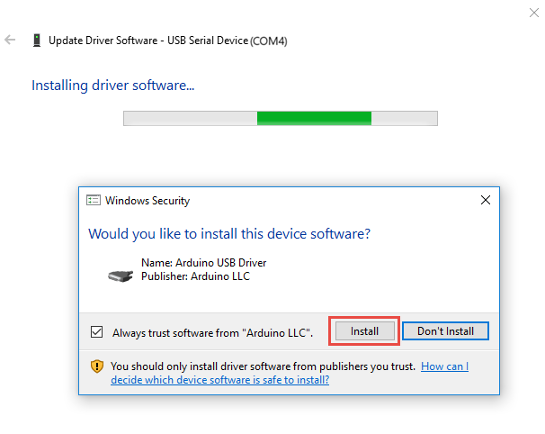
You receive confirmation of a successful installation.

